Are you a seasoned gamer balancing work and life but still craving engaging, skill-building experiences on Roblox? Dive into the intricate world of Gearworks Roblox, where creativity meets engineering. This comprehensive guide helps you navigate the complexities of building automated systems, optimizing performance, and connecting with a vibrant community. Discover how to troubleshoot common issues, maximize your in-game efficiency, and ensure your mechanical marvels run smoothly without draining your precious free time. We'll cover everything from initial setup and performance tweaks to finding the best Gearworks experiences and collaborating with other enthusiasts. Perfect for those who value deep gameplay, social interaction, and smart spending, this resource is tailored to enhance your Gearworks Roblox journey, making every session rewarding and fun.
Q: What is Gearworks Roblox and how does it differ from other Roblox games?
A: Gearworks Roblox refers to a genre of experiences and a style of building within Roblox that focuses on intricate mechanical engineering, automation, and complex machinery. Unlike typical adventure or role-playing games, Gearworks emphasizes design, logic, and physics-based construction, challenging players to create functional systems using gears, pistons, and scripting. It's about building the 'engine' of a game or a complex contraption rather than just playing a pre-made experience, appealing to those who love problem-solving.
Q: How do I improve performance for my complex Gearworks builds?
A: To improve performance in complex Gearworks builds, prioritize efficient part management. Reduce unnecessary part count by using unions wisely and minimizing redundant geometry. Ensure static parts are 'Anchored' and have 'CanCollide' set to false when appropriate. Optimize your Lua scripts to run only when needed, avoiding constant loops or heavy computations. Using streaming enabled in your game settings can also help by loading only visible parts, which is especially useful for players with limited hardware, including the vast mobile gaming audience.
Q: What are the essential tools and commands for a beginner in Gearworks Roblox?
A: For beginners, mastering the basic building tools is crucial. These include 'Move,' 'Scale,' 'Rotate' for manipulating parts. The 'Weld' or 'Join' tool is essential for connecting parts securely, while 'Anchor' fixes parts in place. Understanding how to use 'Hinges,' 'PrismaticConstraints' (for pistons), and 'CylindricalConstraints' (for rotating parts like gears) will be fundamental. Familiarize yourself with the 'Properties' window to adjust material, color, and physical attributes of your parts, making your creations robust and visually appealing.
Q: Can I use Gearworks to create my own automated factory or simulation?
A: Absolutely! Creating automated factories and simulations is a core appeal of Gearworks Roblox. Many players use these mechanics to design assembly lines, resource collection systems, or intricate logic puzzles. By combining building tools with Lua scripting, you can program complex sequences, create interactive UIs, and simulate real-world processes. This offers a deeply rewarding experience for gamers who enjoy strategic planning and seeing their systems run efficiently, turning a simple idea into a fully functional digital ecosystem.
Q: Where can I find tutorials or resources to learn advanced Gearworks scripting?
A: For advanced Gearworks scripting, the official Roblox Developer Hub is an invaluable resource, offering comprehensive documentation on Lua and Roblox APIs. YouTube channels dedicated to Roblox development often feature tutorials on advanced scripting concepts like physics manipulation, remote events, and custom GUIs specific to mechanical builds. Joining Discord communities for popular Gearworks games or general Roblox scripting also provides direct access to experienced developers and a wealth of shared knowledge, helping you overcome common scripting hurdles and expand your capabilities.
Q: What are some common pitfalls to avoid when building intricate Gearworks?
A: A common pitfall is overcomplicating designs from the start; begin with simple modules and expand incrementally. Another is neglecting proper welding and anchoring, leading to creations falling apart. Be wary of 'physics hell' where too many unanchored, colliding parts cause unpredictable behavior and lag. Inefficient scripting, such as constantly checking values in a loop, can also degrade performance. Always test components individually before integrating them into a larger system, saving you hours of debugging down the line.
Q: How does Gearworks Roblox foster creativity and problem-solving skills?
A: Gearworks Roblox uniquely fosters creativity by providing a vast sandbox where players can bring any mechanical idea to life, from simple machines to elaborate robots. It hones problem-solving skills through iterative design; you constantly encounter challenges like making a gear mesh perfectly, synchronizing multiple pistons, or optimizing a script. Each obstacle requires critical thinking, experimentation, and debugging, transforming potential frustration into a rewarding journey of discovery and mastery. It's a digital engineering playground that strengthens analytical and innovative thinking for players of all ages.
Are you one of the millions of US gamers who juggles a demanding job, family commitments, and still finds time to unwind in digital worlds? You're not alone. With over 87% of US gamers regularly logging in, many of us spend an average of 10+ hours a week seeking relaxation, creative outlets, and social connection. But for those of us who appreciate a deeper challenge than just clicking buttons, the intricate world of Gearworks Roblox offers a unique blend of engineering, creativity, and problem-solving. It's a niche within Roblox that lets you design and build complex mechanical systems, from automated factories to elaborate contraptions, all while honing valuable skills.
However, getting started or optimizing your Gearworks experience can sometimes feel like another job. Performance issues, complex scripting, or simply finding the best starting point can eat into your limited gaming time. This article is your practical guide, designed to help you cut through the noise, solve common pain points, and get the most out of your Gearworks Roblox adventures. We'll explore what makes these experiences tick, how to boost your creations' efficiency, and connect you with the resources you need to build impressive automated marvels without the headache. Let's dive in and transform your Gearworks challenges into rewarding successes!
What Exactly is Gearworks Roblox and Why Should I Care?
Gearworks Roblox isn't a single game, but rather a style of creation and a collection of experiences within the Roblox platform focused on complex machinery, automation, and engineering. Think of it as a virtual sandbox where you can design, build, and script intricate mechanical systems, often involving gears, pistons, conveyors, and logic gates. It appeals to players who enjoy problem-solving, design, and seeing their creations come to life. For a gamer who values skill-building and a deeper challenge beyond typical casual play, Gearworks offers a mentally stimulating environment to flex those creative and logical muscles.
How Do I Get Started Building My First Gearworks Contraption?
Jumping into Gearworks Roblox can seem daunting, but the initial steps are straightforward. First, you'll need to explore games on Roblox that provide robust building tools and a physics engine suitable for mechanical creations. Look for experiences labeled as 'sandbox,' 'building,' or 'engineering.' Once in a game, familiarize yourself with the basic tools: part creation, scaling, rotation, and especially the 'join' or 'weld' tool to connect parts securely. Start small—perhaps a simple gear train or a moving platform—to understand the fundamental mechanics before tackling grander projects. Many communities offer starter kits or tutorials to guide new builders through their initial projects.
What are the Common Performance Challenges in Gearworks Roblox?
One of the biggest frustrations for Gearworks enthusiasts is performance degradation. Complex contraptions with many moving parts, detailed textures, and extensive scripting can quickly strain your system, leading to lag and frame drops. Common culprits include excessive part count, unoptimized unions or meshes, inefficient scripts running continuously, and poor network conditions. Even if you're running on a decent PC, a heavily unoptimized Gearworks build can bring it to its knees. Mobile users, who constitute a significant portion of Roblox players, often face even greater challenges due to hardware limitations.
How Can I Optimize My Gearworks Creations for Better Performance?
Optimizing your Gearworks builds is crucial for a smooth experience. Firstly, **reduce part count** by using unions or meshes efficiently, but be mindful that overly complex unions can also cause issues. **Disable unnecessary physics** on static parts by setting their 'CanCollide' property to false and 'Anchored' to true. **Refine your scripts**; ensure they only run when necessary and avoid infinite loops or constant polling. Use efficient data structures and minimize client-side computations. Consider **level of detail (LOD)** techniques for distant objects and implement **part streaming** if available in your chosen game, allowing the client to load only what's needed. Regularly testing your creation's performance as you build will save you headaches later.
Where Can I Find and Connect with the Gearworks Roblox Community?
The Gearworks Roblox community is a treasure trove of knowledge and collaboration. Dedicated Discord servers are typically the most active hubs, where you can share your projects, ask for help, and find collaborators. Search for popular Gearworks-themed games on Roblox and check their descriptions for links to their official communities. YouTube tutorials from experienced builders also offer fantastic insights and often link to their community channels. Engaging with these groups not only provides solutions to your problems but also fosters social connections, a key aspect of modern gaming, with many adult gamers using games to unwind and connect with friends online.
What Scripting Languages are Used in Gearworks Roblox and Why Are They Important?
Most advanced Gearworks creations leverage Lua, the primary scripting language for Roblox. Lua allows you to automate complex behaviors, create custom controls, implement advanced physics interactions, and design intricate logic systems that go beyond basic building tools. Understanding Lua is vital for building truly dynamic and interactive Gearworks. Even if you're not a coding wizard, learning the basics can significantly enhance your creative capabilities, enabling you to bring complex ideas like automated sorting systems or fully functional engines to life. Resources for learning Lua are abundant, from official Roblox documentation to community-made tutorials.
Are There Any Cost-Effective Ways to Improve My Roblox Gaming Setup for Gearworks?
Many adult gamers play on a budget, balancing expenses. Improving your Gearworks Roblox experience doesn't always require a brand-new PC. Start with **software optimizations**: ensure your Roblox client is updated, close unnecessary background applications, and keep your graphics drivers current. In-game, **adjust your graphics settings** to a lower level if you're experiencing lag. For hardware, consider a **RAM upgrade** (often the most cost-effective performance boost for gaming) or, if possible, moving Roblox and your OS to an **SSD** for faster loading times. These upgrades can significantly impact performance without breaking the bank, a common pain point for gamers balancing family and finances.
How Can Gearworks Roblox Help Me Unwind and Build Skills?
For many, gaming is about stress relief. Gearworks Roblox offers a unique form of relaxation through focused, creative problem-solving. The process of designing, building, and debugging mechanical systems can be incredibly therapeutic, providing a sense of accomplishment as your intricate contraptions come to life. Beyond relaxation, you're actively building valuable skills: **logical thinking**, **spatial reasoning**, **basic engineering principles**, and even **introductory programming concepts**. These aren't just game skills; they're cognitive abilities that can translate to real-world benefits, making your gaming time genuinely productive.
The world of Gearworks Roblox offers a fantastic avenue for creative expression and intellectual challenge within the broader Roblox ecosystem. Whether you're a veteran builder or just starting, focusing on optimization, community engagement, and leveraging scripting will significantly enhance your experience. Remember, gaming should be fun and fulfilling, not frustrating. By understanding the mechanics and applying smart strategies, you can build incredible automated worlds that truly impress. What's your biggest Gearworks challenge? Comment below and let's help each other build better!
FAQ Section
What kind of games feature Gearworks mechanics?
Many Roblox sandbox, building, and simulation games integrate Gearworks mechanics, allowing players to construct complex machines, factories, and vehicles using gears, pistons, and other mechanical parts. Look for games emphasizing engineering or automation.
Is Gearworks Roblox suitable for beginners?
Yes, while some advanced creations can be complex, many experiences offer simplified tools and tutorials for beginners. Starting with basic contraptions and gradually increasing complexity is a great way to learn and build confidence.
How do I prevent my Gearworks creation from breaking apart?
Ensure all parts are securely joined using the 'Weld' or 'Join' tool, and that critical components are 'Anchored' if they aren't meant to move. Proper use of constraints like hinges and pistons is also key to structural integrity.
Can I collaborate with friends on Gearworks projects?
Absolutely! Many Gearworks-focused games on Roblox support collaborative building in shared spaces. This is an excellent way to learn from others, tackle larger projects, and enjoy the social aspect of gaming, which is a major draw for Gen Z and Millennials.
What are 'Roblox Gearworks scripts'?
Roblox Gearworks scripts are pieces of Lua code written to control the behavior of mechanical parts. They allow for advanced automation, custom interactions, and dynamic physics, giving builders more precise control over their creations' functionalities.
Where can I find free Gearworks assets for my builds?
The Roblox Toolbox often contains free models and assets shared by the community, including gears, pistons, and even pre-built mechanical systems. Always check the reputation of the creator before using external assets.
Gearworks Roblox refers to experiences and creations on the Roblox platform centered around mechanical engineering, automation, and intricate machinery. Key highlights include building complex contraptions, optimizing performance for smooth operation, collaborating with a creative community, and utilizing scripting for advanced functionalities. It offers a unique blend of problem-solving, creativity, and technical skill development within a gaming context, appealing to players who enjoy design, logic, and seeing their ideas come to life through interactive mechanics.
35


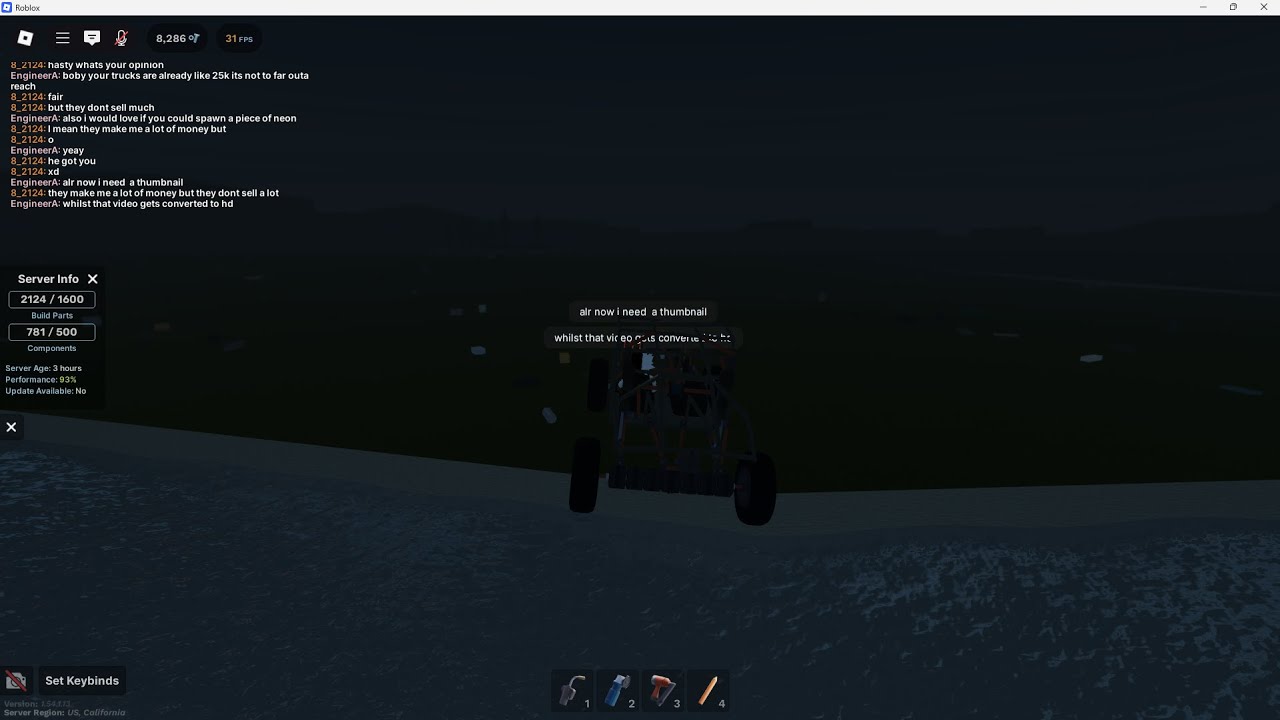
Roblox Gearworks TIE Fighter Showcase YouTube . Roblox Gearworks Car Tutorial GEARWORKS Tutorial YouTube . How To Get Scrap In Roblox Gearworks Tutorial YouTube . Gearworks Scrap Tutorial 40K H 2024 Roblox Gearworks YouTube . The Full Sender Showcase Roblox Gearworks YouTube




The Gear Ratios 3 Speed Gearbox Showcase Roblox Plane Crazy YouTube . Definitive Guide To Roblox 2026 TM 07169 Definitive Guide To Roblox 2026 . Gearworks Roblox NoFilter. How To Message On Roblox 2026 A Quick Guide . How To Message On Roblox 2026 A Quick Guide SL1500


Gearworks GearWorks RBLX Twitter. Roblox R6 Explained What Does It Really Mean Oar2 . Roblox 2026 Logo REVEALED New Color New Look YouTube Maxres2 . Roblox 2026 Insider Reveals Platform Evolution Safety 4000x4000bb . Gearworks Play On Roblox NoFilter




What Is Garhorse Roblox And Why Is It Popular In 2026 Updated Roblox. Who Is On Roblox Insights For 2026 V1 . Roblox At GDC 2026 Where To Find Us All Week Roblox. A Roblox Movie 2026 Teaser Trailer Realtime YouTube Live View . 15 Game Roblox Horror Terbaik 2026 15 Game Roblox Horror Terbaik 2026 Paling Seram And Bikin Deg Degan 7f944699ce




What Are The Biggest Items In Roblox Worlds For 2026 . How To Download Roblox On Any Device Easily In 2026 Moldura Calendario 2026 Roblox Game PNG 935x614 . Who Is Mgigi203 On Roblox And What Are They Doing In 2026 . Roblox 2026 NEW LOOK The Biggest Update Ever YouTube Maxres2 . Roblox 2026 Logo YouTube Oardefault



Prepare For 2026 With Roblox Trends TikTok Img. How To Play Eat The World In Roblox March 2026 The Ultimate Guide All Roblox Kaizen Accessories Guide . What Are The Biggest Items In Roblox Worlds For 2026 NoFilter. 5 Roblox 2026 Image. What Is Alien Hub Roblox And How Does It Work 2026 A Roblox Character Looking At An Event Hub



Roblox In 2026 Play On Roblox NoFilter. Basics Gearworks Wiki Fandom Latest. Roblox 2026 Generative AI Ekonomi Kreator Dan Dominasi Roblox Generative Ai Ekonomi Kreator Metaverse 2026 Cover 2r4KC4.webp. 2026 Roblox YouTube Oar2 . The Definitive Guide To Roblox 2026 Gadget Stall 1024x1024