Struggling with Roblox lag? Dive into our comprehensive 2026 guide designed for the average US gamer balancing life and leisure. Discover practical solutions to common issues like slow internet, outdated hardware, and problematic game settings that cause Roblox to lag. We break down the technical jargon into actionable steps, helping you optimize your performance, enhance your social gaming experience, and enjoy Roblox without frustrating delays. From quick software tweaks to understanding server demands and even budget-friendly hardware considerations, this resource is packed with navigational and informational insights to get you back to smooth gameplay. Stop asking "why is Roblox lagging" and start playing seamlessly.
Why is Roblox Lagging Constantly and How Can I Stop It?
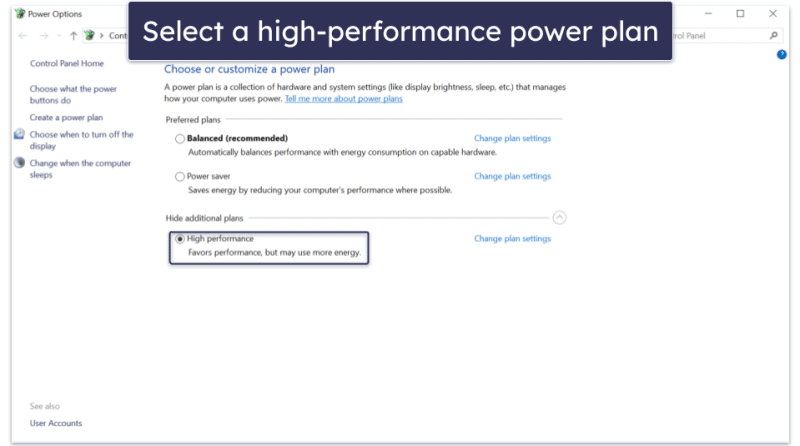
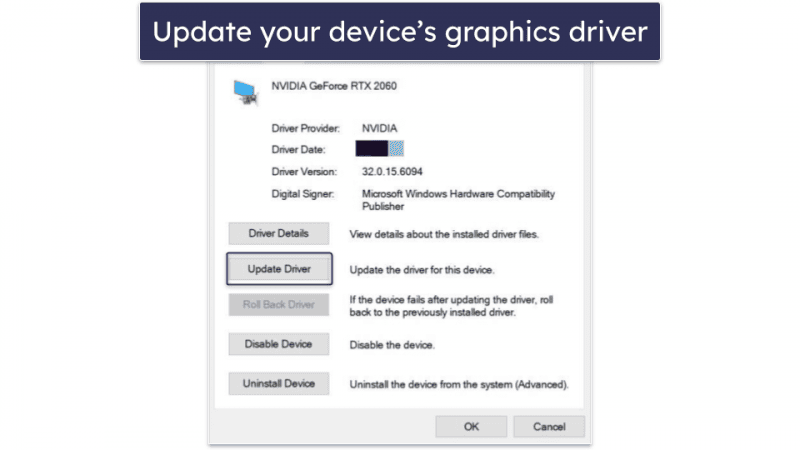
Roblox often lags due to a combination of factors including slow internet, outdated hardware, too many background applications, or even issues with the specific game or Roblox server. To stop it, first check your internet connection for stability and speed. Next, close unnecessary programs, update your graphics drivers, and lower Roblox's in-game graphics settings. If the problem persists, consider optimizing your device's storage or a modest hardware upgrade.
How Do I Know if My Internet Speed is Causing Roblox Lag?
You can identify internet-related lag by checking your ping (latency) in-game or by running an online speed test. High ping numbers (above 50-100ms) typically indicate a slow or unstable connection to the game servers. If other online games also lag, it's a strong sign your internet is the culprit. Try using a wired Ethernet connection instead of Wi-Fi for better stability.
What are the Best In-Game Settings to Reduce Lag in Roblox?
To reduce lag, the best in-game setting to adjust is 'Graphics Mode' or 'Graphics Quality.' Set it to 'Manual' and drag the slider down to a lower quality. This reduces the visual demands on your computer's hardware, allowing for higher frame rates and smoother gameplay, especially in visually complex Roblox experiences.
Can Outdated Graphics Drivers Really Make Roblox Lag So Badly?
Yes, absolutely. Outdated graphics drivers can severely hinder your system's ability to efficiently process and render game visuals, leading to significant lag, stuttering, and even crashes in Roblox. Always keep your graphics drivers (for NVIDIA, AMD, or Intel) updated to their latest versions for optimal performance and compatibility with current games.
Why Does Roblox Lag More in Certain Games or Experiences?
Roblox often lags more in specific games because those experiences might be poorly optimized by their creators. Games with excessive unoptimized assets, complex scripts, or a very high player count can be more demanding on your system and the Roblox servers, causing lag even if your own setup is decent. Server load also plays a role in popular games.
Is My Phone or Tablet Hardware Too Old for Roblox to Run Smoothly in 2026?
It's possible. As Roblox experiences become more graphically advanced, older mobile device hardware struggles to keep up. If your phone or tablet is more than 3-4 years old, or has limited RAM and an older processor, you might experience persistent lag even after optimizing settings. Newer, mid-range devices typically offer a much smoother Roblox experience today.
How Can I Prevent Background Apps from Causing Roblox Lag?
To prevent background apps from causing Roblox lag, open your operating system's Task Manager (Windows) or close apps from the recent apps menu (mobile) and manually close any non-essential programs before launching Roblox. This frees up crucial CPU, RAM, and network resources, ensuring Roblox has the maximum available power for a smoother gaming experience.
Hey there, fellow gamers! If you're anything like the millions of US adults who unwind with a few hours of gaming after a long day of work or family duties, you know the frustration of lag. Nothing kills the vibe faster than your character freezing mid-jump or your competitive edge dissolving into a choppy mess. And when it comes to Roblox, a platform beloved by 87% of regularly gaming Americans who dedicate an average of 10+ hours a week to their passion, lag can feel like a personal attack on your precious leisure time.
You want to relax, build skills, socialize with friends online – perhaps even engage in some cross-play action between your PC and mobile devices. But if you find yourself constantly asking, "why is Roblox lagging?", you're not alone. This isn't just a kid's problem; adults across the Gen Z and Millennial spectrum are seeking smooth, uninterrupted experiences, especially in free-to-play social games like Roblox. You want solutions that are practical, budget-friendly, and respectful of your limited time, not complicated tech jargon or expensive upgrades. This guide is your ultimate resource, packed with up-to-date, actionable advice to diagnose and fix why Roblox is lagging, ensuring your next session is about fun, not frustration.
Why is Roblox Lagging on My PC or Laptop?
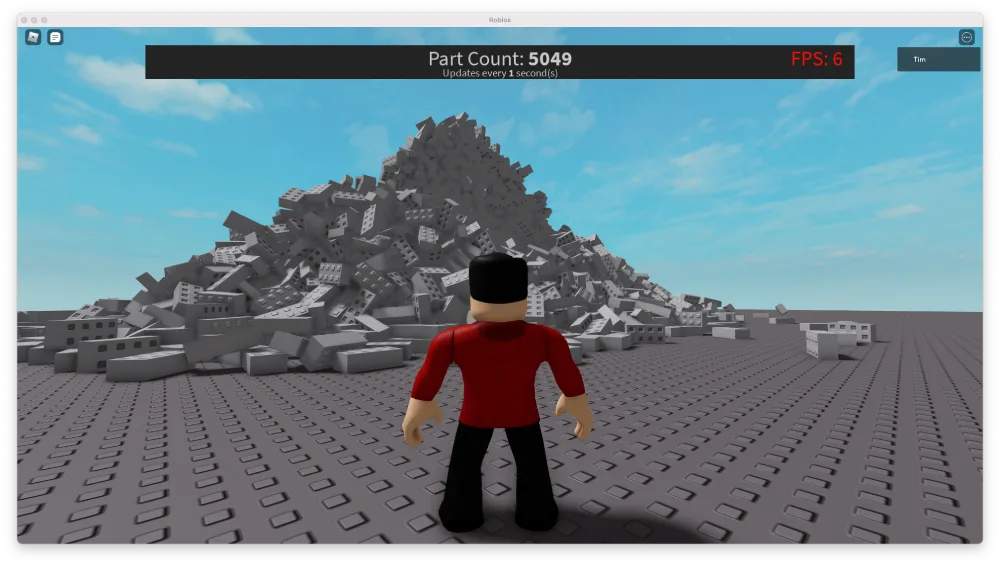
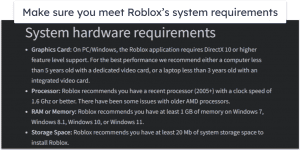
One of the most common reasons you're experiencing lag on your PC or laptop stems from your system's resources. Roblox, while seemingly simple, can be quite demanding on your CPU and GPU, especially in graphically intensive games or experiences with many players. If your computer is running many background applications, has outdated graphics drivers, or simply doesn't meet the minimum system requirements, you'll likely encounter significant slowdowns. It's a classic case of your hardware trying to keep up with the software, and sometimes it just can't.
Beyond hardware, software conflicts or even a cluttered system registry can contribute. Your operating system's health plays a huge role in overall gaming performance. Think of it like a busy highway; if there are too many cars (programs) or potholes (errors), traffic (data flow) slows to a crawl. Keeping your system lean and updated is key to preventing Roblox from lagging.
Can My Internet Connection Cause Roblox Lag?
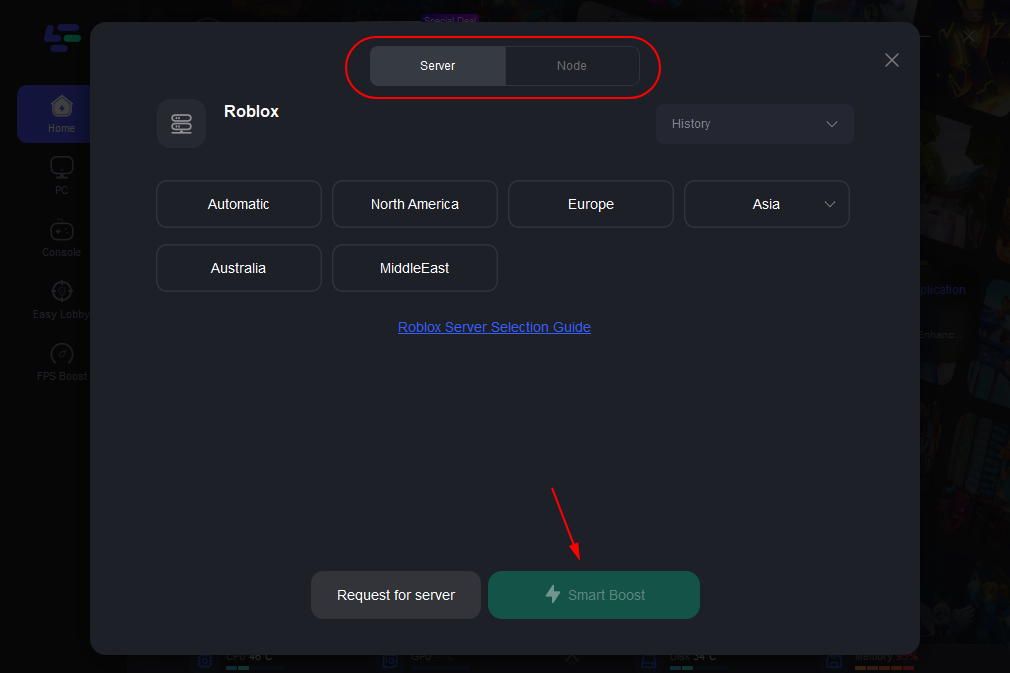
Absolutely, your internet connection is a major culprit for why Roblox is lagging, perhaps even the most frequent one for many gamers. Roblox is an online platform, meaning a stable and fast internet connection is crucial for smooth gameplay. High ping (latency) is the primary indicator of a poor connection; it measures the time it takes for data to travel from your computer to the Roblox servers and back. A high ping means a delay, leading to rubberbanding, delayed actions, and general choppiness.
Factors affecting your internet connection include Wi-Fi signal strength, bandwidth saturation (too many devices using the internet at once), and your Internet Service Provider's (ISP) overall network performance. Even the type of connection matters; a wired Ethernet connection is almost always more reliable and faster than Wi-Fi for gaming. For many US households, with multiple devices streaming, working, and gaming simultaneously, bandwidth contention is a significant issue that directly impacts Roblox performance.
How Can I Optimize Roblox Game Settings for Better Performance?
Optimizing Roblox's in-game settings is one of the easiest and most effective ways to combat lag, especially if you're not looking to upgrade hardware. Inside Roblox, navigate to the game menu (usually by pressing 'Esc' during gameplay) and look for the settings or options. The key setting to adjust is 'Graphics Mode' or 'Graphics Quality'. By default, it might be set to 'Automatic' or a high quality. Switching it to 'Manual' and then dragging the slider down to a lower quality will significantly reduce the strain on your GPU and CPU.
Reducing graphical fidelity means the game renders fewer details, textures, and effects, which translates to smoother frames per second (FPS). While the game might not look as crisp, the improved responsiveness often outweighs the visual sacrifice, particularly in fast-paced or competitive experiences. Experiment with different levels until you find a balance that provides smooth gameplay without making the visuals unplayable. This is a common strategy for gamers who prioritize performance over eye candy, allowing them to enjoy their favorite social games without interruption.
What Role Does My Device Hardware Play in Roblox Lag?
Your device's hardware is the foundation of your gaming experience, and it plays a critical role in why Roblox might be lagging. The three main components to consider are your Central Processing Unit (CPU), Graphics Processing Unit (GPU), and Random Access Memory (RAM). An older or underpowered CPU might struggle to process game logic and player actions quickly. A weak GPU will labor to render the visuals, leading to low frame rates and stuttering. Insufficient RAM means your system has to constantly swap data to and from slower storage, causing hitches.
While Roblox isn't as graphically demanding as some AAA titles, modern Roblox experiences, especially those with complex scripts or extensive physics, can push older hardware to its limits. For adult gamers balancing budgets, understanding which component is bottlenecking performance can help make informed decisions about potential, cost-effective upgrades. Keeping an eye on your CPU and RAM usage through your operating system's task manager while playing can provide valuable insights into your hardware's performance under load.
Are Roblox Servers or Specific Games Causing the Lag?
Sometimes, the problem isn't on your end at all. Roblox's massive popularity means its servers are constantly under immense load, especially during peak hours. If a specific Roblox server is experiencing high traffic, maintenance, or an unexpected outage, you and other players connected to it will inevitably experience lag, regardless of your internet speed or hardware. These server-side issues are often global or regional, affecting many users simultaneously.
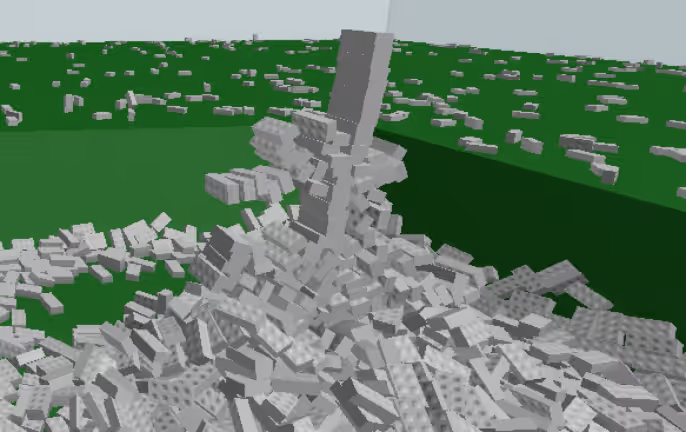
Furthermore, individual Roblox games (or 'experiences') can be poorly optimized by their creators. An experience with inefficient scripting, too many unoptimized assets, or poorly managed physics can cause lag even on powerful systems. If you only experience lag in certain games but not others, the game itself is likely the culprit. Checking community forums or the game's social media for similar complaints can confirm if it's a widespread issue with that particular experience.
How Do Background Applications Affect Roblox Performance?
Background applications are silent resource hogs that can significantly contribute to why Roblox is lagging. Every program running on your computer, from your web browser with multiple tabs open to chat applications like Discord, anti-virus software performing a scan, or even cloud storage syncing, consumes CPU cycles, RAM, and sometimes even network bandwidth. When your system resources are stretched thin by these background processes, there's less available for Roblox, leading to a noticeable drop in performance.
For many gamers juggling work and play, having multiple applications open is normal. However, for optimal gaming performance, it's wise to close any non-essential programs before launching Roblox. Use your operating system's Task Manager (Ctrl+Shift+Esc on Windows) to identify and close resource-intensive applications. This simple step can often provide a surprising boost to your game's frame rate and reduce latency, making your gameplay much smoother.
What Are Quick Fixes for Sudden Roblox Lag Spikes?
Sudden lag spikes can be incredibly disruptive. When Roblox is lagging unexpectedly, try these quick fixes to get back on track. First, restart your Roblox client; sometimes a fresh start can clear up temporary glitches. Second, check your internet connection: briefly disconnect and reconnect your Wi-Fi or Ethernet cable. Third, close any recently opened background applications that might be consuming resources. Fourth, try switching to a less populated server within the Roblox game if the option is available; fewer players can mean less strain. Fifth, if you're on Wi-Fi, try moving closer to your router or switching to a 5GHz band if available and your device supports it, as it offers faster speeds over shorter distances.
These immediate steps address common, transient issues that often cause sudden performance drops. They are designed for quick application, helping you quickly diagnose and mitigate the problem without deep dives into system settings. Many adult gamers appreciate these rapid solutions that fit into their busy schedules, allowing them to quickly return to their enjoyment.
When Should I Consider Upgrading My Hardware for Roblox?
Considering a hardware upgrade for Roblox isn't always about hitting ultra-high settings in the latest AAA games; it's about achieving a consistently smooth experience in your preferred social and creative platform. You should consider an upgrade if, after trying all software and internet-related fixes, Roblox is still lagging persistently, especially in popular or well-optimized experiences. If your CPU or GPU consistently hits 90-100% usage while playing Roblox, even on low settings, it's a clear sign your hardware is struggling.
For the budget-conscious gamer, a targeted upgrade can make a big difference. Often, upgrading your RAM to 16GB, or swapping an older Hard Disk Drive (HDD) for a Solid State Drive (SSD), can provide a significant performance boost for a relatively modest investment. If you have an integrated graphics card, even an entry-level dedicated GPU can transform your Roblox experience. Prioritize upgrades that address your system's biggest bottleneck, which you can often identify by monitoring resource usage during gameplay. Staying current with mid-range hardware helps maintain a good balance between cost and performance for years.
Does My VPN or Security Software Impact Roblox Speed?
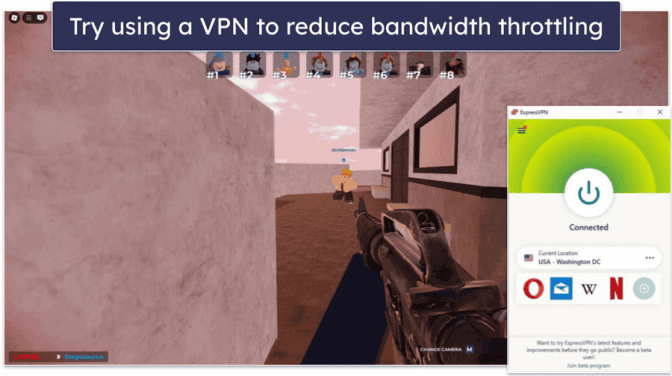
Yes, both VPNs (Virtual Private Networks) and security software (antivirus, firewalls) can definitely impact why Roblox is lagging. A VPN routes your internet traffic through an additional server, which inevitably adds latency (higher ping) and can slightly reduce bandwidth, especially if the VPN server is geographically distant or overloaded. While VPNs offer privacy and can sometimes help bypass geo-restrictions, they are generally not recommended for optimal online gaming performance due to the added delay.
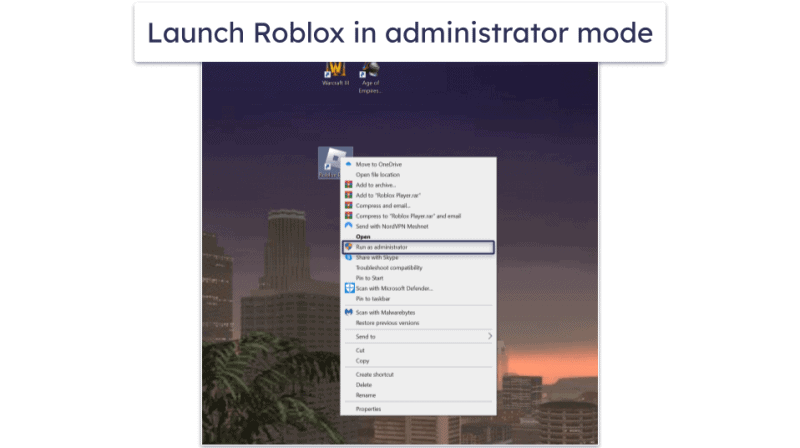
Similarly, security software constantly monitors your network traffic and system processes for threats. This real-time scanning can consume CPU resources and, in some cases, even interfere with Roblox's connection or game files, leading to performance issues. Ensure your antivirus has an exception for Roblox or a 'gaming mode' that temporarily reduces its impact. Your firewall might also inadvertently block or throttle Roblox's network access. Temporarily disabling these during gameplay (with caution!) can help diagnose if they are the source of your lag, though it's important to re-enable them afterwards for protection.
How Can Mobile Roblox Players Reduce Lag?
Mobile gaming is huge, with many US gamers primarily playing on phones or tablets. If Roblox is lagging on your mobile device, several strategies can help. First, ensure your device's operating system and the Roblox app are fully updated. Developers often release performance optimizations with new versions. Second, clear the Roblox app's cache and data (this won't delete your game progress but might require you to log in again), and also clear other app caches on your device to free up storage.
Third, close all other background applications. Mobile devices have limited RAM, and multitasking can quickly eat up available resources. Fourth, ensure you have a strong Wi-Fi signal or a stable cellular data connection; mobile networks can be less consistent than home broadband. Fifth, enable 'Low Power Mode' or similar battery-saving features, as these often throttle CPU performance to save battery, which can negatively impact gaming. Finally, consider reducing in-game graphics settings, just like on PC, to lessen the load on your mobile processor and GPU.
Lag in Roblox can be a real buzzkill, transforming your cherished gaming time into a frustrating chore. But as we've explored, understanding why Roblox is lagging is the first step toward reclaiming your smooth, enjoyable experience. Whether it's tweaking in-game settings, optimizing your internet connection, managing background applications, or making a strategic hardware upgrade, there are clear, actionable steps you can take. By applying these tips, you're not just fixing lag; you're investing in more fun, more relaxation, and more connection with your online friends. So, stop staring at that frozen screen and start playing! What's your biggest gaming challenge that we should tackle next? Comment below!
FAQ Section
Q: Is my internet speed the only reason why Roblox is lagging?
A: No, while internet speed is a major factor, lag can also stem from your device's hardware limitations, outdated drivers, too many background applications, or even issues with the specific Roblox game or server you're on. A combination of these factors often contributes to the problem.
Q: How often should I clear my Roblox cache to prevent lag?
A: There's no fixed schedule, but clearing your Roblox cache every few weeks or whenever you notice persistent lag can be beneficial. It removes temporary files that can sometimes become corrupted or accumulate, slowing down the game. Regularly restarting your device also helps.
Q: Can a strong antivirus make Roblox lag more?
A: Potentially, yes. Robust antivirus software constantly scans your system and network activity, which can consume CPU resources and bandwidth, sometimes interfering with game processes. Adding Roblox to your antivirus's exception list or enabling a 'gaming mode' can often resolve this.
Q: What's the minimum RAM needed for smooth Roblox gameplay in 2026?
A: While Roblox might run on 4GB, for truly smooth and consistent gameplay across diverse experiences in 2026, especially for multitasking gamers, 8GB of RAM is generally recommended as a comfortable minimum. 16GB offers optimal performance and future-proofing.
Q: Does playing Roblox on a specific browser affect lag?
A: Roblox primarily runs through its dedicated client, so the browser itself has minimal direct impact once the game is launched. However, having many browser tabs open or running resource-intensive browser processes in the background can indirectly cause lag by consuming system resources.
Q: Is it better to play Roblox on Wi-Fi or wired Ethernet?
A: For optimal performance and minimal lag, a wired Ethernet connection is almost always superior to Wi-Fi. Ethernet offers greater stability, lower latency (ping), and less interference, providing a more consistent and reliable connection for online gaming like Roblox.
Identify common Roblox lag causes like internet, hardware, or server issues. Optimize game settings and device performance for smoother gameplay. Learn quick fixes for lag spikes and advanced troubleshooting tips. Understand how background apps and network settings impact Roblox. Get budget-friendly advice for hardware upgrades if needed.
35

How To Fix Roblox Lag In 2026 14 Solutions That Work How To Fix Roblox Lag 2 800x446 . Fix Roblox Lagging Hard Easy Solutions For Smooth Play Roblox Jitter. How To Fix Lag In Roblox Easy Guide Remove Lag In Roblox YouTube . How To Fix Lag In Roblox Full Guide YouTube . Fix Roblox Lagging Hard Easy Solutions For Smooth Play Fps Boost Roblox 1400x700



Why Is Roblox So Laggy How To Fix It 2 Restart 768x432 . How To Fix Roblox Lag Spikes Lawod How To Fix Roblox Lag Spikes.webp. What Causes Lag In Roblox Games At Donna Lahti Blog Roblox Lagging On PC 1 1100x608 . Fix Roblox Lagging Hard Easy Solutions For Smooth Play Roblox Lagging Hard How To Fix.webp. How To Fix Roblox Lag Issue Windows 11 10 8 7 Fix Roblox Keeps

Why Is Roblox Lagging Here S How To Fix It Fast Dunia Games Optimize Image. Why Is Roblox So Laggy Roblox 2.webp. How To Fix Roblox Lag In 2026 14 Solutions That Work How To Fix Roblox Lag 1 800x448 . Why Is Roblox So Laggy Quick Fix Hone Blog Image 13 1024x431 . How To Reduce Lag On Roblox In 2026 Easy Guide Fix Roblox Lag With Vpn


How To FIX ROBLOX LAG Roblox Jailbreak YouTube . How To Fix Roblox Lag In 2026 14 Solutions That Work How To Fix Roblox Lag 5 800x446 . How To Fix Roblox Lag In 2026 14 Solutions That Work How To Fix Roblox Lag 3 800x450 . Why Do I Keep Lagging And From Roblox CyberPost Cyberpost Gaming Knowledge Base.webp. RobloxGo Lag Test 2026 Real Time Stats Insights And Ranking Thumbnail 1

How To Fix Roblox Lag In 2026 14 Solutions That Work How To Fix Roblox Lag 2 65x36 . Why Is Roblox So Laggy Roblox 1.webp. How To Fix Roblox Lag In 2026 14 Solutions That Work How To Fix Roblox Lag 7 672x376 . How To Fix Roblox Lag In 2026 14 Solutions That Work How To Fix Roblox Lag 6 768x432 . How To Reduce Lag In Roblox Stop Lagging In 5 Steps Hone Blog Hone.gg Preview Image



How To Fix Lag On Roblox Increase FPS And Make Roblox Run Faster Orange Purple Simple Quality Time With Friends 2026 03 1536x864 . How To Reduce Lag In Roblox Stop Lagging In 5 Steps Hone Blog Why Your Mouse Is Lagging How To Solve It Windows 10 11 . Why Is Roblox Lagging YouTube Oar2 . Roblox 2026 02 21T14 30 37 928Z L Was Lagging TikTok Img. Mom Why Is Roblox Lagging Roblox Edmondx YouTube Oar2

How To Fix Roblox Lag In 2026 14 Solutions That Work How To Fix Roblox Lag 9 300x150 . Why Is Roblox Lagging On PC How To Make Roblox Less Laggy Roblox Lagging 7 . Fix Roblox Lagging Hard Easy Solutions For Smooth Play FPS Drop Roblox 2 1400x700 . Why Is Roblox So Laggy Reasons Fixes And 4e8c03d8 8443 4de3 A53c . How To Optimize Your PC For Roblox Fix Lag Boost FPS Smoother