Ever found yourself staring at the Roblox login screen, drawing a blank on your password? You are not alone. For many busy US gamers, juggling work, family, and a rich gaming life, forgetting a password can be a frustrating, albeit common, occurrence. This comprehensive guide will walk you through various methods to recover or reset your Roblox password, ensuring you can get back to building, exploring, and socializing in your favorite virtual worlds without a hitch. We will cover checking saved browser data, utilizing Roblox's official reset tools, and crucial security tips to prevent future password headaches, all designed for the modern gamer who values practical, time-saving solutions. Dive in to reclaim access to your Roblox adventures efficiently and securely.
How can you see your password on Roblox?
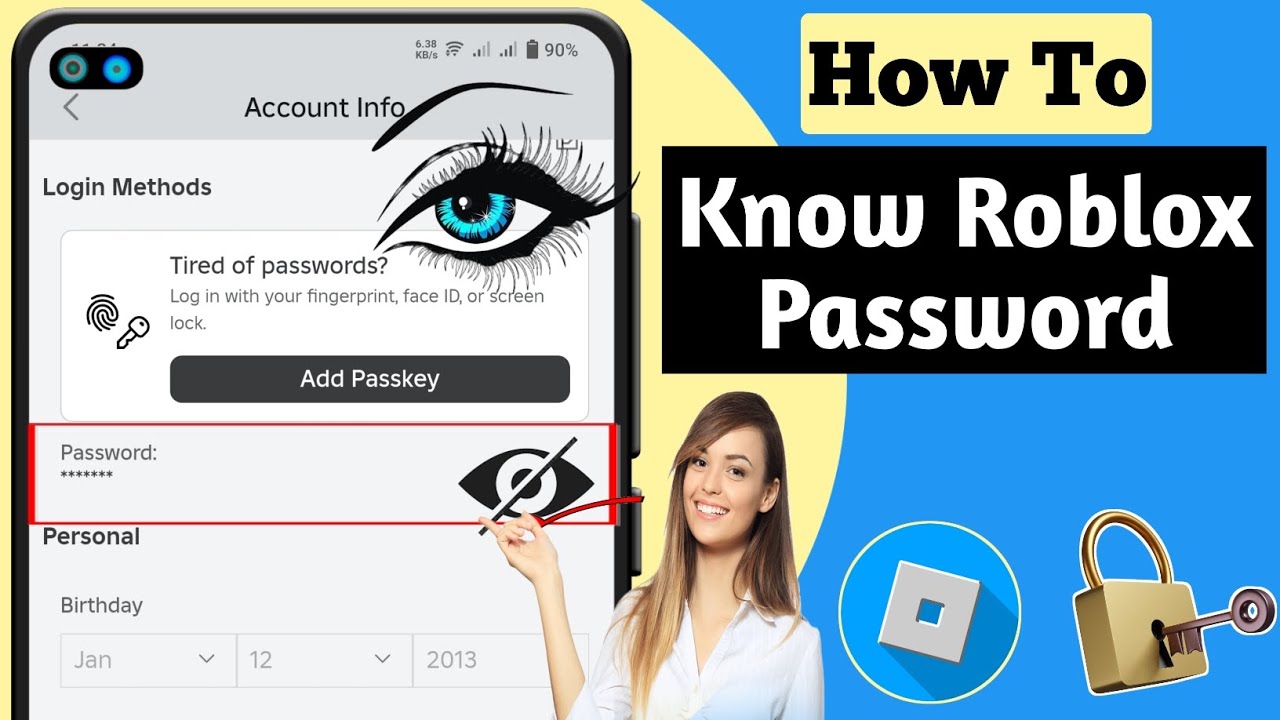
You cannot directly see your password within the Roblox app or on their website for security reasons. However, you can find it if saved in your web browser's or mobile device's password manager, or you can reset it via your registered email or phone number.
Where are Roblox passwords saved on Chrome?
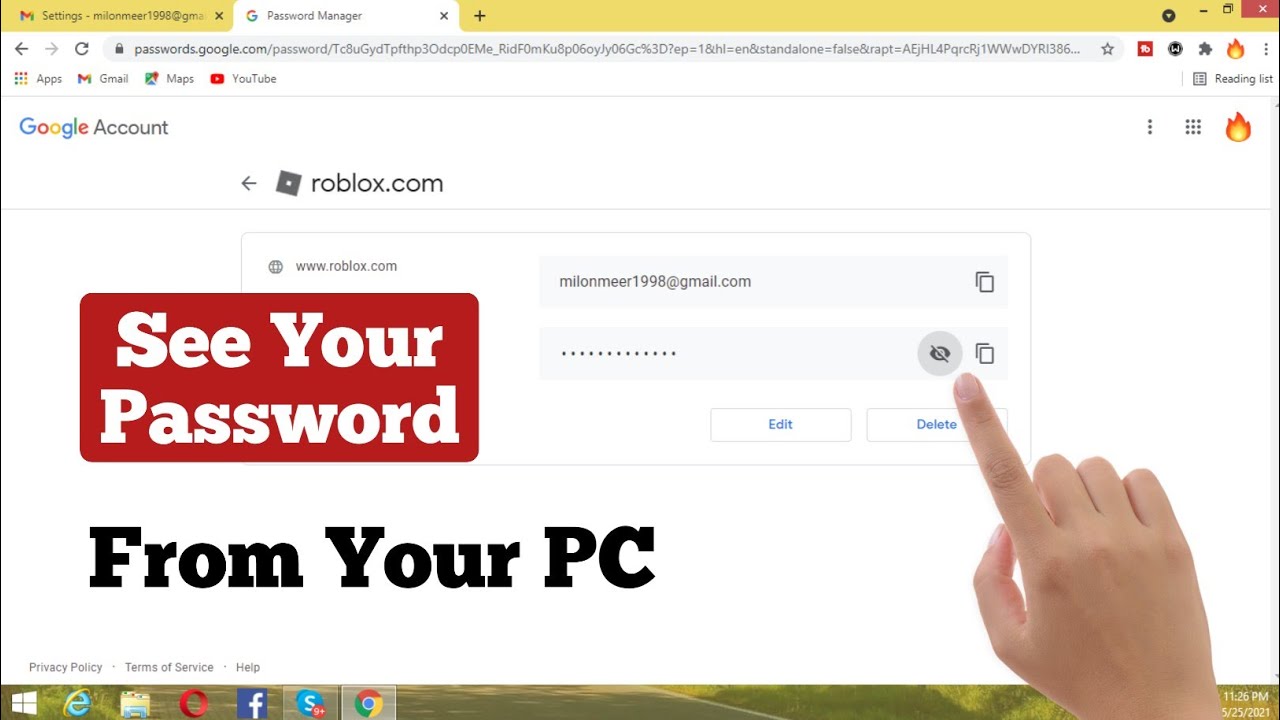
On Chrome, go to Settings Autofill Password Manager. Use the search bar to find 'Roblox'. Click the eye icon next to the entry to reveal your saved password after entering your computer's password.
Can I recover my Roblox password without email or phone?
It is extremely difficult to recover your Roblox password without access to your registered email or phone number, as these are critical for identity verification during the reset process. Always keep your contact information updated on Roblox.
What if my Roblox password is not saved anywhere?
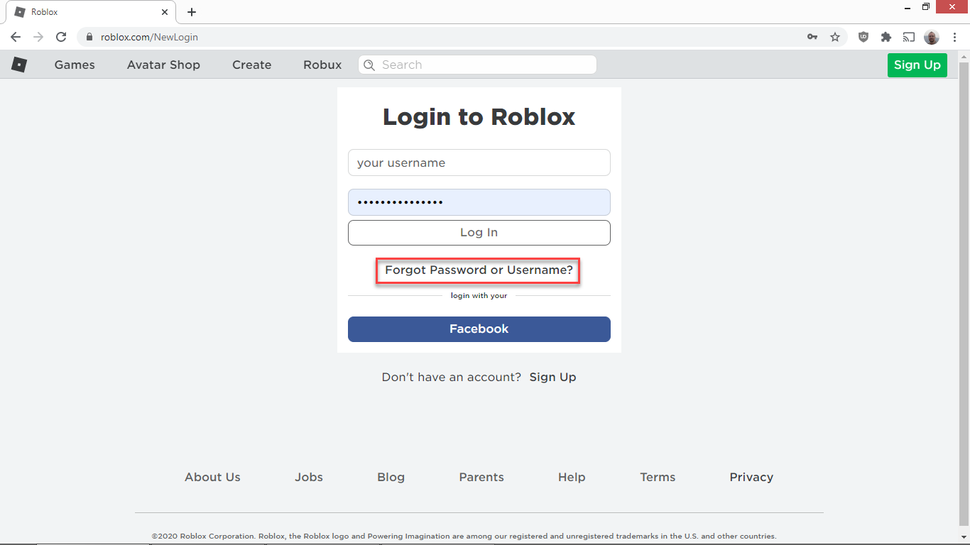
If your Roblox password is not saved in any browser or device, you must use the official 'Forgot Password or Username?' link on the Roblox login page. This process sends a password reset link to your registered email or a verification code to your phone.
How do I enable 2-Step Verification for Roblox?
To enable 2-Step Verification (2SV), log into Roblox on the website, go to Account Settings, then the 'Security' tab. Find '2 Step Verification' and click 'Enable'. You'll need to verify your email and save recovery codes.
What are the dangers of sharing my Roblox password?
Sharing your Roblox password can lead to account theft, loss of Robux and items, impersonation, account bans, and exposure to third-party hacks. Roblox strongly advises against sharing your credentials with anyone.
Will Roblox Support tell me my password if I ask?
No, Roblox Support will never tell you your password directly due to encryption and security protocols. They will, however, guide you through the official password reset process, ensuring you can regain access securely by verifying your identity.
How quickly can I reset my Roblox password if I have my email?
If you have access to your registered email, resetting your Roblox password is usually very quick, often taking just a few minutes from requesting the reset link to setting a new password.
Why is my Roblox password important to keep unique?
Keeping your Roblox password unique prevents a 'domino effect' where if one online account is compromised in a data breach, your Roblox account (and any others using the same password) remains secure. It's a critical layer of defense.
What should I do immediately if my Roblox account is hacked?
If your Roblox account is hacked, immediately try to change your password, enable 2-Step Verification if not already active, and contact Roblox Customer Support. Also, check your devices for malware and change other passwords if you reused them.
Are there any 'secret' ways to see a Roblox password?
There are no 'secret' or legitimate ways to see a Roblox password that is not saved on your personal device or through an official reset. Be extremely cautious of any third-party websites or tools claiming otherwise, as they are almost certainly scams.
Can a child reset their own Roblox password?
A child can reset their Roblox password if they have access to the email address or phone number linked to their account. Parents should ensure these details are manageable for the child or accessible by the parent for assistance.
Logging into Roblox should be a seamless gateway to endless creativity and social fun. But for many US gamers, particularly those balancing adult responsibilities with their passion for gaming, a forgotten password can be a major roadblock. You're ready to unwind after a long day, hop onto a popular experience like Adopt Me! or Brookhaven, only to hit that dreaded 'Forgot Password' wall. Considering that an impressive 87% of US gamers play regularly, often dedicating 10+ hours a week, and a significant portion enjoy social and mobile-dominant platforms like Roblox, getting locked out is not just an inconvenience—it's a disruption to valuable relaxation and social time. This article isn't about magical tricks to 'see' a hidden password directly in Roblox itself, which isn't possible for security reasons. Instead, we'll equip you with practical, legitimate methods to either find your saved password or securely reset it, helping you regain access to your digital playground without the stress. We understand your time is precious, so let's get you back in the game.
You might be surprised how often your browser or mobile device remembers your login details, making a quick retrieval possible. If not, Roblox has robust security measures in place to help you reset your password safely. We'll also cover essential security best practices, like enabling Two-Step Verification, which is crucial for protecting your account from unauthorized access. Staying current with security trends and knowing how to navigate account recovery are essential skills for any modern gamer. Whether you play on PC, console, or primarily on mobile—where Roblox sees massive engagement—these solutions are designed to be straightforward and effective. Let's explore how to get you back into the action, securing your account for good.
Can You Directly See Your Roblox Password in the Roblox App or Website?
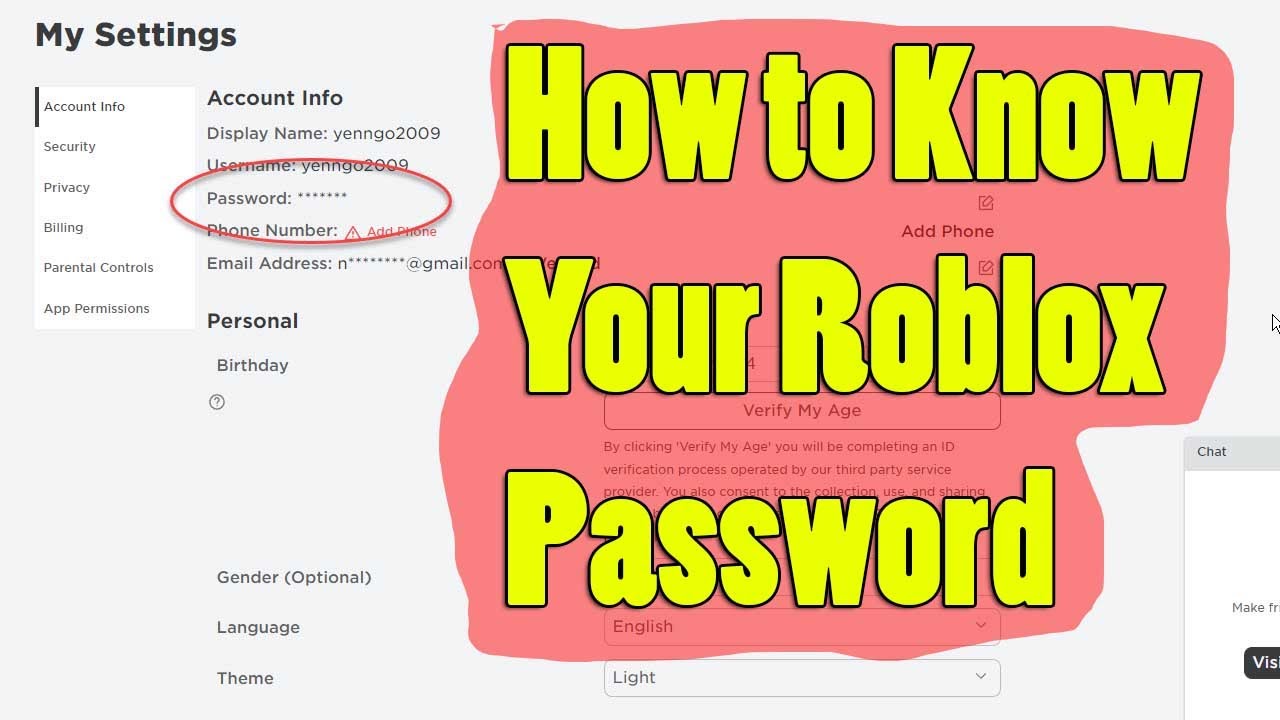
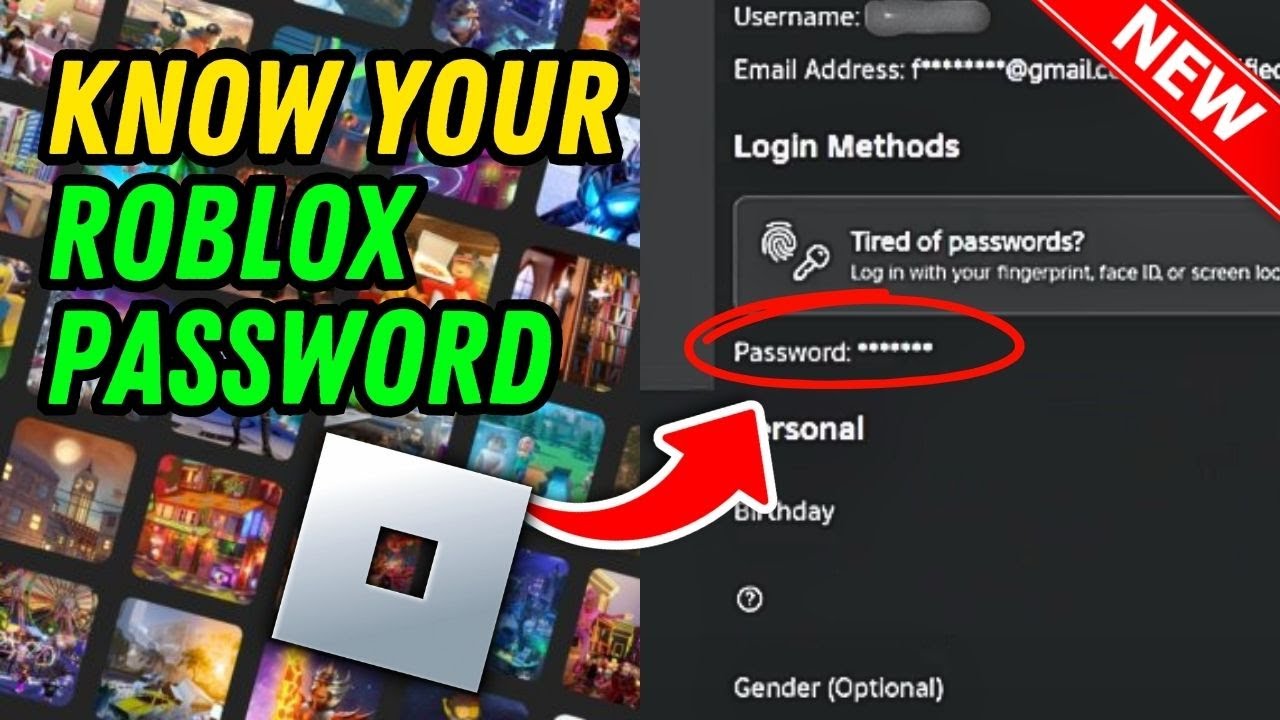
No, for strong security reasons, you cannot directly 'see' or retrieve your current password from within the Roblox app or on the Roblox website itself once you are logged in. Roblox, like most secure online platforms, stores your password in an encrypted form. This encryption prevents anyone, including Roblox staff, from viewing your plaintext password. If you've forgotten it, the system is designed to allow you to reset it, not to reveal it. This approach protects your account from potential malicious access, even if someone gains temporary access to your device or tries to exploit the system. Always be wary of third-party tools or websites claiming they can 'reveal' your Roblox password, as these are almost always scams designed to steal your credentials.
How to See Your Roblox Password Saved in Web Browsers? (Chrome, Firefox, Edge)
Many busy adult gamers rely on their web browsers to save passwords for convenience. This is often the easiest way to 'see' your Roblox password if you've previously allowed your browser to remember it. The process is similar across most major browsers.
For Google Chrome:
- Open Chrome and click the three-dot menu in the top right corner.
- Go to 'Settings'.
- In the left-hand menu, click 'Autofill' then 'Password Manager'.
- Use the search bar to type 'Roblox'.
- You'll see your Roblox account listed. Click the eye icon next to the password field to reveal it. You may need to enter your computer's password or PIN for security.
For Mozilla Firefox:
- Open Firefox and click the three-line 'hamburger' menu in the top right corner.
- Select 'Settings'.
- In the left-hand menu, click 'Privacy & Security'.
- Scroll down to the 'Logins and Passwords' section and click 'Saved Logins...'.
- Type 'Roblox' into the search box.
- Select your Roblox entry and click the 'Show Passwords' button to reveal it. You might need to authenticate with your system password.
For Microsoft Edge:
- Open Edge and click the three-dot menu in the top right corner.
- Go to 'Settings'.
- In the left-hand menu, click 'Profiles' then 'Passwords'.
- Use the search bar to find 'Roblox'.
- Click the eye icon next to your Roblox password. Similar to Chrome, you'll likely need to enter your computer's password or PIN.
These methods are secure as they require local authentication, ensuring only you can access your saved credentials on your device. It's a lifesaver for quickly jumping back into your favorite Roblox experiences when memory fails.
How to See Your Roblox Password on Mobile Devices? (iOS, Android)
Given the immense popularity of mobile gaming, with platforms like Roblox dominating screen time for many adult gamers, knowing how to access saved passwords on your smartphone or tablet is crucial. Your mobile device likely has its own password management system.
For iOS (iPhone/iPad):
- Go to 'Settings'.
- Scroll down and tap 'Passwords'.
- You may need to authenticate using Face ID, Touch ID, or your device passcode.
- Use the search bar at the top to type 'Roblox'.
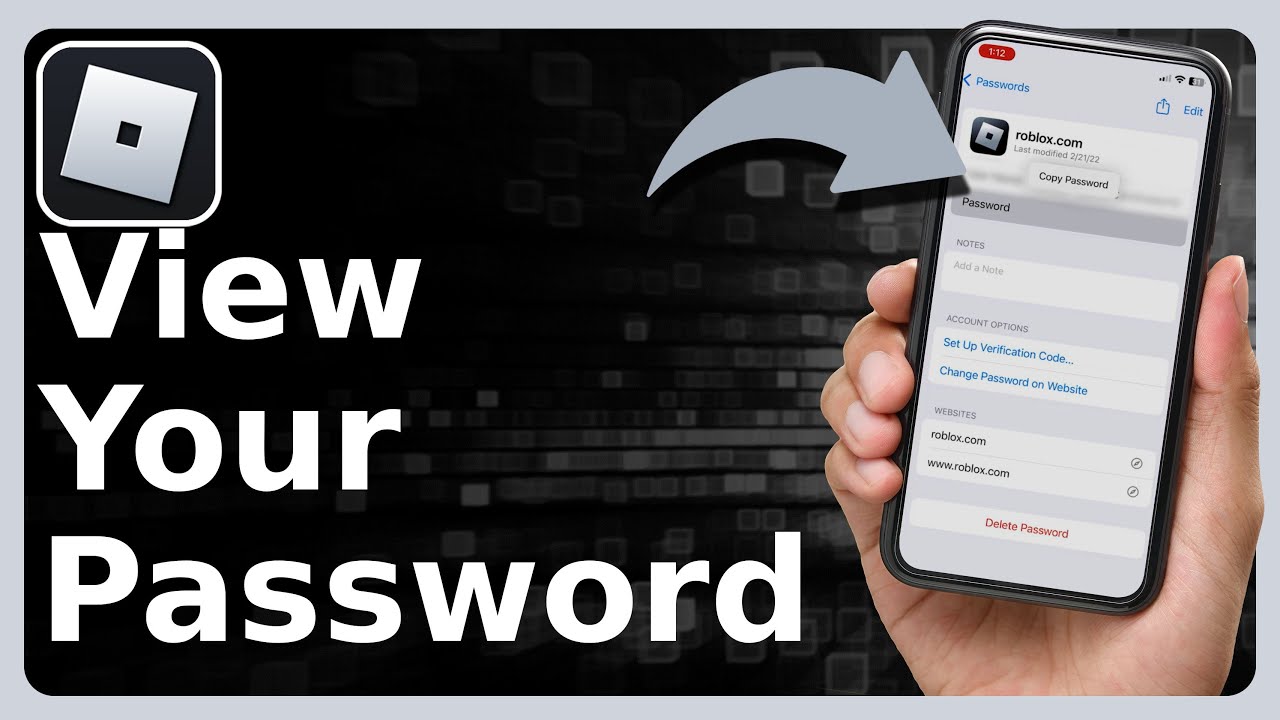
- Tap on the Roblox entry. Your username and password will be displayed. Tap the password field to reveal it.
For Android Devices (via Google Password Manager):
- Open your device's 'Settings' app.
- Scroll down and tap 'Google'.
- Tap 'Auto-fill' then 'Auto-fill with Google'.
- Tap 'Passwords'.
- You may need to authenticate with your screen lock or fingerprint.
- Use the search icon to find 'Roblox'.
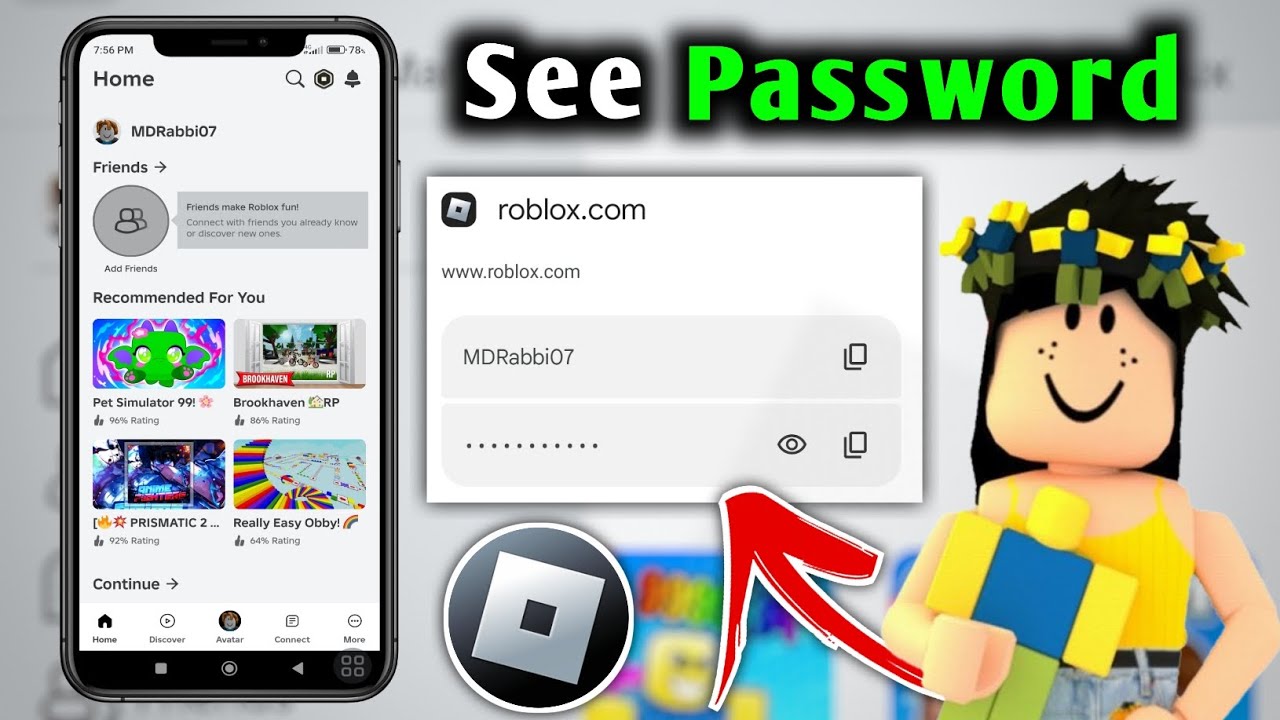
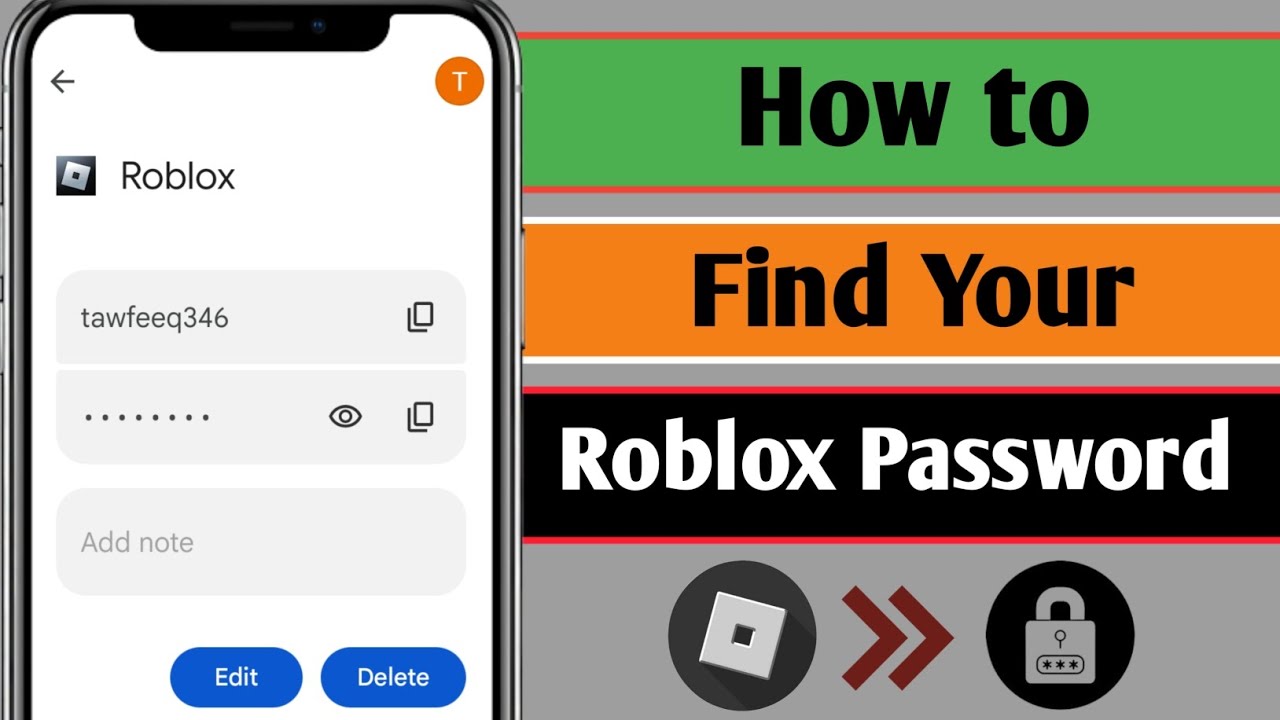
- Tap the Roblox entry, then tap the eye icon to reveal the password.
These built-in mobile password managers are incredibly convenient and secure, leveraging your device's biometric or passcode security to protect your sensitive login information. They are especially useful for gamers who primarily access Roblox on the go, allowing quick access to their accounts.
What If My Password Isn't Saved Anywhere? How to Reset It?
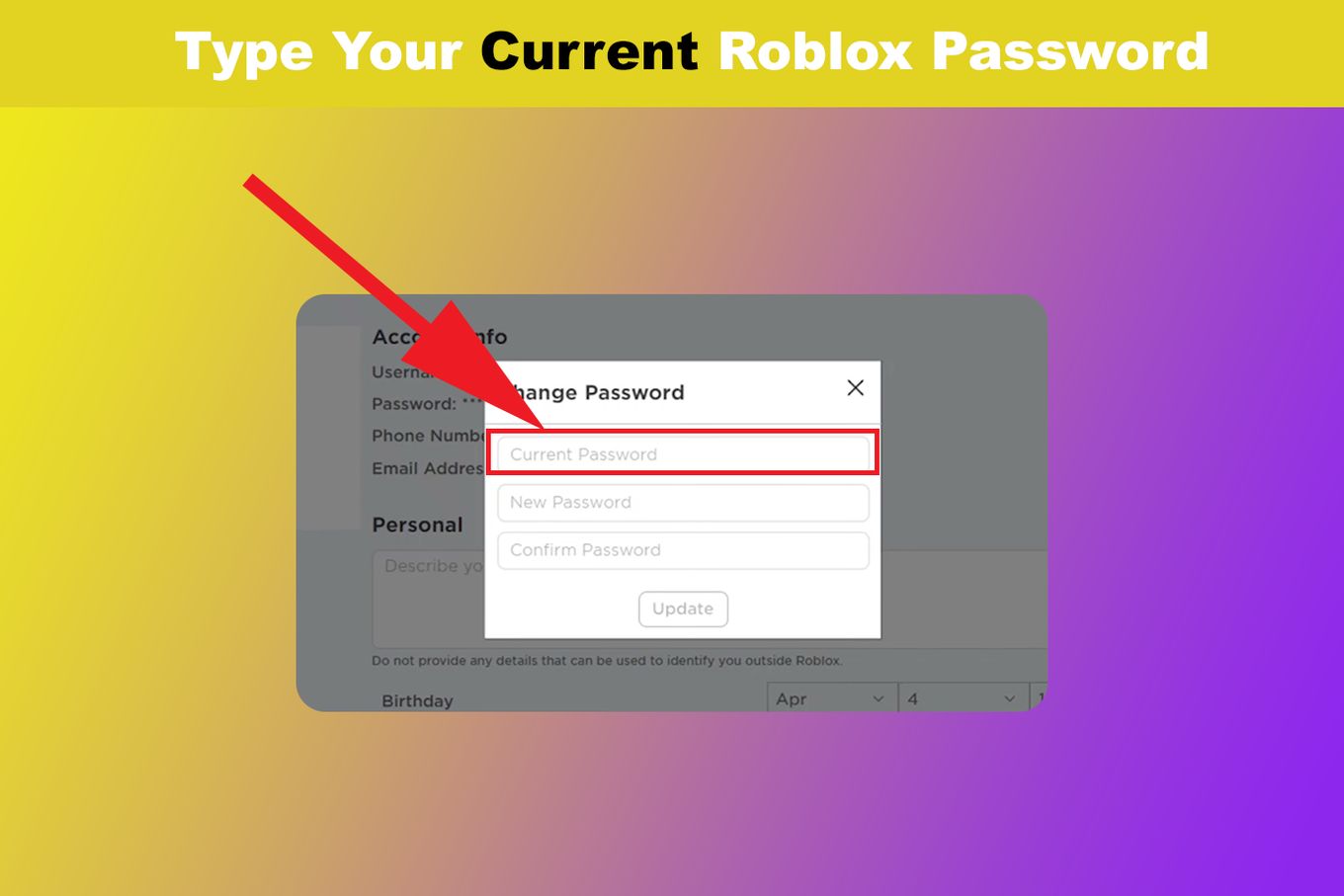
If your password isn't saved in any browser or on your mobile device, don't worry—the official Roblox password reset process is straightforward and secure. This is the primary method to regain access when you've truly forgotten your credentials.
Steps to Reset Your Roblox Password:
- Go to the Roblox login page on the website or app.
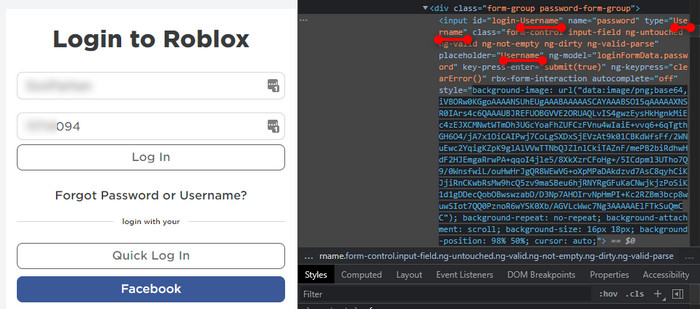
- Click on the 'Forgot Password or Username?' link.
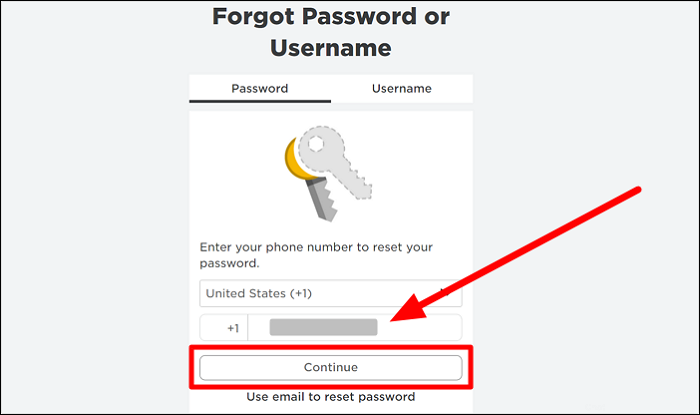
- You'll be prompted to enter your Email Address or Phone Number associated with your Roblox account. It's essential that this contact information is up-to-date.
- If you enter your email, Roblox will send a password reset link to that address. Check your inbox (and spam/junk folder) for an email from Roblox.
- If you enter your phone number, Roblox will send a 6-digit verification code via SMS.
- Follow the instructions in the email or enter the SMS code into the Roblox reset page.
- You will then be able to create a new, strong password for your account. Make sure it's something unique and difficult to guess, combining uppercase and lowercase letters, numbers, and symbols.
This method is robust and ensures that only the rightful owner, who has access to the registered email or phone, can reset the password. It's a cornerstone of account security and highlights why keeping your contact information updated on Roblox is so important.
Why Is It Important to Use a Strong, Unique Password for Roblox?
In today's interconnected gaming world, where accounts can represent significant investments in time, effort, and even real money, strong password hygiene is non-negotiable. For gamers who juggle multiple platforms and responsibilities, reusing passwords might seem convenient, but it's a critical security risk. If one account is compromised, all others using the same password become vulnerable. A strong, unique password for your Roblox account acts as the first line of defense against phishing attempts, brute-force attacks, and credential stuffing. Think of it as protecting your digital home base—you wouldn't leave the front door unlocked. Roblox accounts, especially for active gamers who socialize, buy Robux, or create content, are attractive targets for malicious actors. A unique password ensures that even if another service you use suffers a data breach, your Roblox account remains secure.
How Can I Prevent Forgetting My Roblox Password in the Future?
Preventing password amnesia is key for a seamless gaming experience. For busy gamers, reliable strategies save precious time and frustration. Here are some top tips:
- Use a Reputable Password Manager: Tools like LastPass, 1Password, or Google Password Manager can securely store all your unique, complex passwords. You only need to remember one master password. These services often integrate across devices, making logins quick and easy.
- Enable Browser/Device Password Saving (with caution): While convenient, ensure your device itself is secured with a strong PIN, fingerprint, or Face ID. This is often suitable for personal devices where you are the sole user.
- Write It Down (Offline Securely): If you prefer an old-school approach, write your password in a physical notebook and store it in a secure, private location. Never leave it on a sticky note near your computer.
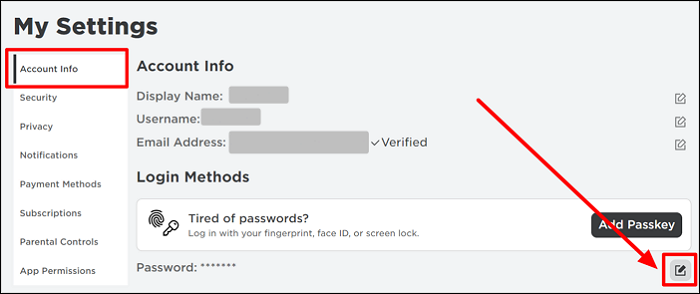
- Regularly Review Your Account Settings: Periodically check your Roblox account to ensure the associated email address and phone number are current. This is vital for password resets.
- Implement a Password Reset Schedule: While not strictly necessary with unique passwords, some users prefer to change passwords every 6-12 months as an added layer of caution.
By adopting these habits, you'll spend less time troubleshooting and more time enjoying the vast universe of Roblox experiences, whether you're creating your own game or joining friends for an epic adventure.
What are the Security Risks of Sharing Your Roblox Password?
Sharing your Roblox password, even with a trusted friend, is a significant security risk that can lead to severe consequences. Once you share your password, you lose control over your account's security. Here's why it's a bad idea:
- Account Theft: The person you share it with might intentionally or accidentally compromise your account.
- Loss of Items and Robux: Your valuable in-game items, Robux currency, and any progress you've made can be stolen or spent.
- Impersonation: Someone could use your account to send inappropriate messages, scam other players, or engage in behavior that violates Roblox's terms of service, leading to your account being banned.
- Third-Party Access: If the person you share your password with has compromised security on their own device, your password could be exposed to malware or hackers.
- Emotional Distress: Losing access to an account you've invested time and effort into can be incredibly upsetting, especially when it involves social connections.
Roblox explicitly advises against sharing account credentials. If a friend needs to play with you, encourage them to create their own account. Prioritizing account security is vital for maintaining a safe and enjoyable gaming environment for everyone.
Can Roblox Support Help Me See My Password Directly?
No, Roblox Support cannot directly 'see' or provide you with your current password. As mentioned earlier, passwords are encrypted for security. If you contact Roblox Support because you've forgotten your password, they will guide you through the official password reset process, which involves sending a reset link or code to your registered email or phone number. They will never ask for your password directly and will never email it to you in plain text. Any communication claiming to be from Roblox Support that asks for your password or offers to 'recover' it for you in a non-standard way should be treated as a phishing attempt and reported immediately. Their primary goal is to help you regain access securely by verifying your identity and facilitating a password reset, ensuring your account remains protected.
What to Do If Your Roblox Account is Compromised?
Discovering your Roblox account has been compromised can be alarming, but acting quickly can limit the damage. Adult gamers, in particular, often have significant time and monetary investments in their accounts, making a swift response crucial. Here's what to do:
- Change Your Password Immediately: If you still have any access, change your password to something strong and unique.
- Enable 2-Step Verification (2SV): If you haven't already, enable 2SV (also known as 2FA) in your Roblox settings. This adds an extra layer of security, requiring a code from your email to log in.
- Check Your Account Activity: Look for unauthorized purchases (Robux spent), changes to your avatar, or messages sent from your account.
- Contact Roblox Support: If you can't access your account or suspect further compromise, contact Roblox Customer Support immediately through their official website. Provide as much detail as possible, including your username, registered email/phone, and any suspicious activity.
- Scan Your Devices: Run a full scan with reputable antivirus/anti-malware software on any device you use to access Roblox, especially if you suspect you fell for a phishing scam.
- Change Other Passwords: If you reused the compromised password on other sites, change those passwords too.
The quicker you respond, the better your chances of recovering your account and minimizing potential losses. Roblox's support team is equipped to help with compromised accounts, but proactive security measures are always the best defense.
How to Set Up 2-Step Verification on Roblox for Extra Security?
Two-Step Verification (2SV), also known as Two-Factor Authentication (2FA), is one of the most effective ways to protect your Roblox account. It adds an extra layer of security by requiring a unique code (sent to your registered email) in addition to your password when you log in from a new device. This means even if someone gets your password, they can't access your account without that code.
Steps to Enable 2-Step Verification:
- Log in to your Roblox account on the website.
- Go to your Account Settings (gear icon in the top right corner).
- Click on the 'Security' tab.
- Scroll down to '2 Step Verification'.
- Click the 'Enable' button.
- You will be prompted to verify your email address. If you haven't already, add and verify an email address to your account.
- Roblox will send a verification code to your registered email address.
- Enter the code on the Roblox website to complete the 2SV setup.
- You will receive 10 recovery codes. Print these or save them in a very secure, offline location. These codes can be used to log in if you ever lose access to your email.
With 2SV enabled, you've significantly enhanced your account's security. This is particularly important for adult gamers who might have linked payment methods or have substantial in-game assets they wish to protect.
FAQ Section: Quick Answers for Roblox Password Concerns
Here are some rapid-fire answers to common questions about Roblox passwords, keeping in mind that security is paramount for a safe gaming experience.
Can I have Roblox email me my password?
No, Roblox cannot email your actual password to you. For security, they can only send a password reset link to your registered email address, allowing you to create a new password.
What is the easiest way to find my old Roblox password?
The easiest way is to check your web browser's or mobile device's saved passwords feature. Most browsers like Chrome, Firefox, and Edge, as well as iOS and Android, have a built-in password manager.
Is there a way to view hidden passwords on Roblox using a third-party tool?
Avoid any third-party tools claiming to 'view hidden Roblox passwords.' These are highly likely to be scams designed to steal your account information or install malware on your device. Always use official Roblox recovery methods.
How long does a Roblox password reset take?
A Roblox password reset typically takes only a few minutes. Once you request it, the email with the reset link or the SMS code usually arrives almost instantly, allowing you to set a new password quickly.
Can I reset my Roblox password without an email or phone number?
Resetting your Roblox password without a verified email or phone number is very difficult, as these are the primary methods for identity verification. It's crucial to have up-to-date contact info linked to your account for recovery purposes.
What if I forgot my Roblox username too?
If you've forgotten your username along with your password, you can often recover it through the same 'Forgot Password or Username?' link on the Roblox login page. Enter your email or phone number, and Roblox will send you your username.
Are my Roblox Robux and items safe during a password reset?
Yes, your Robux and in-game items remain safely associated with your account during a password reset. The reset process only changes your login credentials, not your account's contents or progress.
Regaining access to your Roblox account doesn't have to be a major hurdle. By understanding where your passwords might be saved, and knowing the official reset procedures, you can quickly get back to enjoying your favorite experiences. Remember, strong passwords and Two-Step Verification are your best friends in keeping your digital life secure, especially in an era where over 87% of US gamers are regularly online, and account security is more vital than ever. Don't let a forgotten password deter you from your valuable gaming time.
What's your biggest gaming security challenge? Comment below!
Recovering Roblox password, resetting Roblox password, finding saved browser passwords, Roblox account security, 2-step verification for Roblox, protecting your Roblox account.
35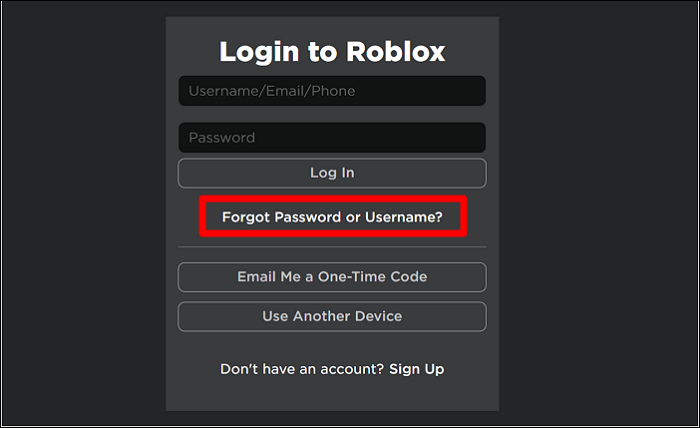

4 Ways To Reset Roblox Password Forgot Roblox Password . 4 Ways To Reset Roblox Password Account Info . 4 Ways To Reset Roblox Password Continue Button . 4 Ways To Reset Roblox Password Find Browser Account Password 2 . How To See Roblox Password On Mobile 2026 See Roblox Login Password


How To See Your Roblox Password Full Guide YouTube . How To See Your Roblox Password Best Guide YouTube . How To See Your Roblox Password In Mobile 2026 See Roblox Login . How To See Your Roblox Account Password If You Forgot It Helpful . How To See Your Roblox Password 2026 Check Current Roblox Password

How To See Your Password In Roblox YouTube . How To Know Your Roblox Password When You Logged In YouTube . How To Know Your Roblox Password When You Logged In See Roblox . How To Reset Your Roblox Password In 8 Easy Steps Guide Robfp7 1536x791 . How To See Your OWN Roblox Password 2026 PC See Your Roblox



How To Change Your Roblox Password Or Reset Your Roblox Password 970 80 . How To Reset Your Password In Roblox WORKING 2026 YouTube . How To See Your Roblox Password In Mobile 2024 See Roblox Login . How To See Your Roblox Password On PC 2026 Guide YouTube . Lost Roblox Password How To Find Yours In 2026



Lost Roblox Password How To Find Yours In 2026 . Lost Roblox Password How To Find Yours In 2026 . Lost Roblox Password How To Find Yours In 2026 . Lost Roblox Password How To Find Yours In 2026 . How To Find Your Roblox Password For 2026


Lost Roblox Password How To Find Yours In 2026 . Lost Roblox Password How To Find Yours In 2026 . Lost Roblox Password How To Find Yours In 2026 . How To Find Your Roblox Password For 2026 Enter Current Password . How To Find Your Roblox Password For 2026 Reveal Roblox Password



Lost Roblox Password How To Find Yours In 2026 . What Is Roblox S Password Famenbvmb . How To Reset Your Roblox Password Without Email 2025 Get Your Roblox Mqdefault . Lost Roblox Password How To Find Yours In 2026 . How To Reset And Change Your Roblox Password 7fa517f7 638c 4bf2 B2ba