Ready to transform your gaming ideas into a real app? Learn how do you make a game app from concept to launch with our definitive 2026 guide tailored for busy gamers. This article unpacks the entire game development journey including choosing the right tools mastering fundamental coding skills designing engaging gameplay and navigating the app store ecosystem. Discover strategies for effective monetization marketing your creation on a budget and overcoming common pitfalls like performance issues or limited time. We delve into popular game engines like Unity and Unreal Engine providing insights on their use cases for mobile development. Whether you're a complete beginner or looking to refine your skills this resource offers practical actionable advice. Embrace the challenge of creating your own digital world and connect with a thriving community. Your dream game app starts here with expert tips designed for balancing life work and creative passion.
How do you make a game app from scratch as a beginner?
Starting from scratch to make a game app involves conceptualizing your idea, choosing a beginner-friendly game engine like Unity or Godot, learning basic programming or visual scripting, designing core gameplay mechanics, creating simple art assets, testing rigorously, and finally publishing to app stores. Begin with a very small, manageable project to learn the workflow without getting overwhelmed. Focus on one core mechanic and expand gradually.
What software do I need to make a game app?
To make a game app, you'll primarily need a game engine such as Unity, Unreal Engine, or Godot. For coding, a text editor like Visual Studio Code is common. You'll also benefit from graphic design software like GIMP or Photoshop for art assets, and possibly audio tools like Audacity for sound effects. Most of these tools have free versions or robust free alternatives suitable for beginners.
Is it hard to make a game app without a team?
Making a game app solo presents challenges in time and skill diversity, requiring you to wear many hats: designer, programmer, artist, sound engineer, and marketer. While demanding, it's entirely possible, especially for smaller-scope mobile games. Focus on simplifying your vision, leveraging asset stores, and prioritizing core gameplay to manage the workload effectively.
How much does it cost to develop a mobile game app?
The cost to develop a mobile game app varies wildly. For a solo indie developer using free tools and assets, it can be virtually free beyond developer account fees ($25-100 one-time/annual). With purchased assets, software, or outsourcing, costs can range from a few hundred to tens of thousands of dollars. Large studio games cost millions.
What are the best programming languages for making game apps?
For making game apps, C# is excellent for Unity, which is very popular for mobile development. C++ is the language of choice for Unreal Engine, known for high-performance games. Python can be used with engines like Godot, and JavaScript/TypeScript is great for web-based games that can be wrapped as apps. Your choice depends heavily on the game engine you select.
How long does it take to learn game development for apps?
Learning the fundamentals of game development for apps can take several months of dedicated study, perhaps 3-6 months to build your first simple game. Mastering it is an ongoing journey of years. Consistency, patience, and starting with small projects are key to effective learning and building confidence.
Can a beginner make a profitable game app?
Yes, a beginner can make a profitable game app, though it's rare and often not the primary goal for a first project. Success comes from a combination of unique gameplay, excellent execution, effective marketing, and a smart monetization strategy. Many successful indie games started as small projects by new developers who struck a chord with players.
Ever found yourself deep into a gaming session, tweaking settings for optimal performance, or strategizing with friends in Discord, and thought, "I could make a game like this?" Many of us gamers, balancing demanding jobs, family life, and still craving that precious relaxation or competitive rush, harbor a secret dream of bringing our own digital worlds to life. But then the questions hit: Where do I even begin? Do I need to be a coding wizard? How do you make a game app that actually stands out and is fun to play? If those thoughts resonate, you're in the right place.
Creating a game app in 2026 is more accessible than ever, yet still demands dedication and the right knowledge. With 87 percent of US gamers regularly diving into virtual worlds, often for 10+ hours a week, and mobile gaming continuing its dominance, there's a massive, hungry audience out there. Whether you dream of a cozy social game to unwind with friends, a competitive mobile esport, or a skill-building puzzle, this guide is crafted for you – the busy adult gamer who values practical solutions over hype. We'll cut through the noise, offering clear, actionable steps on how do you make a game app, tackling common pain points, and helping you balance your creative ambition with real life.
What's the First Step to Making a Game App?
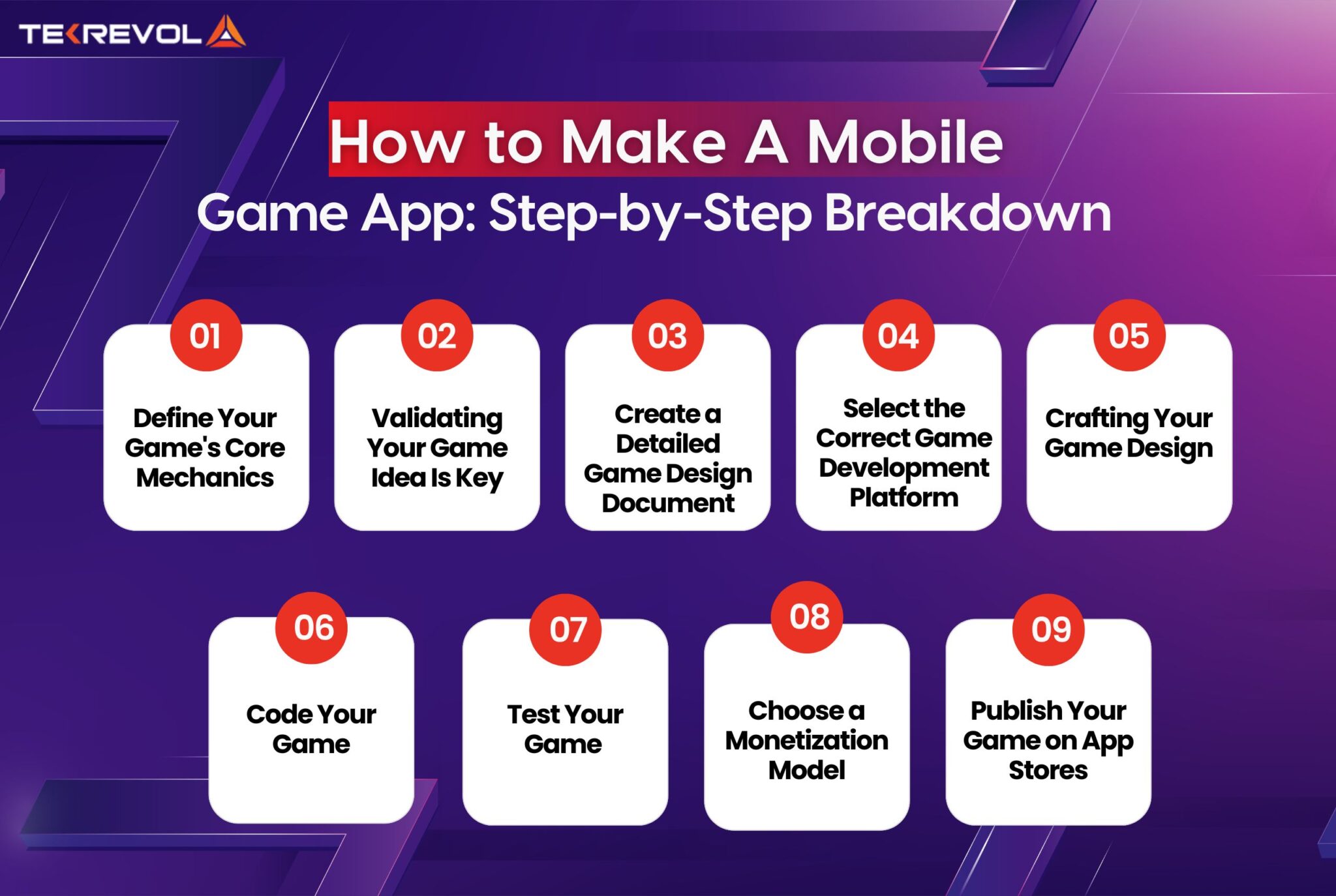
Before you touch a single line of code or open a game engine, the absolute first step is conceptualization and planning. This isn't just about a vague idea; it's about defining your game's core. Think of it as mapping out your campaign strategy before logging into a raid. What genre is it? What's the unique selling proposition – the "hook" that makes it different from other mobile games you play? Who is your target player? What's the core gameplay loop? Is it a casual time-killer, a deep RPG, or a social experience? Creating a Game Design Document (GDD), even a simple one, outlining these elements, your characters, levels, and mechanics, will save you countless hours later. This foundational blueprint is crucial for understanding the scope of your project, especially when balancing development with your busy schedule. Remember, start small and simple, especially for your first game. A polished, small game is infinitely better than an unfinished ambitious one.
Which Game Engine Should I Choose as a Beginner?
Choosing the right game engine is like picking your main character's class – it defines your path and capabilities. For beginners focused on how do you make a game app, Unity and Unreal Engine are the two titans, both offering powerful tools and extensive communities. Unity is often recommended for its C# scripting, lower barrier to entry, and excellent support for 2D and 3D mobile games. It’s widely used for everything from hyper-casual titles to complex indie projects. Unreal Engine, while incredibly powerful and known for stunning graphics with C++, can have a steeper learning curve, but its Blueprint visual scripting system can be a game-changer for those hesitant about heavy coding. Both have free versions available that are perfectly suitable for learning and even launching your first game. Consider what type of game you want to make; Unity is generally more versatile for mobile, while Unreal excels at visually demanding 3D experiences. There are also simpler options like Godot or Construct, offering easier learning paths for specific game types.
| Feature | Unity | Unreal Engine |
|---|---|---|
| Primary Language | C# | C++, Blueprint (visual scripting) |
| Ease of Learning | Beginner-friendly, vast tutorials | Steeper, but Blueprint helps |
| Mobile Focus | Excellent, widely used | Good, capable of high fidelity |
| 2D Support | Strong, dedicated tools | Good, but less native than Unity |
| Community & Resources | Massive, active forums, assets | Large, excellent documentation |
Ultimately, the "best" engine is the one you enjoy learning and that fits your project's needs.
Do I Need to Learn Coding to Make a Game App?
The short answer is: it helps immensely, but isn't always strictly necessary, especially for simpler games. While understanding the fundamentals of programming is crucial for deep customization and complex game logic, visual scripting tools like Unreal Engine's Blueprint or Unity's Bolt (now integrated) allow you to create game mechanics without writing traditional code. These tools use a node-based interface to define logic, making it more accessible. However, if you're serious about creating unique, robust game apps and want full control, learning a programming language like C# (for Unity) or C++ (for Unreal) will open up a world of possibilities. It's like the difference between using a pre-built character template and fully customizing your avatar's skills and appearance. Many online resources, from free tutorials to paid courses, can guide you through the basics, making it achievable even with a busy schedule. Start with beginner-friendly concepts and gradually build your knowledge.
How Do I Design a Fun Game That Players Will Love?
Designing a truly fun game means understanding player psychology and iteration. For US gamers in 2026, fun often means a blend of relaxation, skill-building, and social connection. Start with a strong core loop: What does the player do repeatedly, and why is it satisfying? Whether it's matching gems, building a base, or outsmarting opponents, this loop needs to feel good. Incorporate clear goals, satisfying feedback (visuals, sounds, haptics), and a sense of progression. Think about popular current trends: cozy games offer stress relief, social deduction games build connections, and competitive mobile titles satisfy skill-building. Crucially, involve playtesting early and often. Your friends, family, or even fellow online gamers can provide invaluable feedback. Don't be afraid to scrap ideas that aren't working; game development is an iterative process. Focus on making the first minute of your game incredibly engaging to capture those mobile players who are always looking for something new. Prioritize quality over quantity of features, especially when learning how do you make a game app.
What Are the Best Ways to Monetize a Mobile Game App?
Monetization is key for sustainability, but it must be handled carefully to avoid alienating players, especially for a gamer audience sensitive to value for money. The most common models include:
- Free-to-Play (F2P) with In-App Purchases (IAP): This is dominant. Players download for free, then purchase virtual currency, cosmetic items, power-ups, or remove ads. Focus on non-pay-to-win IAPs to keep the game fair.
- In-App Advertising: Rewarded video ads (players choose to watch for a bonus), interstitial ads (appear between levels), and banner ads. Rewarded ads generally offer the best player experience.
- Premium (Paid) Games: A one-time purchase. This works well for niche, high-quality experiences but requires significant marketing to justify the upfront cost.
- Subscriptions/Battle Passes: Popular in games like Fortnite. Players pay a recurring fee for exclusive content or benefits over a period.
How Do I Publish My Game App to App Stores?
Publishing your game app to platforms like the Apple App Store and Google Play Store involves several steps:
1. Developer Accounts: You'll need to register for a developer account with Apple (annual fee) and Google (one-time fee).
2. Prepare Your Game: Ensure your game is thoroughly tested, optimized for performance across various devices, and free of bugs. This includes adhering to platform guidelines regarding content and technical specifications.
3. Assets: Prepare high-quality screenshots, app icon, promotional videos, and a compelling description. These are crucial for attracting downloads.
4. App Store Listing: Fill out all required information including categories, keywords, age ratings, and privacy policy. This is your chance to shine and tell potential players why they should download your game.
5. Submit for Review: Apple has a more stringent review process, which can take several days. Google's review is generally faster. Be prepared for potential rejections and address any feedback promptly.
6. Launch: Once approved, your game goes live! Monitor its performance, reviews, and prepare for updates. Remember that even post-launch, optimization is an ongoing process to maintain engagement and fix any emergent issues. Understanding how do you make a game app includes the entire lifecycle from idea to player hands.
What Are Common Challenges When Making a Game App and How Can I Overcome Them?
Creating a game app, especially for those balancing other commitments, comes with its share of hurdles. Common pain points include:
- Time Management: Juggling work, family, and development. Overcome: Break tasks into small, manageable chunks. Dedicate specific, consistent time slots. Don't chase perfection; aim for progress.
- Scope Creep: Adding too many features, leading to an unfinished project. Overcome: Stick to your GDD. Prioritize core gameplay. Save ambitious features for post-launch updates.
- Technical Hurdles: Bugs, performance issues, unfamiliar coding concepts. Overcome: Utilize online communities (Stack Overflow, Discord), documentation, and tutorials. Don't be afraid to ask for help.
- Art & Audio: Creating compelling visuals and sound without artistic skills. Overcome: Use free or affordable asset stores (Unity Asset Store, Unreal Marketplace, Itch.io). Focus on a consistent art style over hyper-realism.
- Motivation Loss: The long grind can be demotivating. Overcome: Share progress with friends or online groups. Celebrate small victories. Remember your initial passion and the fun you want to create.
How Can I Market My Game App Effectively on a Budget?
For indie developers learning how do you make a game app, marketing often feels like an afterthought, but it's crucial.
- App Store Optimization (ASO): Optimize your app title, description, keywords, and screenshots to rank higher in app store searches. This is free and essential.
- Social Media: Build a presence on platforms like Twitter, TikTok, and Discord. Share development progress, behind-the-scenes content, and interact with potential players. Leverage short-form video content to showcase gameplay.
- Gaming Communities: Engage with relevant subreddits, forums, and Discord servers. Share your game where appropriate and get feedback. Be genuine, not just self-promotional.
- Influencers/Streamers: Identify smaller streamers or content creators whose audience aligns with your game. Offer them free keys in exchange for a review or stream.
- Press Kits: Create a simple press kit with key info, screenshots, and trailers for gaming news sites or blogs.
- Cross-Promotion: Collaborate with other indie developers.
How Do Indie Developers Balance Game Creation with Life?
Balancing game development with a full-time job, family, and other life commitments is a challenge many adult gamers face. The key is sustainable practices.
- Set Realistic Goals: Don't expect to finish a masterpiece in a month. Aim for small, achievable milestones.
- Time Blocking: Dedicate specific hours each week solely to development, treating it like any other important appointment.
- Prioritize Health: Don't sacrifice sleep, exercise, or family time. Burnout is real and counterproductive.
- Lean on Your Strengths: Outsource or use assets for areas you're weaker in (e.g., art, music) if your budget allows, or simplify those aspects.
- Find a Support System: Connect with other indie developers. Share your struggles and successes.
- Iterate and Simplify: Always look for ways to simplify your game mechanics or scope without sacrificing the core fun.
So, there you have it: a comprehensive look at how do you make a game app in 2026. From the initial spark of an idea to seeing your creation live on app stores, the journey is filled with learning, challenges, and immense satisfaction. As a gamer balancing life's demands, you already possess many essential skills – problem-solving, strategic thinking, and a deep understanding of what makes a game fun. Leverage that passion, start small, and embrace the iterative process. The tools and communities are out there, waiting for your unique vision. Now is truly an exciting time to be an aspiring game developer. What's your biggest gaming challenge or dream game idea? Comment below – we'd love to hear it!
What is the minimum budget required to make a game app?
You can start making a game app with almost no budget using free engines like Unity or Godot and free assets. However, for more professional assets, software licenses, or marketing, costs can range from a few hundred to thousands of dollars. It largely depends on your game's scope and whether you can create all assets yourself.
How long does it typically take to make a simple mobile game?
A very simple mobile game, like a basic puzzle or hyper-casual title, can take anywhere from a few weeks to 3-6 months for a solo developer to create, test, and publish. More complex games will naturally take longer, often a year or more, depending on features and polish.
Can I make a game app without any prior coding experience?
Yes, it's possible! Tools like Unreal Engine's Blueprint visual scripting, Unity's Bolt, or no-code platforms like Buildbox allow you to create game logic without writing traditional code. However, learning some coding (like C# for Unity) provides more control and flexibility for complex features.
Is it possible to make money from my first game app?
While possible, it's not guaranteed. Most first games serve as learning experiences. Success depends on marketability, quality, and monetization strategy. Focus on creating a fun, engaging game first; revenue can follow with iterative improvements and effective marketing.
What are the crucial elements for a game app to be successful?
Success often hinges on a strong core gameplay loop, engaging design, good performance and optimization, effective monetization that respects players, and solid marketing. Understanding your target audience and continually gathering feedback are also vital.
Should I focus on Android or iOS first when publishing my game?
If you have limited resources, consider your target audience. Android has a larger global market share, while iOS users often show higher engagement and spending. Developing for both simultaneously can be complex; many developers choose one first, then port to the other.
Game app creation steps Choosing the best game engine Learning game programming Game design principles Mobile game monetization App store publishing Marketing strategies for indie games Balancing development and life Overcoming game dev challenges
35


How To Create A Mobile Game App Step By Step Guide Banner 43 . Game Design Basics How To Create Addictive Game Loops RC Blog How To Create A Mobile Game. How To Make An IPhone Game Step By Step Guide For 2026 How To Make An IPhone Game The Complete 2026 Guide.webp. Steps To Create A Mobile Game App 10 2 . How To Make A Game App From Scratch How To Make A Mobile Game App Step By Step Breakdown 1 2048x1374

Game App Development Tips 11 2 . How Much Does It Cost To Build A Gaming App DXB Apps How To Create A Highly Successfull Gaming App . How To Make A Gaming App Resourcifi ChatGPT Image Mar 2 2026 05 13 33 PM . How To Create A Mobile Game App A Guide Codment Create A Mobile Game App Scaled . How To Develop And Design Successful Trending Mobile Games In 2026 A 2024 Tranding Mobile Game 2


How To Create A Game App A Strategic Guide For Businesses Entering The How To Create A Game App.webp. Game App Development Tips Build Your Own Mobile Game App 2 1 Min Scaled 1 . How To Make A Game Mobile App As A Beginner 2025 RC Blog How To Make A Game As A Beginner 2025 A Step By Step Guide. How To Create A Gaming App 15 Steps With Pictures WikiHow Aid2511015 V4 728px Create A Gaming App Step 15 . Gaming App Development Complete Beginner S Guide How To Make A Game App 768x415

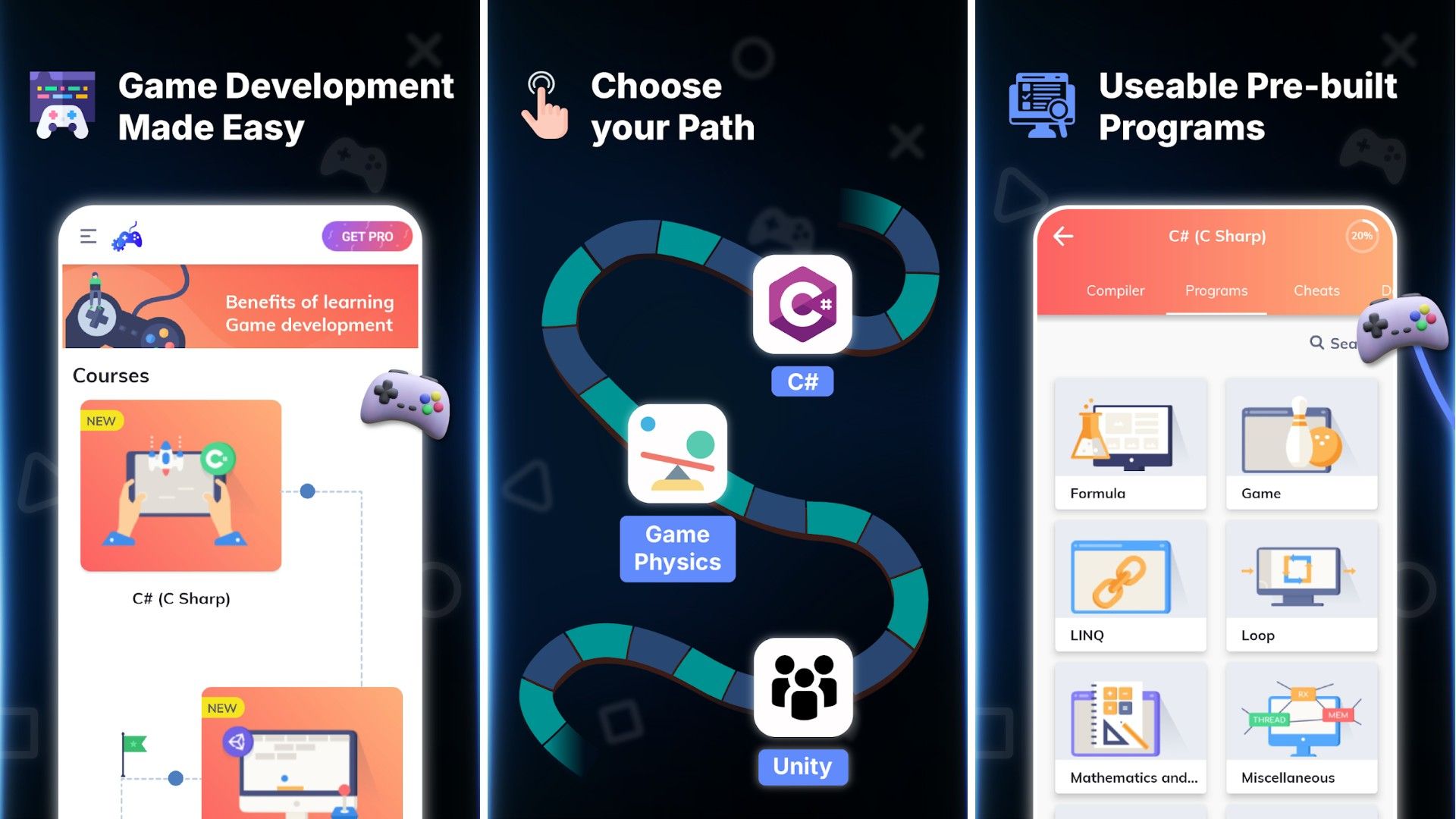

How To Make A Game App In 10 Steps 2024 BR Softech How To Start The Design And Development Of A Gaming App 768x512 . How To Make A Game Mobile App As A Beginner 2025 RC Blog Game Development In A Futuristic World. How To Make A Game App From Scratch Easy Steps Guide How To Make A Game App.webp. 9 Apps That Help You Make Games On Android Build Your First Game Showing How The Courses Look And What You Can Learn Like Loops Games And Mathematics . 8 INCREDIBLE Apps That Every Android User Needs In 2026 YouTube


Game App Development Cost Features Process Feature Image 4 . How To Develop Mini Game App How To Make A Mini Game App Process . Gamemaker Gamemaker Studio2 UXPMCC GameMaker Studio Internal Image And Animation Editing . How Does A Developer Create A Game App A Complete Guide How To Create A Game App.webp. Ready To Share How To Publish Your Roblox Game

How To Make A Roblox Game In 2026 Beginner Guide How To Make A Roblox Game In 2026 Beginner Guide 1024x683 . What Is Google AI Studio And How To Use It In 2025 By Chandler K 1*w2q Mt9Szl Fxo5p4kERvg . 14 Best Money Making Game Apps 2026 Payouts Rewards Money Making Game Apps . How To Choose A Real Time Translation App Percify S 2026 Guide Hero Image. Top 10 Best AI Platforms For Students In 2026 Top 10 Best AI Platforms For Students In 2026

2 Apps Create Your Own Game 2D And 3D YouTube . Best Game Apps That Pay Real Money In 2026 Tested Verified EarnLab Best Game Apps That Pay Real Money 2026.webp. How To Create An Android Game Full Guide For Beginners How To Create Android Game App.webp. How To Create A Mobile Gaming App Hyperlink InfoSystem 1642662355 . The Ultimate Blueprint To Game App Development CTA 2 1 1 1.webp