How to make a new account on roblox is a simple process that allows you to join a massive gaming community where creativity knows no bounds with millions of games created by users worldwide for players of all ages to enjoy for free on multiple platforms like PC and mobile and console devices which makes it very accessible to everyone everywhere. This guide explains why you need to choose a unique username and how to set a secure password while also highlighting the importance of providing an accurate birthdate to ensure that safety filters and parental controls are properly applied to your profile from the very first day of your gaming adventure. You will learn about customizing your avatar and finding the best experiences to play once you have successfully registered your new profile on the official roblox platform today.
How do I create a new Roblox account for free?
To create a free account visit the official Roblox website or download the app on your mobile device. Click the Sign Up button and fill in your birthdate choose a unique username and create a secure password. Once you click Sign Up again your account is ready and you can start playing millions of games immediately without any cost.
What is the minimum age to make a Roblox account?
There is no specific minimum age to create a Roblox account but the platform is designed for users aged 13 and older while providing extra safety features for younger children. Parents should assist children under 13 during the signup process to ensure that privacy settings and chat filters are correctly configured for a safe and enjoyable gaming experience for everyone.
Why is my chosen Roblox username not working?
Your chosen username might not work because it is already taken by another user or it contains characters that are not allowed by the platform guidelines. Roblox usernames must be between 3 and 20 characters long and can only contain letters numbers and one underscore. Try adding numbers or changing the spelling to find a name that is currently available.
How can I secure my new Roblox account after signing up?
The best way to secure your new account is to verify your email address and enable Two-Factor Authentication in the security settings menu. This ensures that only you can access your profile even if someone else learns your password. You should also avoid sharing your login details and never click on suspicious links that promise free virtual items or currency.
Can I play Roblox without making an account?
While you can browse the Roblox website and look at game pages without an account you must create a profile to actually play games or customize an avatar. Having an account allows the platform to save your progress in different experiences and keep track of your virtual items and friends list which is essential for the full social gaming experience.
Most Asked Questions about How to Make a New Account on Roblox
Making a new account on roblox is like getting a ticket to a giant digital playground that never closes. It is a super easy process that millions of people do every year to start their journey in a world where you can be anything from a superhero to a chef. When you sign up you are not just making a profile you are joining a global community of creators and players who love to share their imagination. It is important to remember that keeping your account safe and using the right settings from the start will make your experience much better in the long run. Whether you are playing on a phone or a computer the steps are almost the same and only take a couple of minutes to finish. Once you are in you can explore games and meet new friends while staying safe with the platform built-in tools. It is a great way to spend time and learn new things while having a blast with people from all over the world. The best part is that it is free to start and you can keep your account for as long as you want to play. One interesting takeaway is that roblox is not just a game but a platform where you can even learn how to code your own games once you have your account ready!
Are you wondering how to make a new account on roblox because you want to join your friends in the metaverse? Creating a profile is your first step into a world of endless imagination and gaming possibilities that millions of people enjoy every single day across the United States. I remember when I first tried to sign up and felt a bit overwhelmed by the options but it is actually one of the easiest things you can do to start your gaming journey. You are probably asking what is the best way to get started and how can I make sure my account is safe from the very beginning. This guide is built to help you navigate the signup screen and get into your first game within minutes without any stress or confusion at all.
How to Sign Up for Roblox on Your Computer
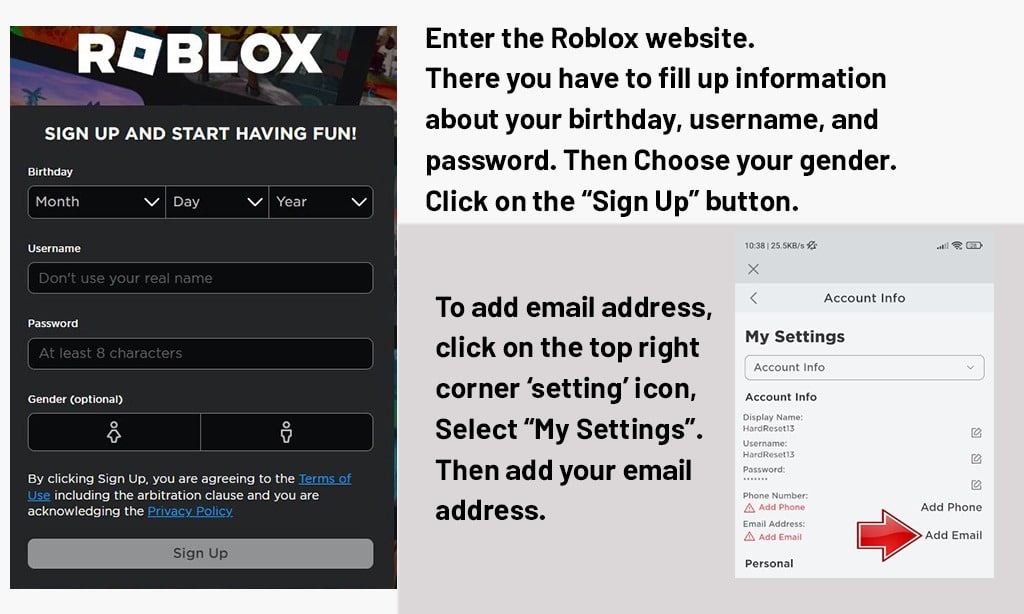
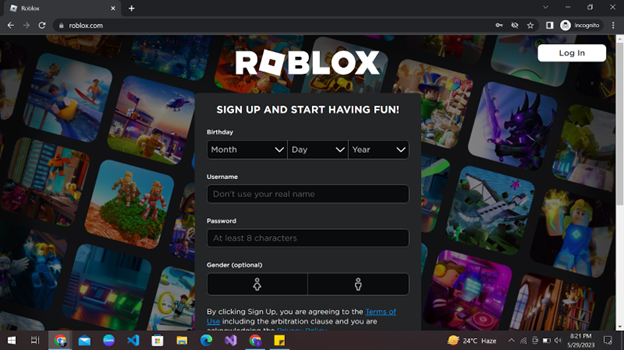
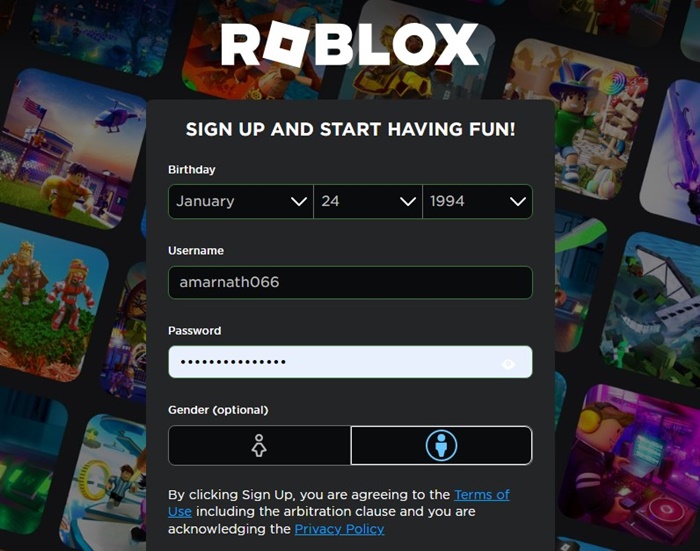
To begin your journey on a PC or Mac you first need to visit the official roblox website using any modern web browser like Chrome or Safari. Once you are on the home page you will see a signup box that asks for a few basic details to get your profile started. You need to enter your birthday first because the platform uses this information to determine which safety settings are appropriate for your age group specifically. After that you must pick a username that is not already taken by another player among the millions of active users. It can be tricky to find a unique name so try adding some numbers or underscores to make it stand out. Finally you will create a password that is at least eight characters long and includes a mix of letters and numbers for maximum security.
- Enter your birthdate correctly to ensure you get the right safety features for your age.
- Choose a creative username that does not include your real life name for privacy reasons.
- Create a strong password that is difficult for others to guess but easy for you to remember.
- Select your gender which is optional but helps with initial avatar clothing choices.
- Click the sign up button to officially create your new profile and start playing immediately.
Creating a Roblox Account on Mobile Devices
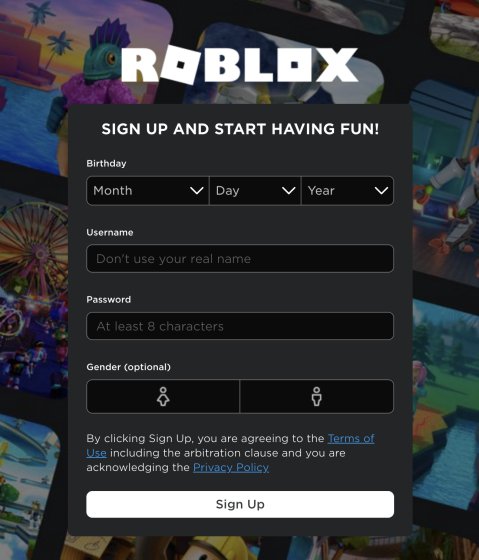
If you prefer playing on a phone or tablet you can download the roblox app from the Apple App Store or the Google Play Store for free. Open the app and tap on the sign up button to see a screen very similar to the desktop version where you will input your details. The process is streamlined for mobile users to make it as quick as possible so you can get into games while you are on the go. You will still need to provide your birthdate and pick a username just like on the computer version of the site. Make sure you have a stable internet connection so the registration process goes through without any errors or interruptions during the setup phase.
Why Account Security is Vital for New Players
Once you have made your account you should immediately think about how to keep it safe from hackers or unauthorized access. Why is security such a big deal on roblox today? It is because your account holds all your progress and any digital items or robux that you might acquire over time while playing. You should verify your email address or a parent email address right away to ensure you can recover the account if you ever forget your password. Enabling two factor authentication is another fantastic step that adds an extra layer of protection by requiring a code from your email every time you log in from a new device.
Beginner / Core Concepts
1. Q: Why does roblox ask for my birthday when I sign up?
A: I get why this might seem like a lot of personal info to share right away! Roblox asks for your birthday primarily to keep you safe. By knowing your age the platform can automatically turn on strict chat filters and privacy settings for younger players under thirteen. This ensures that the experience remains age-appropriate and fun without exposing you to things you are not ready for yet. It is always best to be honest here so the system works correctly for your specific needs. You have got this and it only takes a second to fill out!
2. Q: Can I change my username later if I do not like it?
A: This one used to trip me up too because I was so indecisive about my first gaming name! Yes you can change your username later but it usually costs robux which is the virtual currency on the platform. Because it costs money to change it is a great idea to spend a few extra minutes now picking something you really love. Think about your favorite hobbies or colors to find a name that feels like you. Try to avoid using your real name just to keep things private and safe. You will find the perfect name eventually!
3. Q: Is it free to make a new roblox account today?
A: Great question and the answer is a big yes! Creating an account and playing the vast majority of games on the platform is completely free of charge. While there are options to buy virtual items or premium memberships with real money you never have to pay just to join and have fun with your friends. You can explore millions of worlds without ever opening your wallet which is why so many people love this platform. Just dive in and start exploring all the amazing community creations available to you right now. You have got this!
4. Q: What should I do if the username I want is already taken?
A: I know how frustrating it is when your perfect name is already claimed by someone else! When this happens the best trick is to get creative with your spelling or add some meaningful numbers to the end of the name. You could also use underscores between words to make the name look clean and unique at the same time. Roblox will give you a red error message if the name is taken so just keep tweaking it until the box turns green. Do not give up because the right name is out there waiting for you. Try this today and let me know how it goes!
Intermediate / Practical & Production
5. Q: How do I verify my email address after signing up?
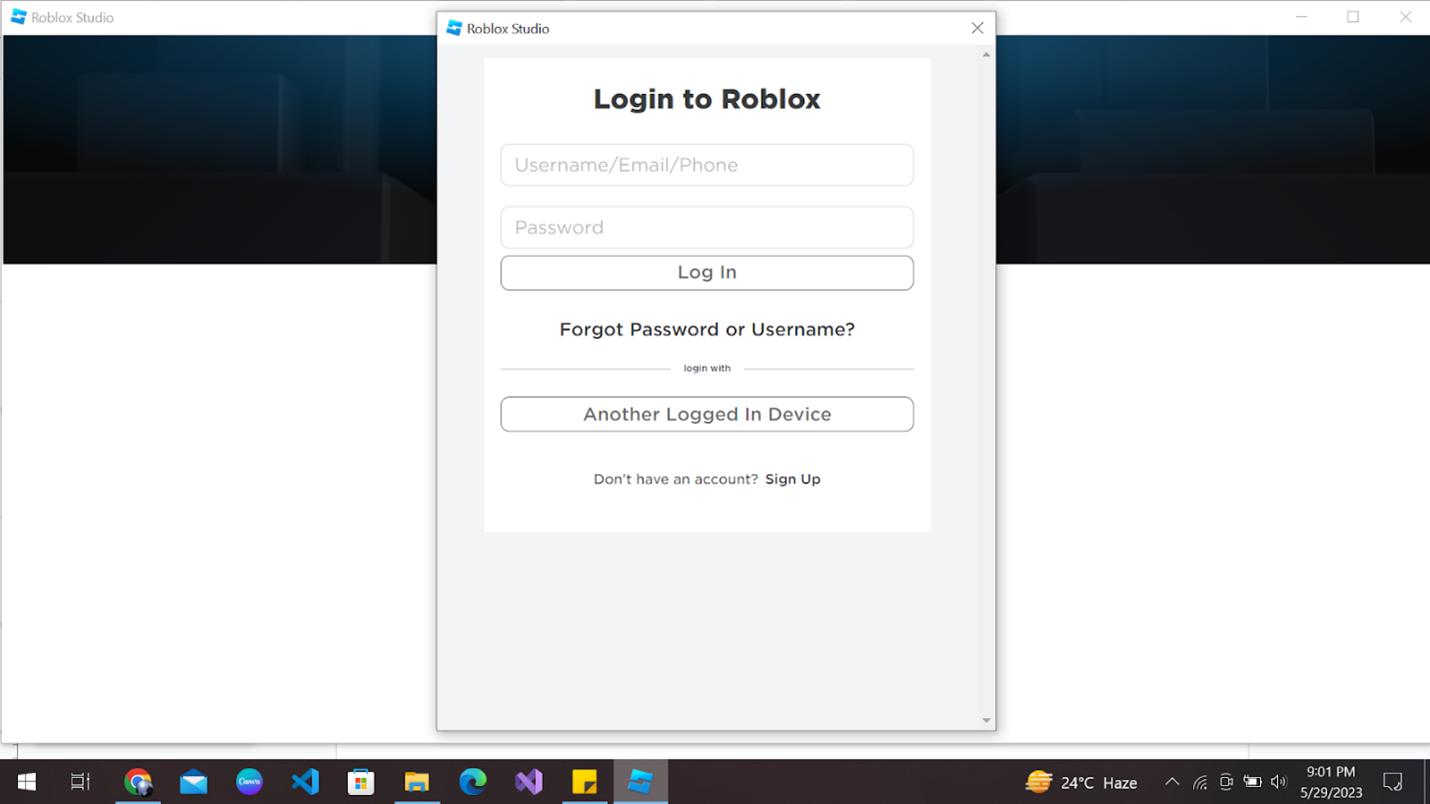
A: This is such a smart move for anyone looking to stay secure! After you create your account you can go to the settings menu and find the account info tab where there is a spot to add your email. Once you type it in roblox will send you a verification link that you just need to click in your inbox. This simple step makes your account much harder to lose and even gives you a cool free hat for your avatar as a reward. It is a win-win for your security and your style! You have got this!
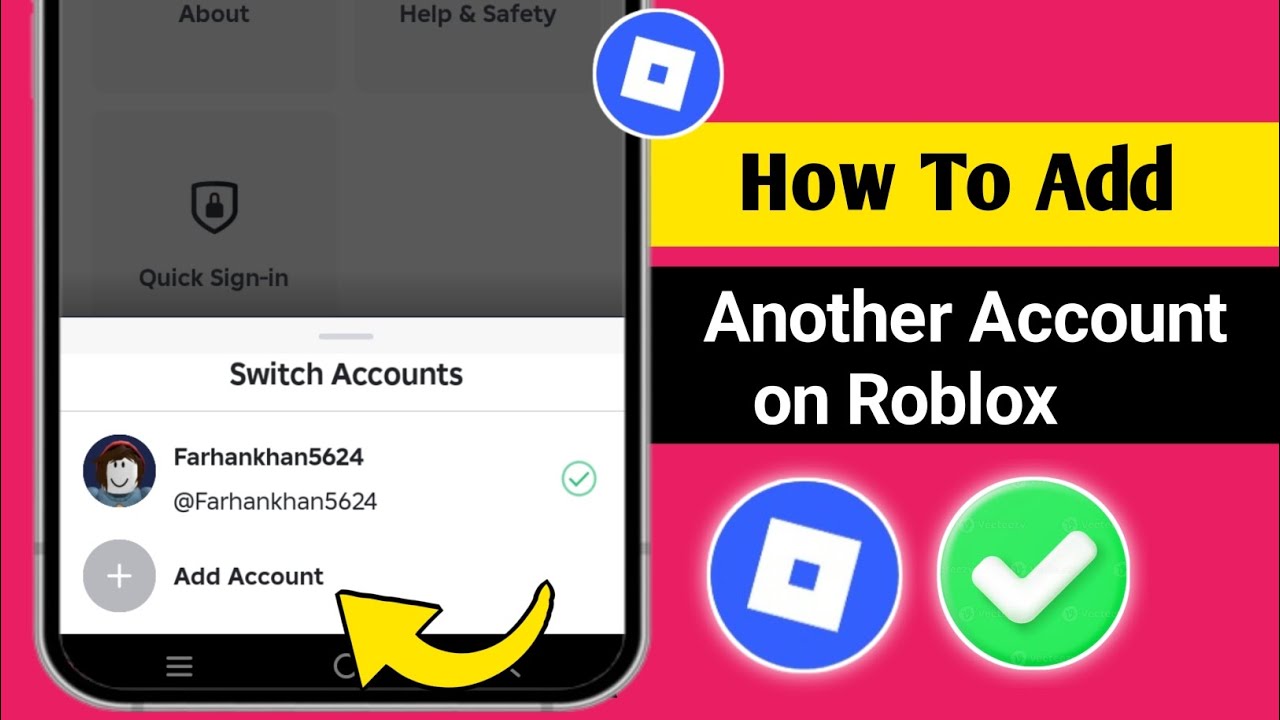
6. Q: Can I have more than one roblox account at a time?
A: I totally understand why you might want a second account for testing things or starting fresh! Roblox actually allows users to have multiple accounts as long as you follow the community guidelines on all of them. Many creators use a separate account for building games and another for playing them to keep things organized. Just remember that you cannot trade items between your own accounts easily and you should still use unique passwords for each one to stay safe. It is a great way to explore different sides of the platform. Give it a try and see how it works for you!
7. Q: How do I make my avatar look cool without spending money?
A: This is a classic challenge that every new player faces but it is totally doable! The avatar shop actually has a lot of free items if you know how to find them using the price filter. Just set the price range from low to high and you will see plenty of shirts pants and hair options that cost zero robux. You can also earn free items by participating in platform events or playing certain games that give out rewards. Your character can look amazing without spending a single cent if you are a bit patient and creative. You have got this!
8. Q: What are the best privacy settings for a new account?
A: I get why people find the privacy menu a bit confusing at first glance! If you want the safest experience I recommend setting your chat permissions to friends only so only people you know can message you. You can also restricted who can join you in games or see your inventory in the same settings tab. These controls are there to make you feel comfortable while you play and interact with the community. Taking five minutes to set these up now will save you a lot of headaches later on. Try checking these settings tonight!
9. Q: How do I join a game once my account is ready?
A: This is the most exciting part of the whole process! Once you are logged in you can browse the home page or the discover page to see thousands of trending games across different genres. When you find one that looks fun just click on the big green play button and the roblox engine will launch automatically on your device. If you are on a computer it might ask you to download a small launcher file the first time which is totally normal. Within seconds you will be inside a virtual world ready to play. You have got this and have fun!
10. Q: Why can I not see the chat in some games?
A: This one used to confuse me too until I learned about the account filters! If your account is set for a younger age group or if the game developer has disabled chat you might not be able to see messages from other players. Also if you have privacy mode turned on in your settings it might be blocking the chat window entirely for your safety. Check your account settings to see if your chat is enabled for everyone or just friends. It is all about finding the balance of safety and social fun that works for you. You have got this!
Advanced / Research & Frontier
11. Q: Can I link my roblox account to my console for crossplay?
A: This is a great way to level up your gaming experience! You can definitely log into the same roblox account on an Xbox or PlayStation by using the quick log in feature or entering your credentials. This means all your items and game progress will follow you no matter which screen you are playing on at the moment. It makes it so easy to switch from your PC to your couch without missing a beat in your favorite game. Just make sure you sign out if you are playing on a console that does not belong to you. Try it out and enjoy the big screen!
12. Q: What is two step verification and why should I use it?
A: I know security stuff can sound a bit boring but this one is a total lifesaver! Two step verification means that even if someone guesses your password they still cannot get into your account without a special code sent to your phone or email. It is the best defense against hackers who try to steal accounts with rare items or a lot of robux. You can turn this on in the security tab of your settings and it only takes a minute to set up. It provides so much peace of mind while you are building your digital empire. You have got this!
13. Q: How do I report a bug if my account creation fails?
A: It is rare but sometimes things do go wrong and it can be really frustrating! If you are getting an error during signup you should first clear your browser cache or try a different internet connection to see if that fixes it. If the problem persists you can contact roblox support through their official help page by filling out a form with your details. They are usually very helpful and can tell you if there is a site-wide issue or something specific to your device. Most errors are just temporary glitches so do not worry too much. You will be playing in no time!
14. Q: Can I use a virtual private network when creating an account?
A: This is a smart question for the tech-savvy players out there! While you can technically use a VPN it is usually better to sign up using your normal connection to avoid any regional flagging by the security system. Sometimes using a VPN can make the system think you are a bot which might lead to extra verification steps like longer captchas. If you do use one make sure it is set to a reliable location and that your internet speed is fast enough to handle the registration. Once the account is made you can usually use a VPN without any major issues during gameplay. You have got this!
15. Q: What happens to my account if I do not use it for a long time?
A: I get why you might worry about your hard work disappearing! The good news is that roblox generally keeps accounts active even if you do not log in for many months or even years. Your items and progress should still be there whenever you decide to come back and play again. However it is always a good idea to keep your recovery email up to date just in case you forget your password during your time away. The community will be here waiting for you whenever you feel like jumping back into the action. Try logging in once in a while just to see what is new!
Quick Human-Friendly Cheat-Sheet for This Topic
- Use a valid email so you never lose access to your fun.
- Pick a password that is like a secret code only you know.
- Turn on two factor authentication for the ultimate shield.
- Be honest about your age to get the best safety filters.
- Check the free section of the avatar shop for cool gear.
- Never share your password with anyone even if they promise free robux.
- Have fun exploring millions of games with your new profile.
Quick registration process for all devices. Importance of accurate birthdate for safety features. How to choose secure passwords and unique usernames. Setting up two factor authentication for account security. Easy steps for mobile and PC signups.
35


How To Create A Roblox Account In 2026 What You Need Roblox Login How To Create A New Account . How To Create An Account On Roblox 2026 Update YouTube . How To Create A New Account In Roblox H Ng D N Chi Ti T V C P Nh T . How To Add A Roblox Card To Your Account In 2026 . How To Create A Roblox Account In 2026 What You Need Roblox Studio Home



How To Create A Roblox Account Step By Step YouTube . How To Create New Roblox Account In 2025 Step By Step Image Guide Create New Roblox Account Sign Up . How To Make A Brand New Roblox Account Roblox YouTube . How To Make A NEW ACCOUNT On Roblox Create A Roblox Account In 2025 . How To Make Another Account On Roblox Same Device Add Another


How To Create A Roblox Account Roblox How To Make A Roblox Account A6 . New To Roblox Start Here Create Your Account Free Items YouTube . HOW TO CREATE A ROBLOX ACCOUNT YouTube . How To Create Account On Roblox H Ng D N Chi Ti T V M O B O M T T I . Account Roblox Free Roblox Account With Free Robux Part 53 A1


How To Create Account On Roblox H Ng D N Chi Ti T V M O B O M T T I Sign Up Screen . How To Create A New Account On Roblox Updated YouTube . Roblox Account Creation Your Ticket To Fun . How To Create New Roblox Account In 2023 Roblox 2 . How To Add Another Account On Roblox New Update Create A Second


Create New Account On Roblox H Ng D N Chi Ti T Cho Ng I M I . How To Create New Roblox Account In 2023 Roblox 6 768x381 . How To Create Add Another Roblox Account 2024 YouTube . Connect Your Worlds Microsoft And Roblox Account Syncing . Black Death Map Spread




Want A Free Roblox Account What You Need To Know Now . Roblox Just Introduced New Kids Accounts Three Accounts ENG . How To Create A Roblox Account In 2026 What You Need 2 1024x865 . How To Message On Roblox 2026 A Quick Guide . Unlocking Roblox Animation Power With Moon Animator Up To Date 2026 SL1500


How To Create Sign Up Roblox Account Roblox Newbie Laptop 2022 . How To Make A New Roblox Account In 2024 YouTube Hqdefault . 10 Free Roblox Accounts With Robux June 2026 Screenshot 2023 06 18 145339 . How To Make Another Account On Roblox Same Device PC Mobile YouTube . 2026 Guide To Change Your Roblox Account Location Quick Tips F 1770691379 390.webp