Ever wondered how to turn your creative game ideas into reality on Roblox? This comprehensive guide will walk you through everything you need to know about making a game in Roblox Studio. Whether you are a busy professional balancing work and family or a student looking to dive into game development, Roblox offers an accessible platform for all. Discover the step-by-step process from initial setup to publishing, learning essential tools, scripting basics, and optimization tips. We address common pain points like getting started, performance considerations, and how to make your game stand out in the bustling Roblox universe. Millions of US gamers, often averaging over ten hours a week, are seeking engaging new experiences, and you could be the next creator to capture their attention. Learn to build, share, and potentially monetize your creations efficiently. This resource is designed to empower you with the knowledge to navigate Roblox Studio effectively and bring your unique visions to life without unnecessary complexity, focusing on practical solutions for real-world creators.
What is the absolute first step to make a game in Roblox?
The very first step to make a game in Roblox is to download and install Roblox Studio. It's a free application available on the official Roblox website. Once installed, simply open it and log in with your Roblox account. This acts as your primary development environment where all game creation takes place, similar to how artists use a canvas before they paint.
How can I learn Lua scripting effectively for Roblox?
To learn Lua scripting effectively for Roblox, start with official Roblox Developer Hub tutorials, which offer structured lessons for beginners. Complement this with YouTube video guides and practice by modifying existing scripts or building simple interactive elements. Focus on understanding core concepts like variables, functions, and events rather than memorizing code. Consistent, hands-on practice is key for busy gamers looking to skill up.
What are the best strategies for a beginner to design an engaging Roblox game?
For a beginner, the best strategies for designing an engaging Roblox game involve starting with a simple, unique concept, focusing on intuitive gameplay, and ensuring strong visual appeal. Prioritize clear objectives, provide immediate player feedback, and leverage Roblox's free asset library to accelerate development. Iterative design and gathering early player feedback are crucial for making your game fun and popular.
How do I optimize my Roblox game's performance for mobile players?
Optimizing your Roblox game's performance for mobile players is crucial for reaching a wider audience. Reduce part count and complexity, use fewer textures, and avoid excessive particle effects. Script efficiently to minimize lag and ensure proper network replication. Test your game frequently on lower-end mobile devices to identify and address performance bottlenecks, ensuring a smooth experience for all, including gamers on a budget.
What are common mistakes new Roblox creators make and how can I avoid them?
New Roblox creators often make mistakes like attempting overly ambitious projects too soon, neglecting game optimization leading to lag, and failing to seek or implement player feedback. To avoid these, start with small, manageable projects, regularly test your game on various devices, and actively engage with your community for constructive criticism. Focus on a solid core experience before adding complex features.
How do I ensure my Roblox game is visible to potential players?
To ensure your Roblox game is visible to potential players, focus on creating an appealing game icon and title that clearly communicates your game's theme. Optimize your game's description with relevant keywords. Promote your game on social media and within Roblox communities. Engaging with players, responding to feedback, and consistently updating your game also boost its visibility through the platform's algorithms.
What tools or features within Roblox Studio can accelerate game development for busy individuals?
For busy individuals, Roblox Studio offers several tools to accelerate game development. Utilize the 'Toolbox' for free models, scripts, and plugins from the community. Leverage pre-built templates for quick starts. Master efficient hotkeys and shortcuts for building. Scripting functions like 'FindFirstChild' and 'WaitForChild' can streamline code. Focus on modular design and reusability to save time, allowing you to create impactful content even with limited hours.
Are you a gamer, like many of us over 30, who juggles work, family, and life but still dreams of creating something epic in your limited free time? The thought of building your own game might seem daunting, especially with complex engines. But what if there was a platform where your creativity could flourish without needing a computer science degree? Enter Roblox. With an astounding 87% of US gamers regularly engaging with interactive entertainment and many averaging over 10 hours a week, there's a massive, hungry audience ready for new experiences. Roblox isn't just for kids anymore; it's a dynamic ecosystem where anyone can bring their ideas to life. This guide will show you exactly how do I make a game in Roblox, transforming those late-night ideas into playable realities, optimized for your busy schedule and passion for gaming.
You’ll learn how to navigate Roblox Studio, understand the basics of scripting, design engaging gameplay, and even publish your creation to millions of potential players. We'll cut through the hype and focus on practical, actionable steps that respect your time and effort. From avoiding common setup pitfalls to understanding how to optimize performance on budget hardware, we’re here to ensure your journey into game development is as smooth and rewarding as possible. Get ready to build, create, and share your unique gaming vision with the world.
What is Roblox Studio and Why Should I Use It?
Roblox Studio is the free, integrated development environment where creators build games for the Roblox platform. Think of it as your virtual workshop. It's designed to be user-friendly, allowing both beginners and experienced developers to create immersive experiences. For many busy gamers, its drag-and-drop interface combined with powerful scripting capabilities offers a perfect balance. You don't need to spend a fortune on software or a high-end PC; it runs efficiently on most modern systems. The advantage is immediate access to millions of players across PC, mobile, and console, aligning perfectly with current trends in cross-platform social gaming that prioritize accessibility and community.
How Do I Get Started With Roblox Studio and Initial Setup?
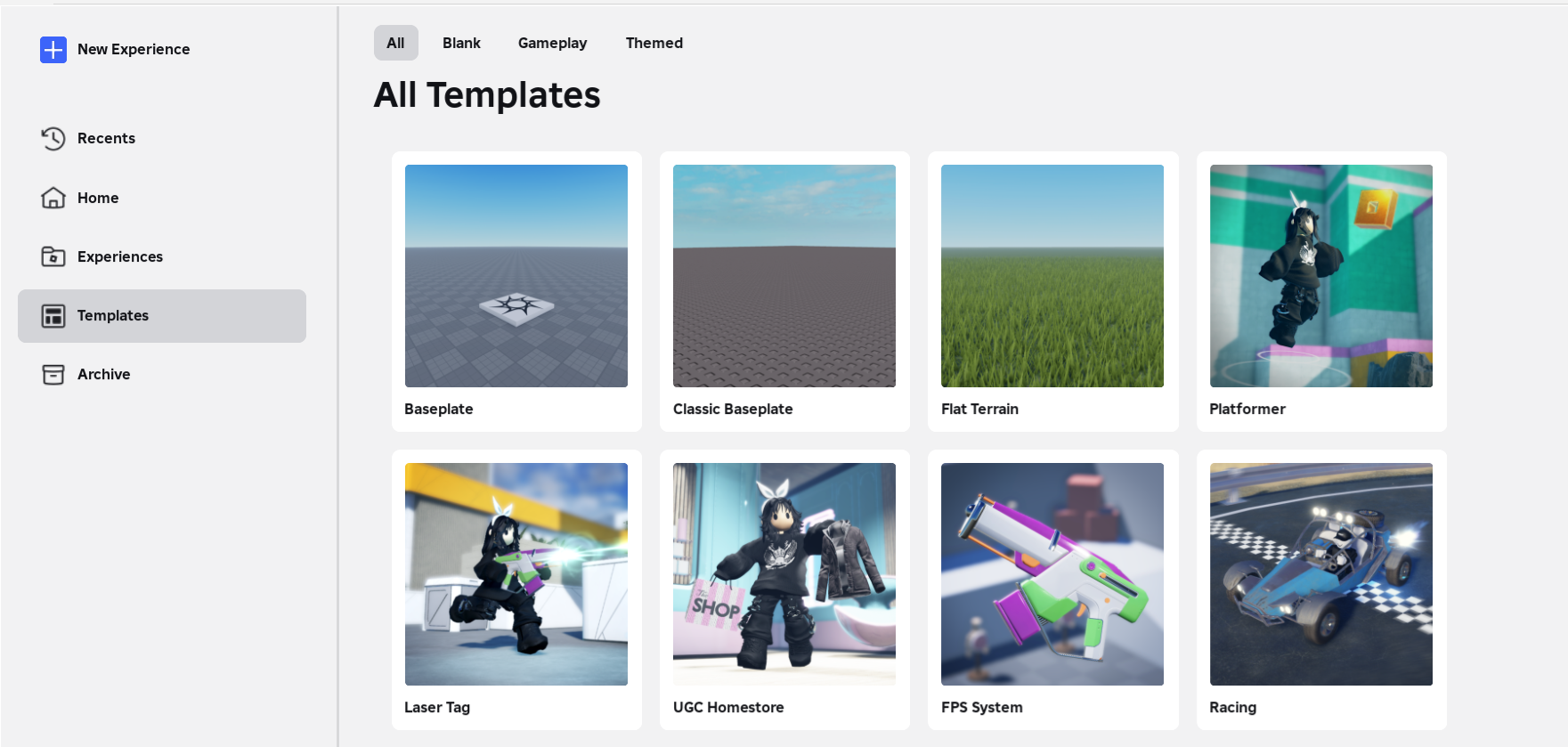
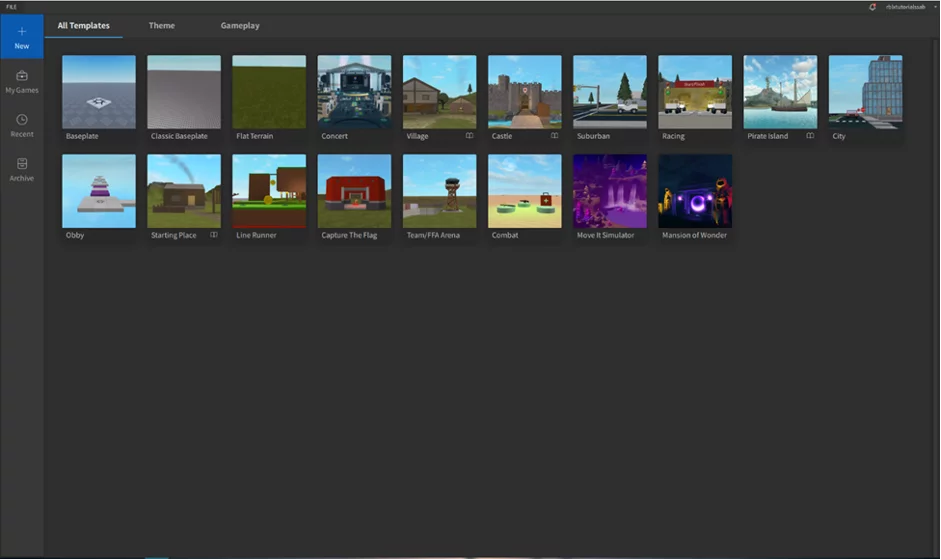
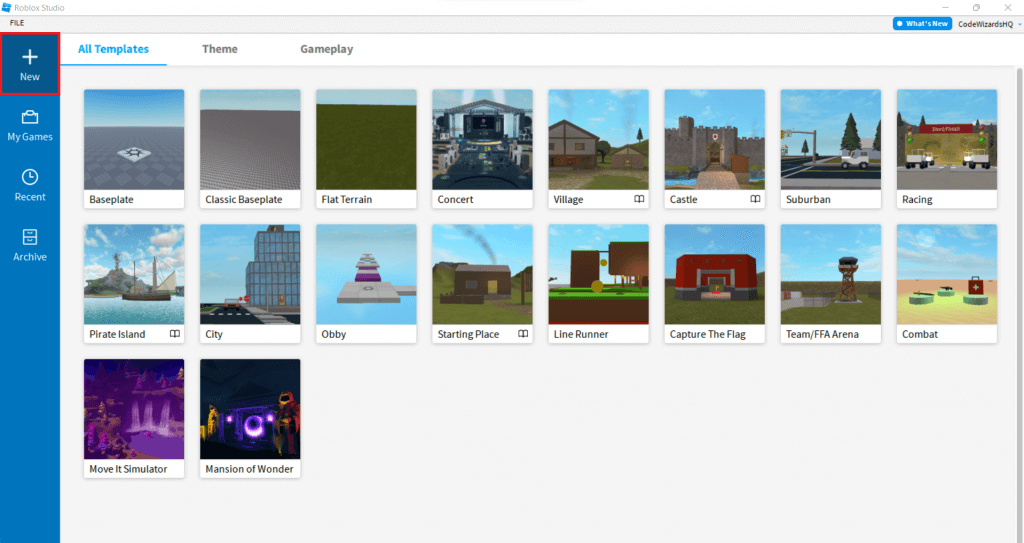
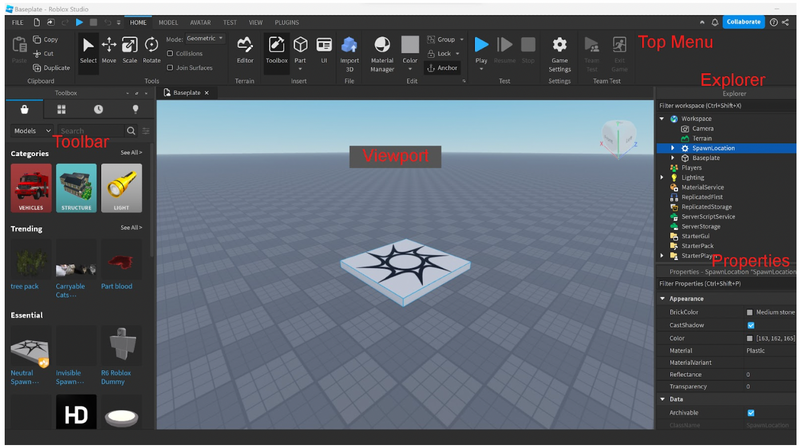
Getting started is surprisingly straightforward. First, you'll need a Roblox account if you don't already have one. Then, download Roblox Studio directly from the Roblox website. The installation process is quick and simple, much like installing any other application. Once installed, launch it and sign in with your Roblox credentials. You'll be presented with a template selection screen. For your very first project, choose a basic template like 'Baseplate' or 'Classic Baseplate'. This gives you a blank canvas to begin learning without being overwhelmed. Remember, the goal is to get your hands dirty quickly without getting bogged down in complex configurations, a common pain point for new creators.
What Are the Essential Tools in Roblox Studio for Building Games?
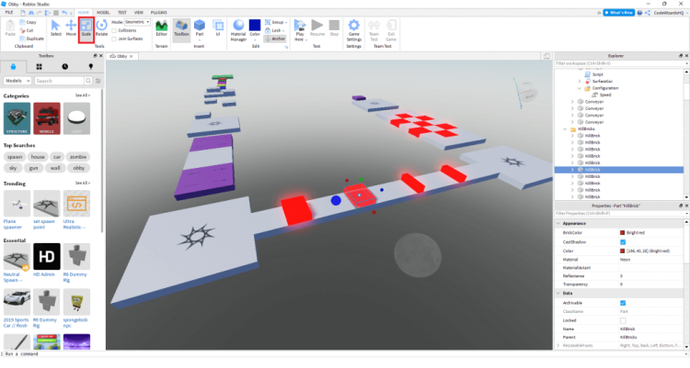
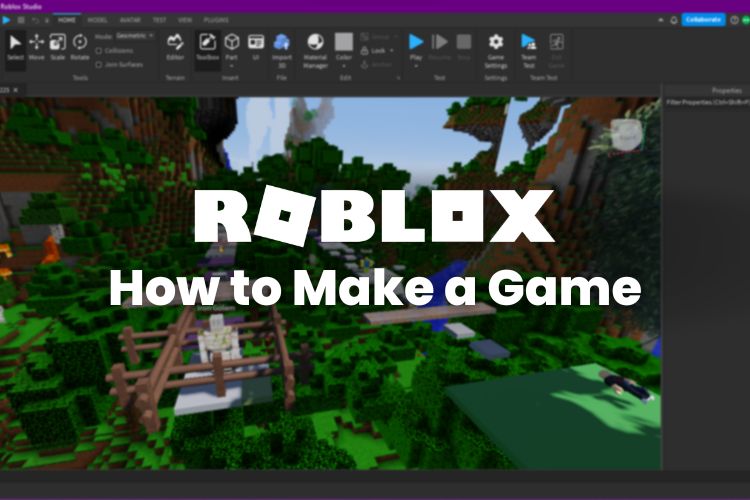
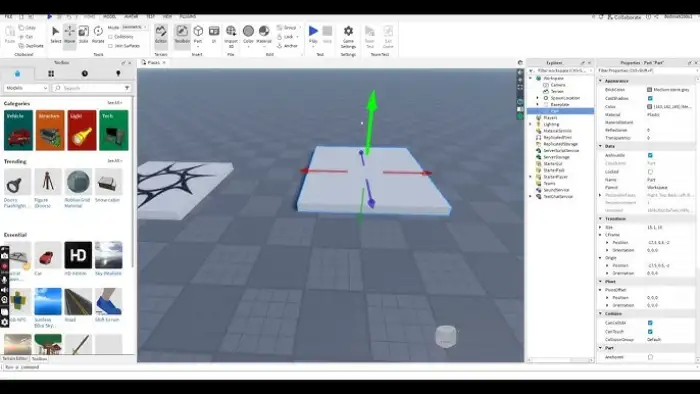
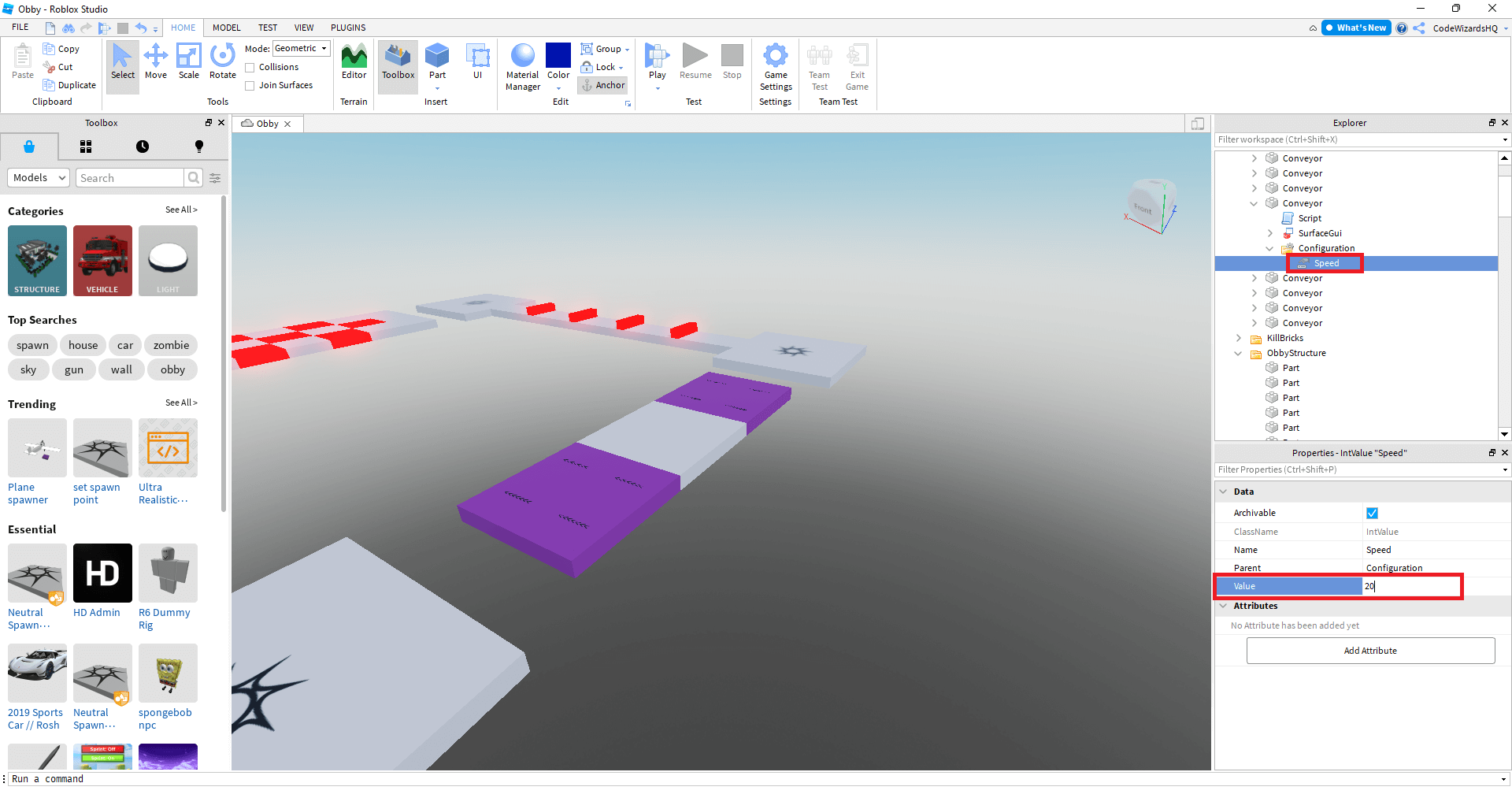
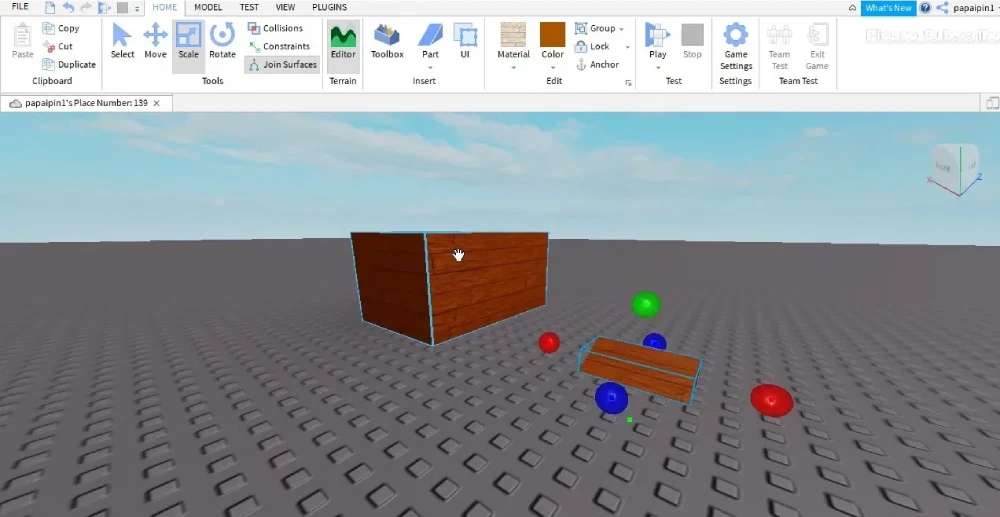
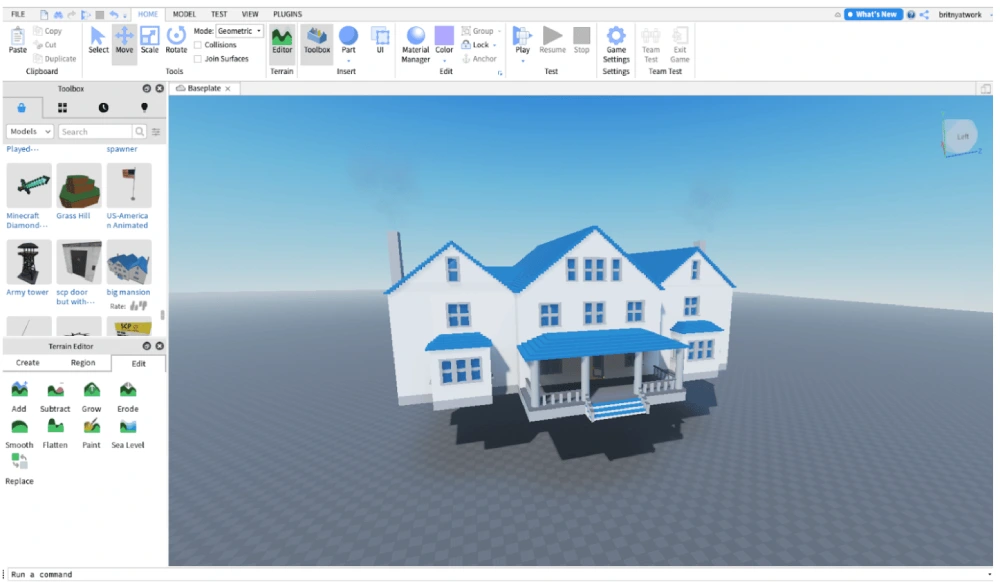
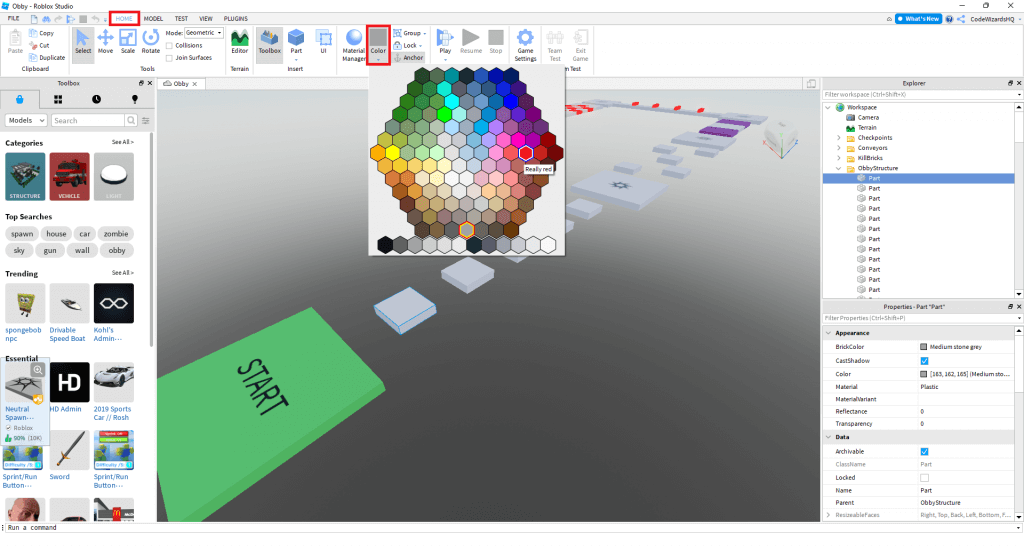
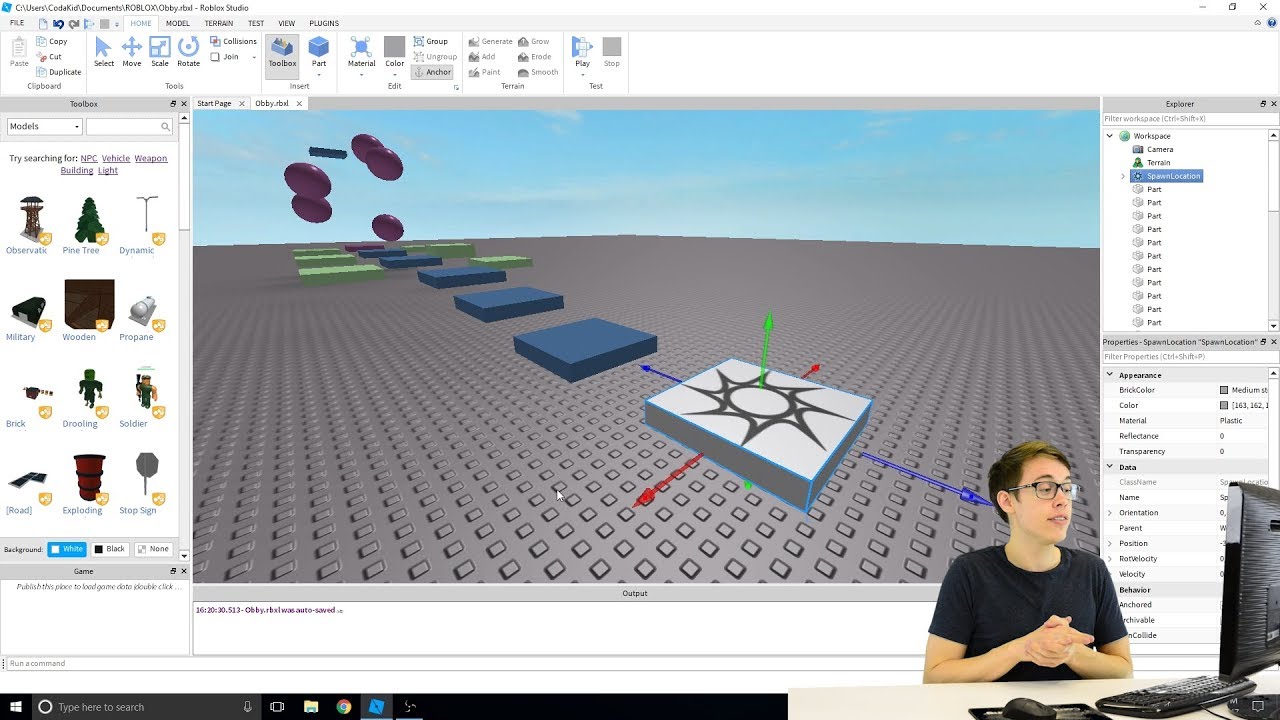
Roblox Studio comes packed with essential tools that will become your best friends. The 'Home' tab provides basic manipulation tools: 'Select', 'Move', 'Scale', and 'Rotate' allow you to interact with objects. The 'Model' tab offers creation tools like 'Part' (for creating basic shapes like blocks and spheres) and 'Terrain Editor' for sculpting landscapes. Understanding the 'Explorer' window, which lists all objects in your game, and the 'Properties' window, which allows you to customize their attributes (color, size, material, transparency, etc.), is crucial. These are your foundational tools for bringing static elements into your game world. Take time to experiment with each one; familiarity here will save you hours later.
How Do I Start Building My First Game Environment?
Once you have a baseplate, begin by adding parts. Click 'Part' under the 'Home' tab and a block will appear. Use 'Move', 'Scale', and 'Rotate' to position and resize it. You can change its color or material in the 'Properties' window to make it look like a road, a wall, or a platform. Practice creating simple structures: a small house, a path, or an obstacle course. Don't aim for perfection initially. The key is to get comfortable with placing and manipulating objects. Remember, many successful Roblox games start with simple concepts and evolve over time, mirroring how gamers often find satisfaction in skill-building and continuous improvement.
What is Scripting (Lua) and Why Is It Important for Gameplay?
Scripting in Roblox uses a language called Lua, which is known for its simplicity and efficiency, making it an excellent entry point for new programmers. Lua is what brings your game to life; it makes parts move, characters jump, doors open, and scores update. Without scripts, your game would just be a static diorama. To add a script, right-click on a part in the 'Explorer' window, select 'Insert Object', and choose 'Script'. This opens a code editor. Even learning basic commands like changing a part's color when touched or making a light turn on can dramatically enhance interactivity and player engagement. It’s like learning a new skill in a game; small victories build confidence.
How Can I Test My Game Effectively During Development?
Testing is a vital part of the game development process, much like trying out a new strategy in your favorite online multiplayer. In Roblox Studio, you can test your game directly by clicking the 'Play' button in the 'Home' tab. This spawns your avatar into the game world, allowing you to experience it exactly as a player would. Use this to check for bugs, verify gameplay mechanics, and ensure everything is working as intended. Test frequently and systematically. Consider inviting a friend to test with you using the 'Play Solo' or 'Start Server' options to simulate a multiplayer environment. This social testing aspect aligns with the 2026 trend of social gaming and collaborative experiences.
How Do I Publish My Game to the Roblox Platform?
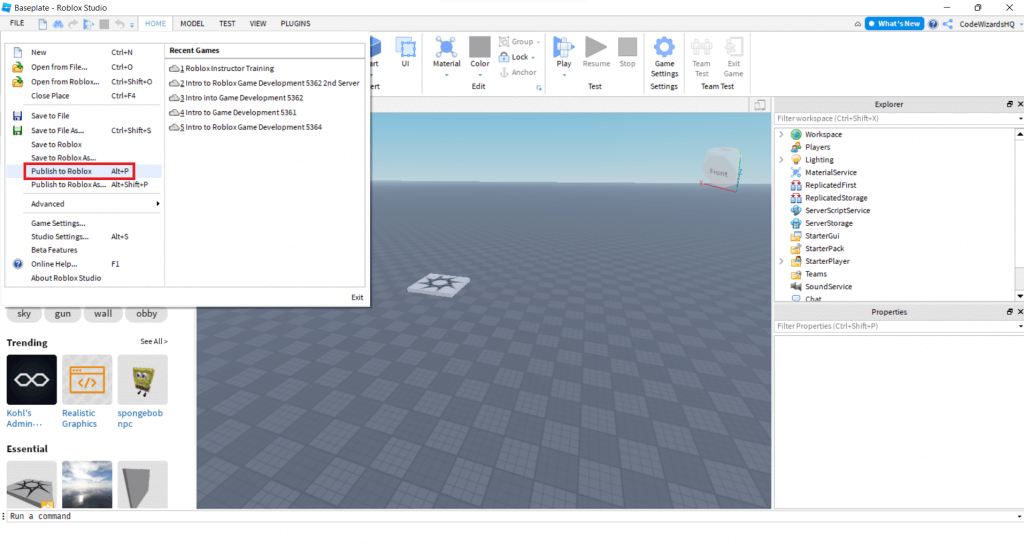
Publishing your game is the exciting moment when your creation goes live for the world to see. In Roblox Studio, go to 'File' > 'Publish to Roblox'. You'll be prompted to create a new game or update an existing one. Give your game an engaging title, a clear description, and choose appropriate genres. Make sure your game settings are configured correctly, including permissions and access. Once published, your game will appear on your Roblox profile, and other players can find and join it. This is your chance to share your hard work and connect with the global Roblox community, fulfilling that desire for social play and recognition.
How Can I Make My Roblox Game Popular and Engage Players?
Making a game popular requires more than just good design; it requires community engagement and understanding current trends. Focus on unique concepts, polished gameplay, and consistent updates. Promote your game on social media, Discord servers, and within the Roblox community forums. Consider hosting in-game events or offering limited-time items to keep players returning. Many popular games leverage social features and cross-play opportunities, allowing friends to easily connect. US gamers value experiences that offer relaxation, skill-building, and social interaction, so design with those elements in mind. Pay attention to player feedback, as it's invaluable for refinement and growth, much like how top-tier esports teams continuously adapt their strategies.
Can I Make Money From My Roblox Game Creations?
Yes, you absolutely can! Roblox offers various monetization methods. The primary way is through 'Game Passes' and 'Developer Products' (Robux purchases for in-game items or abilities). You can also earn through Premium Payouts, where you get a share of Robux based on the engagement of Premium subscribers in your game. Top creators on Roblox are making substantial income, turning their passion into a viable side hustle or even a full-time career. It aligns with the modern gamer's desire for value for money and the growing creator economy. However, focus on creating a fun, engaging experience first; monetization will naturally follow if players enjoy what you've built.
What Are Common Pitfalls to Avoid When Developing a Roblox Game?
New developers often encounter a few common hurdles. One major pitfall is feature creep: trying to implement too many complex ideas at once. Start small, get one core mechanic working well, and then expand. Another is neglecting performance optimization. Heavy scripts or too many high-detail objects can cause lag, especially on mobile devices, alienating a significant portion of the player base. Always test your game on various devices. Additionally, overlooking community feedback or failing to update your game regularly can lead to declining player counts. Balancing passion with practical development and player expectations is key.
How Do I Balance My Game Creation Hobby with My Busy Life?
This is a challenge many adult gamers face. The key is setting realistic goals and managing your time effectively. Instead of aiming for a massive open-world RPG as your first project, start with a smaller, achievable game, like an obby or a simple social hangout. Dedicate specific, short blocks of time (e.g., 30-60 minutes a few evenings a week) to development. Leverage Roblox's vast library of free models and open-source scripts to accelerate your progress without reinventing the wheel. Remember, gaming and game creation should be a source of relaxation and fun, not another source of stress. Celebrate small victories and enjoy the creative process.
Congratulations on taking the first step towards becoming a Roblox game developer! Creating games on Roblox is a rewarding journey that combines creativity, technical skill, and community engagement. You've learned how to navigate Roblox Studio, understand the basics of scripting, build environments, test your creations, and even strategize for popularity and monetization. Remember that consistent effort and a focus on player experience are your greatest assets. With 60% of US gamers regularly seeking new ways to unwind and connect, your unique vision could be exactly what they're looking for. What's your biggest gaming challenge or game idea you want to bring to life? Comment below and let's discuss!
FAQ Section
Is Roblox Studio hard to learn for beginners?
No, Roblox Studio is surprisingly beginner-friendly. Its visual interface allows for drag-and-drop building, and the Lua scripting language is accessible, making it easier to grasp fundamental game development concepts without prior coding experience. Many tutorials and a supportive community are available to help you along the way.
Do I need to know how to code to make a game in Roblox?
While you can create basic environments and experiences without coding, knowing some Lua scripting significantly enhances your game's interactivity and complexity. Even learning a few basic commands can make a huge difference, and it's a skill that's rewarding to build over time.
Can I use my existing 3D models in Roblox Studio?
Yes, Roblox Studio supports importing 3D models in .FBX format. This allows creators to bring assets from external software like Blender or Maya into their Roblox games, offering greater creative flexibility and complementing the built-in building tools.
How long does it take to make a simple game in Roblox?
You can create a very simple game, like an 'obby' (obstacle course) or a basic social hangout, in just a few hours or a weekend. More complex games will naturally take longer, ranging from weeks to months, depending on your vision and dedication. Starting small is always recommended.
What kind of games are popular on Roblox right now?
Currently, social hangout games, simulation games (like 'Adopt Me!' or 'Brookhaven'), obstacle courses, and adventure RPGs remain highly popular. Experiences that foster social interaction, offer clear progression, or provide unique role-playing opportunities tend to perform well, reflecting a consistent trend in social gaming engagement.
Is Roblox Studio free to use?
Yes, Roblox Studio is completely free to download and use. This makes it an incredibly accessible platform for aspiring game developers to learn, create, and even potentially earn revenue without any upfront investment costs, fitting perfectly with budget-conscious gamers.
Roblox Studio Basics Game Creation Steps Scripting Fundamentals Publishing Games Monetization Strategies Community Engagement Optimization Tips
35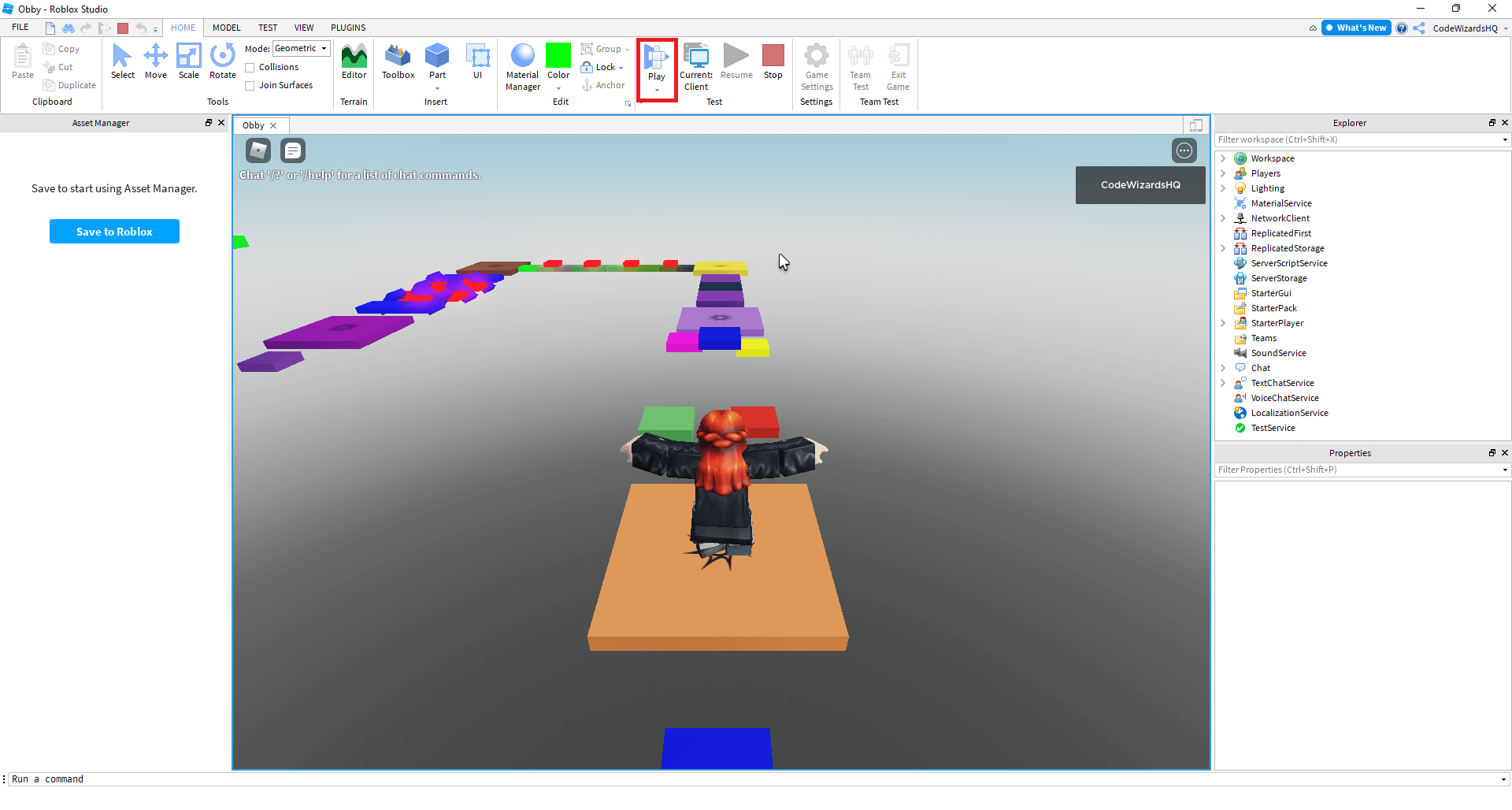

How To Make A Roblox Game In 15 Minutes Create Roblox Games Step 10 . Creating A Roblox Game Step By Step Guide Resized . How To Make A Roblox Game Complete Beginners Guide YouTube . How To Make A Game Pass In Roblox 2026 Step By Step Guide Game Pass Roblox.webp. How To Make A Fun Roblox Game For Free And Publish It Screen Shot 2024 08 20 At 9.59.44 AM

How To Make A Roblox Game Beginner Tutorial In 2026 FREE YouTube . How To Make A Roblox Game In 2023 Easy Guide Beebom How To Make A Roblox Game In 2023 . How To Draw A Roblox Noob Super Easy Step By Step Guide For Kids How To Make A Roblox Game In 2026 Beginner Guide 1024x683 . How To Make A Game On Roblox In 2026 The Complete Beginner S Guide Image. How To Create A Roblox Game Complete Step By Step Tutorial A Guide On How To Create A Game On Roblox.webp


Step By Step Guide How To Create Your First Roblox Game 128DCD70 . Roblox Tutorial How To Make A Game Screen Shot 2022 04 21 At 10.22.45 AM . Make Your Own Roblox Game A Beginners Guide Step 7 . Ready To Share How To Publish Your Roblox Game . How To Create A Roblox Game Complete Step By Step Tutorial How To Create A Game On Roblox 2.webp

How To Make A Roblox Game In 15 Minutes Create Roblox Games Step 11 1024x545 . How To Make A Roblox Game In 15 Minutes 2020 Tutorial YouTube . How To Make A Roblox Game With AI Complete 2026 Guide Image. How To Make A Roblox Game A Step By Step Guide Blog Meshy Image. How To Create A Roblox Game Complete Step By Step Tutorial How To Create A Game On Roblox 5.webp


How To Make A Roblox Game In 2024 FOR BEGINNERS YouTube . How To Create A Game On Roblox A Beginner Friendly Guide Image7 3 1 . How To Make A Roblox Game In 15 Minutes Create Roblox Games Step 5 1024x548 . How To Make A Game In Roblox Screenshot 8 36 . How To Make A Roblox Game Roblox Game Making GameDev Academy Img 1024x639


How To Create A Roblox Game A Guide 04 1024x1024 . How To Make A Roblox Game 2022 YouTube . How To Create A Game On Roblox All Tech Nerd Select Template For Game In Roblox Studio.webp. How To Make A Roblox Game In 15 Minutes Create Roblox Games Step 2 1024x543 . How To Make Money On Roblox 2026 Creator Guide How To Make Money On Roblox.webp
How To Make Your Own Roblox Game Roblox Studio YouTube . How To Make Roblox Games How To Make Your Own Roblox Game How To Create A Roblox Game Main . MAKE A GAME ON ROBLOX STUDIO CODAKID S SUPER AWESOME OBBY TUTORIAL . Creating A Roblox Game Step By Step Guide Resized . Build Games In Roblox Creator Hub Nuhogames Screen Shot 2022 12 20 At 1.49.27 PM