Navigating the vast world of Steam for the perfect 2 player experience can be a challenge, especially for adult gamers balancing work, family, and life. This comprehensive guide cuts through the noise, offering actionable tips and game recommendations for those seeking quality cooperative or competitive play with a friend. We address common pain points like finding time, optimizing performance on a budget, and discovering new titles without endless scrolling. Discover the best 2 player Steam games, both online and local, that offer genuine fun, skill-building opportunities, and valuable social interaction. Whether you are looking for quick sessions or deeper adventures, this resource is designed to help you make the most of your limited gaming time and find incredible two player experiences on Steam. With recent gaming trends showing 87% of US gamers play regularly, often for 10+ hours weekly, and a strong emphasis on social gaming, finding the right titles for shared fun is more important than ever. Dive in to elevate your shared Steam gaming sessions.
Q: What are the best 2 player Steam games for busy adults seeking quick fun?
A: For busy adults, the best 2 player Steam games are often those that offer engaging experiences in shorter bursts or have clear session endings. Trending cooperative titles like PlateUp and Golf With Your Friends are fantastic for quick, chaotic fun, allowing you to easily jump in and out. For a more intense but equally digestible experience, Lethal Company provides thrilling survival horror rounds that can be completed in under an hour. These games respect your limited time, providing immediate enjoyment without requiring massive time commitments.
Q: How can I play local co-op 2 player Steam games if my friend doesn't own the game?
A: Steam offers a fantastic feature called 'Remote Play Together' which allows you to invite an online friend to play your local co-op games with you, even if they don't own a copy. Your PC streams the game to their device, enabling them to join in as if they were sitting right next to you. Simply launch a local co-op game, then open your Steam overlay (Shift+Tab), right-click your friend in the friends list, and select 'Remote Play Together'. This eliminates the need for your friend to purchase the game, making shared experiences much more accessible.
Q: Why are 2 player Steam games so popular among US gamers today?
A: 2 player Steam games are incredibly popular among US gamers, particularly adults, because they fulfill crucial social and relaxation needs. With 87% of US gamers playing regularly and many balancing demanding lives, cooperative or competitive play with a friend offers a valuable way to unwind, connect, and maintain friendships. It provides a shared experience that's more engaging than solo play, fostering teamwork, communication, and friendly competition. These games offer a convenient, digital avenue for social interaction and stress relief, fitting perfectly into modern lifestyles.
Q: What are common performance issues when playing 2 player Steam games and how can I resolve them?
A: Common performance issues for 2 player Steam games often include low frame rates, stuttering, or desynchronization in online play. To resolve these, first ensure your graphics drivers are updated to the latest version. Close unnecessary background applications to free up system resources. Adjust in-game graphics settings, starting with lowering shadow quality, anti-aliasing, and texture details. For online desynchronization, check both players' internet stability and ping. Verifying game files through Steam's properties menu can also fix corrupted installations, ensuring a smoother, more enjoyable experience.
Q: How do I find budget-friendly 2 player Steam games that offer great value?
A: To find budget-friendly 2 player Steam games offering great value, focus on free-to-play (F2P) titles like Warframe or Apex Legends, which provide hundreds of hours of content without an initial cost. Also, keep an eye on Steam's seasonal sales (Summer, Winter, Halloween, etc.) and daily deals, as many highly-rated co-op games receive significant discounts. Look for older but still excellent titles, as their prices drop over time, and consider indie games which often offer unique experiences at lower price points. Utilizing Steam's 'Under 10' or 'Under 5' dollar filters can also narrow down affordable options.
Q: What types of 2 player Steam games are best for building skills or teamwork?
A: For building skills or teamwork, cooperative 2 player Steam games that require strategic coordination and communication are ideal. Titles like Helldivers 2 demand tactical decision-making and precise execution, sharpening situational awareness and teamwork. Puzzle-focused co-op games like Portal 2 or It Takes Two challenge problem-solving and collaboration. Even competitive fighting games or strategy titles can improve individual reflexes, decision-making, and understanding of game mechanics. These experiences go beyond mere entertainment, fostering tangible improvements in player abilities and communication skills.
Q: Is it possible to balance a demanding job and family life with regular 2 player Steam gaming?
A: Yes, it is absolutely possible to balance a demanding job and family life with regular 2 player Steam gaming by setting clear boundaries and being intentional with your time. Schedule specific gaming sessions like any other important appointment, and communicate these times to family members. Prioritize completing essential responsibilities before you game, ensuring a guilt-free and relaxed experience. Opt for games that offer satisfying shorter sessions and consider leveraging features like Steam Remote Play Together to maximize flexibility and connection with friends. Mindfulness and planning are key to integrating gaming harmoniously into a busy lifestyle.
Life moves fast, and for many US gamers around age 36, balancing work, family, and personal time leaves precious few hours for quality gaming. Yet, the desire to unwind, connect with friends, or simply have fun with a partner through shared digital adventures remains strong. If you are one of the millions of gamers who values relaxation, skill-building, and social play, but often struggle with setup issues, performance woes, or finding the right game for limited time, you are in the right place. This guide focuses on 2 player Steam games, offering practical solutions and top recommendations to enhance your cooperative or competitive gaming experience without the hype.
Recent data indicates that approximately 87% of US gamers play regularly, often dedicating 10 or more hours per week to their passion. Social gaming continues to trend upwards, with many seeking engaging experiences they can share. This article will help you navigate Steam's vast library, optimize your setup, and discover fantastic 2 player Steam games that truly fit into your busy schedule and budget. Let's dive into how you can make your dual-player gaming sessions on Steam as enjoyable and seamless as possible.
What are the Top Trending 2 Player Steam Games Right Now?
Finding a game that both you and a friend will enjoy can be tricky with so many options. The best 2 player Steam games right now combine engaging gameplay with robust multiplayer features, appealing to a wide range of tastes. These titles are often praised for their cooperative depth, allowing players to work together towards common goals, or their balanced competitive play that keeps things exciting.
For cooperative adventures, titles like Lethal Company have seen explosive growth, offering intense sci-fi horror survival where teamwork is paramount. Helldivers 2 continues to dominate, providing a satirical, action-packed co-op shooter experience that thrives on coordinated strategy. PlateUp offers a chaotic but charming co-op cooking management game perfect for quick, fun sessions. If you prefer something more relaxed, the enduring popularity of Stardew Valley or the whimsical Portal 2 remains strong for their engaging co-op modes. These games demonstrate the current trend towards social, shared experiences over purely solo play, reflecting how many gamers use their hobby to connect.
How Can Busy Gamers Make Time for 2 Player Steam Games?
Fitting gaming into a packed schedule is a common pain point for adult gamers. The key is to be intentional and strategic with your time. Instead of looking for marathon sessions, focus on games that offer satisfying experiences in shorter bursts.
Consider these strategies:
- Scheduled Sessions: Treat game time like any other appointment. Scheduling a specific hour or two with your friend or partner helps ensure it happens and minimizes last-minute cancellations.
- Quick-Play Games: Opt for games that have clear objectives or rounds, allowing you to easily stop after a short period. Titles like PlateUp, Golf With Your Friends, or various fighting games are perfect for this.
- Leverage Lunch Breaks: If you work remotely, a quick 30-minute gaming session during a lunch break can be a fantastic way to destress with a friend.
- Family-Friendly Co-op: Involve your family! Many 2 player Steam games are suitable for playing with a spouse or older children, turning gaming into a shared family activity rather than an isolated hobby.
- Cross-Platform Play: Look for games that support cross-play. This flexibility means you are not limited to just PC users, opening up more opportunities to play with friends on consoles or even mobile devices if supported.
By consciously integrating gaming into your routine rather than trying to squeeze it in, you will find it much easier to enjoy your favorite 2 player Steam games.
What are the Top Online Co-op 2 Player Steam Games for Remote Friends?
Connecting with friends who live far away is one of the biggest appeals of online gaming. Steam offers an incredible array of online co-op experiences that allow you to team up regardless of distance. These games often feature robust networking and communication tools, making the experience seamless.
For intense action, Helldivers 2 and Lethal Company are standout choices, demanding clear communication and synchronized tactics. If you prefer puzzle-solving and adventure, It Takes Two provides an unparalleled cooperative narrative experience, designed exclusively for two players. Deep Rock Galactic offers thrilling sci-fi mining and shooting, perfect for groups of up to four, but still fantastic with just two. For those who enjoy strategy and base building, Valheim offers a vast Viking-inspired survival sandbox. The best of these online 2 player Steam games provide not just entertainment, but also a valuable social outlet, allowing busy individuals to maintain friendships and destress together.
How Do I Find Local Co-op 2 Player Steam Games for Shared Screen Fun?
Local co-op, or 'couch co-op,' offers a nostalgic and immediate way to game with someone right beside you. While online play dominates, many 2 player Steam games still offer excellent shared-screen experiences. The key is knowing how to search for them on Steam.
When browsing Steam:
- Go to the 'Categories' section and look for 'Local Co-Op' or 'Shared/Split Screen'.
- Use the 'Tags' filter on game pages to find 'Local Co-Op' or 'Controller Support' (many local co-op games benefit from controllers).
Excellent local co-op 2 player Steam games include:
- It Takes Two: A brilliant adventure designed exclusively for local or online co-op.
- Cuphead: A challenging run-and-gun platformer with a distinctive art style.
- Overcooked! 2: Chaotic and hilarious cooking action that tests your coordination.
- Stardew Valley: Offers a peaceful farming and life simulation experience with local multiplayer.
- Rocket League: While primarily online, it has fantastic split-screen capabilities for competitive fun.
These games are perfect for quick sessions or longer gaming nights, fostering direct interaction and laughter right there on your couch.
Are There Free-to-Play 2 Player Steam Games Worth Checking Out?
Absolutely! Not every great gaming experience requires a purchase, which is excellent news for budget-conscious gamers or those looking to try something new without commitment. Many free-to-play (F2P) 2 player Steam games offer robust gameplay and active communities.
Some top F2P options for two players include:
- Apex Legends: A fast-paced battle royale that thrives on team strategy and quick reflexes. While it supports more than two, it's excellent with a duo.
- Warframe: A highly-rated sci-fi action RPG with a massive amount of content, perfect for grinding missions with a friend.
- Destiny 2: A sprawling sci-fi shooter MMO with a vast universe to explore and countless cooperative activities. The base game is F2P, with expansions available.
- Team Fortress 2: A classic team-based shooter that remains popular for its unique characters and chaotic gameplay.
- Lost Ark: An action RPG with MMO elements, offering extensive cooperative content for players who enjoy Diablo-style combat.
These titles provide hundreds of hours of entertainment, allowing you to save your budget for other life priorities or occasional hardware upgrades.
How Can I Optimize My PC for Smooth 2 Player Steam Game Performance?
Performance issues can quickly dampen the fun of any game, especially when you are trying to share the experience. Optimizing your PC does not always mean buying expensive new hardware; often, software tweaks can make a significant difference. Gamers today, particularly those in the ~36 age bracket, want reliability and value from their machines.
Here are practical steps to ensure smooth gameplay for your 2 player Steam games:
- Update Graphics Drivers: Always ensure your GPU drivers (NVIDIA, AMD, Intel) are up to date. This is the single most impactful step for performance.
- Close Background Applications: Before launching a game, close unnecessary apps, browser tabs, and background processes to free up RAM and CPU cycles.
- Adjust In-Game Settings: Lower graphics settings like shadow quality, anti-aliasing, and texture detail. Start with medium settings and adjust upwards until performance drops.
- Verify Game Files on Steam: Right-click the game in your Steam library, go to 'Properties,' then 'Local Files,' and click 'Verify integrity of game files' to fix corrupted installations.
- Monitor Temperatures: Overheating can lead to throttling. Use monitoring software (e.g., MSI Afterburner, HWMonitor) to check CPU/GPU temperatures during gameplay. Clean out dust from your PC's fans regularly.
- Upgrade RAM/SSD: If your budget allows, upgrading to 16GB or 32GB RAM and moving games to an SSD (Solid State Drive) can drastically improve load times and overall system responsiveness.
- Controller Not Recognized:
First, ensure Steam's controller configuration is set up correctly. Go to Steam > Settings > Controller > General Controller Settings and check the boxes for your controller type (e.g., Xbox, PlayStation, Generic Gamepad). Sometimes, enabling 'Steam Input' for the specific game in its properties helps.
- Difficulty Connecting to Online Co-op:
Check your internet connection and ensure your firewall is not blocking the game. Port forwarding might be necessary for some older titles. Also, confirm both players are on the same game version; updates can cause compatibility issues until both players install them.
- Split-Screen Resolution Problems:
For local co-op, some games default to awkward resolutions. Check the game's display settings for options related to split-screen or local multiplayer. You may need to adjust your monitor's native resolution or use Steam's Big Picture Mode for better controller integration and display options.
- Lag or Desynchronization in Online Play:
This is often due to high ping. Ensure both players have stable internet connections. Play on servers geographically closer to both of you if the game offers server selection. Lowering graphics settings can sometimes help if the lag is client-side rather than network-side.
- Game Crashes on Launch:
Verify game files (as mentioned above). Update graphics drivers and Windows. Check game forums or PCGamingWiki for specific fixes related to your game, as some titles have known compatibility issues with newer hardware or operating systems.
- Leverage Steam's Powerful Filters:
On the Steam store, use the 'Multiplayer' filter and specifically select 'Co-op' or 'Local Co-op'. Combine this with genre filters (e.g., 'Action', 'Adventure', 'Strategy') and 'Tags' like 'Indie', 'Family Friendly', or 'Funny'.
- Check 'Curator Connect' and 'User Reviews':
Follow Steam Curators who specialize in co-op or local multiplayer games. User reviews, especially those from players with similar playtimes or hardware, can offer invaluable insights into how a game truly performs for 2 players.
- Watch 'People Also Ask' and AI Overviews:
Major search engines are getting smarter. When you search for 'best 2 player Steam games,' pay attention to the 'People Also Ask' section and AI-generated overviews. These often highlight popular queries and top-rated games relevant to your search.
- Follow Gaming News Outlets and Communities:
Stay current by checking reputable gaming news sites (e.g., PC Gamer, IGN) that often publish 'best of' lists. Joining specific subreddits (r/shouldibuythisgame, r/coopgaming) can also yield personalized recommendations from fellow gamers.
- Demo Weekends and Sales:
Keep an eye out for Steam's regular sales events and 'Next Fest' demos. These are perfect opportunities to try out upcoming or discounted 2 player Steam games with a friend without committing financially.
- Solid State Drive (SSD): If you are still using a traditional HDD, an SSD is the single best upgrade for overall PC speed and game load times. Even a 500GB or 1TB SATA SSD makes a huge difference.
- More RAM: Most modern games benefit from at least 16GB of RAM. If you are still on 8GB, upgrading to 16GB can drastically reduce stuttering and improve multitasking, especially important if you are running Discord or other apps alongside your game.
- Graphics Card (GPU): This is usually the most expensive component, but often the most impactful. Look for entry-level to mid-range GPUs from the last one or two generations (e.g., NVIDIA GTX 1660 Super, RTX 3050, AMD RX 6600). These can often be found at reasonable prices, especially pre-owned, and offer excellent performance for 1080p gaming.
- CPU Cooler: An aftermarket CPU cooler, even a moderately priced air cooler, can significantly lower CPU temperatures, preventing thermal throttling and extending the life of your processor, ensuring consistent performance during intense gaming.
- Set Clear Boundaries: Decide on specific times you will game and stick to them. Communicate these times to family members or housemates to avoid interruptions.
- Prioritize Tasks: Complete essential work or family obligations before you start gaming. This ensures your mind is clear and you can enjoy your 2 player Steam games without underlying stress.
- Use Time Management Techniques: Techniques like the Pomodoro method (e.g., 25 minutes work, 5 minutes break) can be adapted. Work efficiently, then use gaming as your reward.
- Short, Focused Sessions: Embrace shorter gaming sessions. Not every game needs to be a 3-hour marathon. Many 2 player Steam games are designed for pick-up-and-play fun.
- Communicate with Gaming Partners: Be honest with your gaming friends about your availability. Planning ahead and being flexible shows respect for everyone's time.
- Track Your Habits: Periodically reflect on your gaming habits. Are you feeling refreshed or drained? Adjust your schedule as needed to maintain a healthy balance.
These optimizations help ensure your gaming sessions remain focused on fun, not frustration, allowing you to fully enjoy your 2 player Steam games.
What are Common Setup Issues with 2 Player Steam Games and How to Fix Them?
Nothing sours a gaming session faster than technical hitches. Many 2 player Steam games, particularly local co-op ones, can have specific setup quirks. Addressing these problems quickly ensures more play and less troubleshooting.
Here are frequent issues and their solutions:
A little upfront troubleshooting can save a lot of frustration, keeping your shared gaming experiences enjoyable.
How Do I Discover New 2 Player Steam Games Without Getting Overwhelmed?
Steam's library is massive, and with new titles constantly releasing, finding hidden gems or exactly what you are looking for can feel like a full-time job. For busy gamers, this overwhelm is a real barrier. The goal is efficient discovery.
Here are effective ways to cut through the noise:
By using these targeted methods, you can efficiently discover new and exciting 2 player Steam games that match your preferences and schedule.
What are the Best Budget-Friendly Hardware Upgrades for 2 Player Steam Gaming?
Upgrading your PC for better gaming performance doesn't have to break the bank, especially if you're focused on enhancing 2 player Steam game experiences. Smart upgrades can significantly improve frame rates, load times, and overall system responsiveness, which is key for a smooth shared experience.
Here are budget-friendly upgrade priorities:
Focusing on these areas will provide the most bang for your buck, ensuring your PC can comfortably handle the demands of most 2 player Steam games.
How Do I Balance Social Gaming on Steam with My Daily Responsibilities?
For many adults, gaming is a vital stress reliever and social outlet, but it can sometimes feel like another demand. The trick is integrating it harmoniously with your responsibilities, rather than letting it become a source of guilt or additional stress. This is crucial for sustaining the hobby long-term.
Consider these strategies:
By being mindful and structured, you can enjoy your 2 player Steam games as a truly relaxing and social experience, integrating it seamlessly into your busy adult life.
Finding and enjoying 2 player Steam games does not have to be a struggle, even with a demanding schedule. By being intentional about game choice, optimizing your setup, and managing your time effectively, you can unlock countless hours of shared fun and connection. Remember, gaming is a fantastic way to unwind, build skills, and strengthen bonds with friends and family. What is your biggest gaming challenge when playing with a friend? Comment below and share your favorite 2 player Steam games!
FAQ Section
Are all 2 player Steam games online multiplayer?
No, many 2 player Steam games offer local co-op, allowing two players to share the same screen on one PC. You can filter for 'Local Co-op' in the Steam store to find these titles.
Do I need two copies of a game for 2 player Steam games?
For online multiplayer, typically yes, each player needs their own copy. For local co-op, only one copy is usually needed on the shared PC.
Can I play 2 player Steam games with controllers?
Absolutely! Most local co-op and many online co-op 2 player Steam games offer excellent controller support. It's often preferred for a more comfortable couch gaming experience.
What is Steam Remote Play Together?
Steam Remote Play Together allows you to invite an online friend to join your local co-op game, even if they don't own it. Your PC streams the game to their device, making local co-op accessible online.
How do I find new 2 player Steam games on sale?
Regularly check Steam's sales pages and use the 'Multiplayer' and 'Co-op' filters. You can also add games to your wishlist to receive notifications when they go on sale.
What kind of PC do I need for 2 player Steam games?
The requirements vary greatly by game. For demanding titles like Helldivers 2, a mid-range to high-end PC is recommended. For indie or less graphically intensive games, a modest system will often suffice. Always check the minimum system requirements on the game's Steam page.
Finding best 2 player Steam games, optimizing PC for co-op, balancing gaming and life, budget-friendly options, trending multiplayer titles, local and online co-op solutions, solving common game setup issues, social gaming importance for busy adults.
35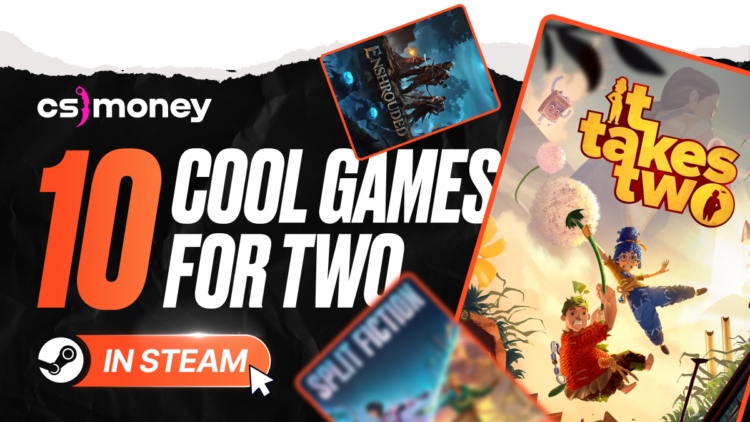
Top 10 Best Two Player Steam Games In 2026 The Ultimate List Eng 750x422 . Best Free To Play Survival Games On Steam 2026 The Complete List Image. Best Free To Play Steam Games 2026 Image. Top 15 Two Player Games To Play In 2026 Best Picks Top 15 Two Player Games January 2026 Featured Image . Best Free To Play Survival Games On Steam 2026 The Complete List Image





Two Player Game On Steam Top Coop Games To Enjoy With Friends . Steam Sales 2026 Calendar Full Dates Best CD Key Deals AllKeyShop Com All Steam Events 2026. Every Major Co Op Game Coming In 2026 YouTube . Best 2 Player Steam Games In 2026 What To Play Right Now Thinglabs Capsule 616x353 . My Current Steam Wishlist 2025 2026 New Games YouTube


Printable Two Player Games . Free Indie Steam Games You Should Play In 2026 Image. Best Free 2 Player Steam Games In 2026 Image. Exciting Two Player Games Play Free 2 Player Games Online Gamulo Two Player Games.webp. Best 2 Player Games On Steam 2020 Update YouTube



Steam Next Fest February 2026 The 22 Best Game Demos The Best Steam Next Fest Demos 2026 The Punished Backlog Order 2 300x162 . 21 Best Two Player PS5 Games 2026 Couch Online Play Best Two Player Ps5 Games . Best 2 Player Steam Games In 2026 What To Play Right Now Thinglabs Store Home Share11 . Best Couples Games To Play On Steam Attack Of The Fanboy It Takes Two Review . Best Free To Play Steam Games 2026 Image


2 Player Games Mini Games Jouer Sur Par VeturGames Original. Best Free 2 Player Steam Games In 2026 Image. Best Local 2 Player Games On PS5 2026 Fossbytes 2 Person Ps5 Games Featured Final . Best 2 Player Steam Games In 2026 What To Play Right Now Thinglabs Header . Steam 2026 4 New Free To Play Games Available Now AllKeyShop Com Showcase Steam Free Games 2026 Indie F2p Card Roguelike Sci Fi
Best Free To Play Steam Games 2026 Image. Best Free Single Player Steam Games 2026 Top Picks Image. Free Shooter Games On Steam That Stand Out 2026 Image. Best Free To Play Steam Games 2026 Image. Best Free To Play Steam Games 2026 Image


Best Free Horror Games On Steam 2026 Image. Best Free Steam Games For Low End PCs 2026 15 Great Picks For Weak Rigs Image. The Best Steam Games To Play In 2026 GamesRadar . Top 20 Free Games On Steam Kh M Ph Nh Ng T A Game H P D N Nh T . Best Free 2 Player Steam Games In 2026 Image