Keeping your gaming setup pristine is crucial for peak performance and hygiene, especially for busy US gamers balancing work, family, and passion. An inked gaming mousepad can be a major distraction, affecting mouse tracking, comfort, and even harboring unwanted grime. This comprehensive guide on how to clean inked gaming mousepad will walk you through effective, safe methods to remove various ink stains from different mousepad materials. Whether you're a casual player or a competitive esports enthusiast, maintaining your gear is key to an optimized experience. We'll cover everything from gentle solutions for cloth pads to precise techniques for hard surfaces, ensuring your mousepad feels new again. Discover practical tips, essential tools, and preventative measures that fit into your busy schedule, helping you stay current with gaming trends without the frustration of a sticky, stained surface. Dive in to learn how to restore your mousepad and elevate your gameplay without breaking the bank or wasting precious time on trial-and-error cleaning methods.
What's the best way to clean fresh ink from a cloth gaming mousepad?
For fresh ink on a cloth mousepad, immediate action is key. Gently blot the stain with a clean paper towel to absorb excess ink. Then, apply a small drop of mild dish soap directly onto the stain and gently work it into a lather with a soft-bristled brush or your fingertip. Rinse thoroughly with lukewarm water until all soap and ink residue is gone, then air dry completely.
Can I use household cleaners like window cleaner or bleach on my mousepad?
No, absolutely avoid using harsh household cleaners like window cleaner (ammonia-based), bleach, or abrasive sprays on your gaming mousepad. These chemicals can severely damage the surface, fade printed designs, break down the rubber backing, and even leave residues that negatively affect mouse tracking. Stick to mild dish soap or specialized electronics cleaners for safety.
How do I remove permanent marker ink from a hard surface gaming mousepad?
For permanent marker ink on a hard surface mousepad, isopropyl alcohol (rubbing alcohol) is often effective. Apply a small amount to a clean microfiber cloth and gently wipe the inked area. The alcohol helps dissolve the ink. Follow up by wiping with a damp cloth to remove any residue, then dry with another clean cloth. Always test in an inconspicuous spot first.
Why is proper drying so crucial after cleaning my mousepad?
Proper drying is crucial to prevent several issues. An incompletely dried mousepad can develop mildew, leading to unpleasant odors and potential skin irritations. Moreover, moisture trapped in the pad can damage your mouse's sensor if you use it too soon. For cloth pads, insufficient drying can also leave watermarks or affect the glide surface, so patience is key.
Is it safe to clean a mousepad with RGB lighting?
Cleaning an RGB mousepad requires extra caution to avoid damaging the integrated electronics. Never submerge an RGB mousepad in water. For ink stains, gently spot clean the affected area with a lightly damp cloth and a minimal amount of mild soap, ensuring no water gets into the stitched edges or control unit where the wiring is. Air dry thoroughly and ensure it's completely dry before plugging it back in.
What are the tell-tale signs that my gaming mousepad needs cleaning beyond just ink?
Beyond visible ink stains, common signs your mousepad needs cleaning include inconsistent mouse tracking, increased friction or 'stickiness' when gliding your mouse, visible buildup of dirt, dust, or skin oils, or an unpleasant odor. If your gaming performance feels off or your hands feel grimy after a session, it's definitely time for a refresh.
Will cleaning my mousepad affect its 'speed' or 'control' properties?
When done correctly, cleaning should restore your mousepad's original speed or control properties, not diminish them. Removing grime, oils, and ink allows your mouse to glide smoothly and consistently, as it was designed. Using harsh chemicals or abrasive scrubbing, however, can damage the surface texture, potentially altering its performance characteristics negatively. Always follow gentle, recommended cleaning methods.
For many of us, gaming isn't just a hobby; it's a vital way to unwind, connect with friends, and even build skills after a long day of work and family responsibilities. US gamers, averaging over 10 hours a week in virtual worlds, know that a smooth, responsive setup is non-negotiable for that precious escape. Yet, one common nemesis often overlooked is the humble mousepad, especially when it becomes an unintended canvas for ink. Whether it's a stray pen mark, an accidental spill from a leaky marker, or even the dreaded permanent ink, a stained mousepad can instantly downgrade your precision, comfort, and overall enjoyment. You're not alone if you've ever felt that frustrating drag or noticed your mouse tracking inconsistently because of an ink smudge. This isn't just about aesthetics; a dirty mousepad can affect your in-game performance and even harbor germs. With an estimated 87% of US gamers regularly engaging, keeping our gear in top shape is crucial for optimizing those limited gaming sessions. Fortunately, restoring your inked gaming mousepad to its former glory is often simpler than you think. This guide is your trusted resource for learning exactly how to clean an inked gaming mousepad, offering practical, no-fuss solutions that respect your time and your gear. Let's dive into making your gaming surface spotless, so you can focus on those headshots and quest completions.
Why is Cleaning an Inked Gaming Mousepad So Important?
A clean gaming mousepad is more than just visually appealing; it's fundamental to your gaming performance and overall hygiene. Ink stains, even small ones, can create uneven surfaces that interfere with your mouse's optical sensor, leading to jittery tracking, imprecise aim, and frustrating gameplay. For competitive gamers or anyone playing fast-paced titles, this can be the difference between victory and defeat. Beyond performance, mousepads accumulate sweat, dust, skin cells, and food crumbs over time, becoming breeding grounds for bacteria. Introducing ink to this mix can further complicate hygiene. Regularly cleaning your mousepad, especially when faced with ink, ensures consistent mouse movement, extends the life of your gear, and maintains a healthier gaming environment, which is increasingly important for busy adults who might share their space or game late into the night.
What Types of Ink Stains Are Common on Mousepads and How Do They Differ?
Gamers encounter various types of ink stains, each requiring a slightly different approach. Ballpoint pen ink is oil-based and tends to sit on the surface, making it relatively easier to remove if caught early. Marker ink, especially from permanent markers, is often alcohol-based and can quickly penetrate fabric fibers, making it more challenging. Gel pen ink is water-based and typically less stubborn. Printer ink or ink from a broken cartridge can be a mix of dyes and pigments, creating large, diffuse stains that spread quickly. Understanding the type of ink is the first step in effective cleaning, as it dictates the best solvent and method to use, ensuring you don't accidentally set the stain or damage your mousepad material.
What Materials Are Most Common for Gaming Mousepads and How Do They Affect Cleaning?
Gaming mousepads primarily come in two types: cloth and hard surface. Cloth mousepads, often made of fabric like woven polyester or microfiber, are popular for their comfortable glide and precise control. However, their absorbent nature makes them prone to ink absorption, requiring a gentle hand-washing approach. Hard surface mousepads, typically made from plastic, aluminum, or tempered glass, offer extremely fast glide and consistent tracking. These non-absorbent materials make ink stains easier to wipe away, but they can be more susceptible to scratches if abrasive cleaners are used. Always identify your mousepad's material before attempting any cleaning method to prevent irreparable damage and ensure the most effective stain removal for ink.
What Are the Essential Tools and Cleaning Solutions for Inked Mousepads?
Gathering the right tools before you start is key to successfully cleaning an inked gaming mousepad without causing damage. For most cloth pads, you'll need mild dish soap (like Dawn), lukewarm water, a soft-bristled brush (an old toothbrush works well), and clean microfiber cloths. For more stubborn ink stains, a small amount of isopropyl alcohol (rubbing alcohol) or a specialized fabric stain remover designed for delicate materials might be necessary, but always patch test first. Hard surface pads generally require only mild soap, water, and soft microfiber cloths. Avoid abrasive sponges, harsh chemical cleaners, bleach, or strong solvents, as these can damage the surface coating, fade designs, or even compromise the mousepad's integrity. Safety first, gamers!
How Do I Safely Clean an Inked Cloth Gaming Mousepad? Step-by-Step Guide
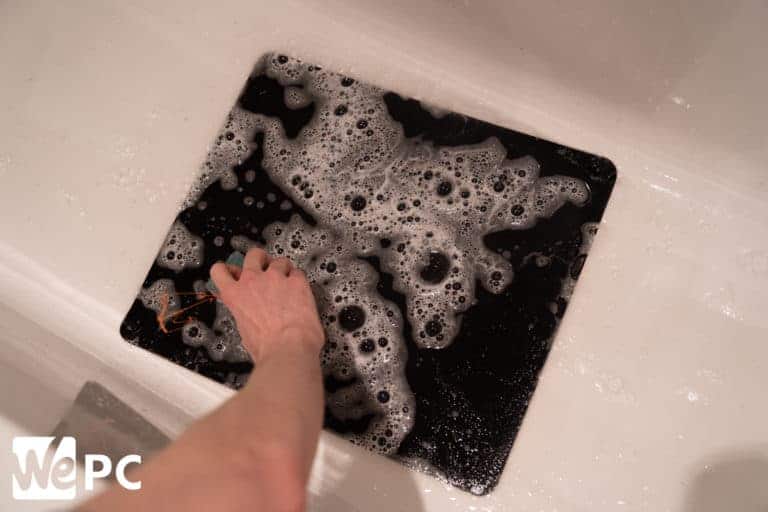
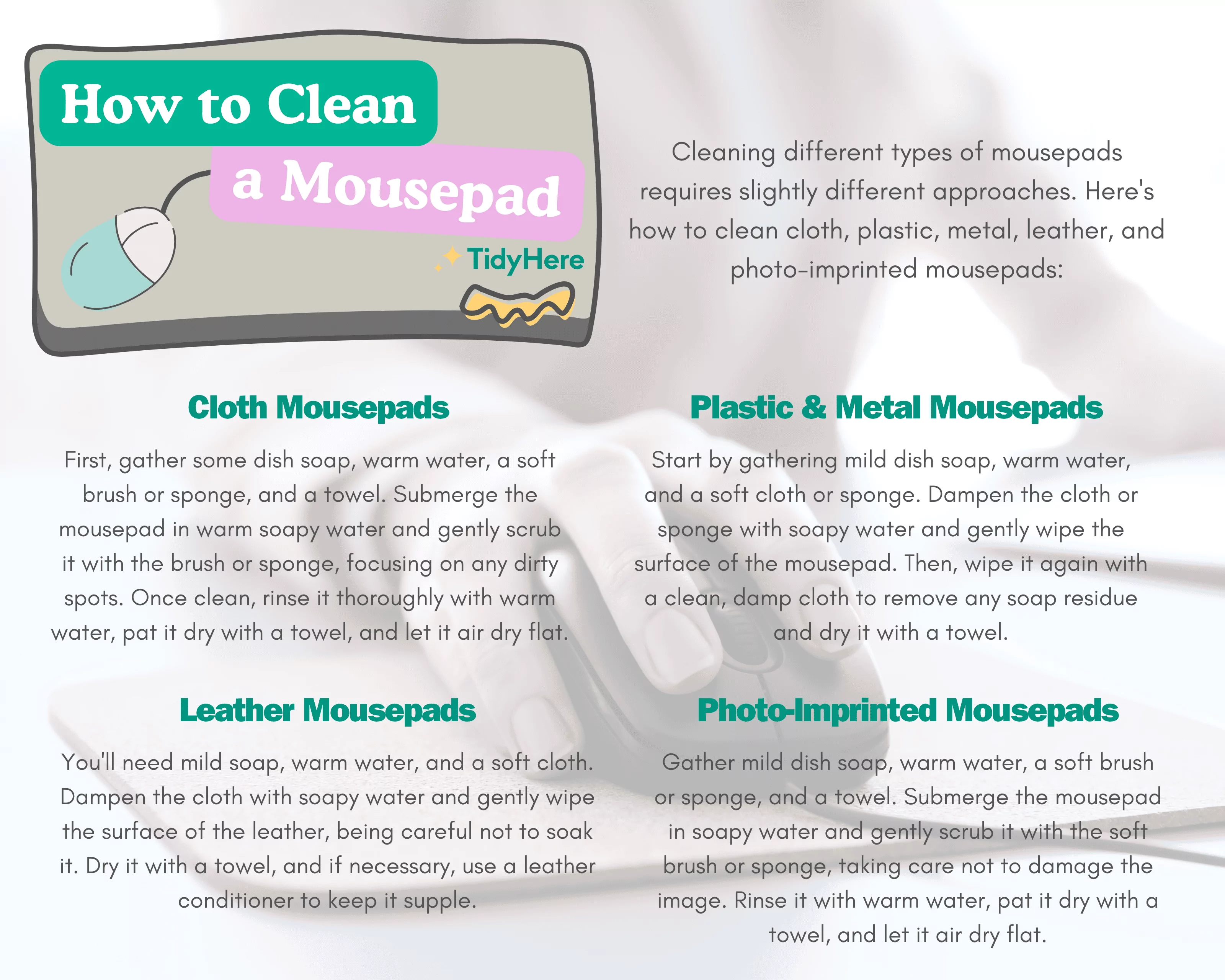
Cleaning an inked cloth gaming mousepad requires patience and a gentle touch. Here’s a step-by-step method that works for most non-permanent ink stains:
- Preparation: Unplug your mouse and clear your desk. Take your mousepad to a sink or bathtub.
- Rinse: Gently rinse the inked area with lukewarm water. Avoid hot water, which can set some stains.
- Apply Soap: Apply a small drop of mild dish soap directly onto the ink stain.
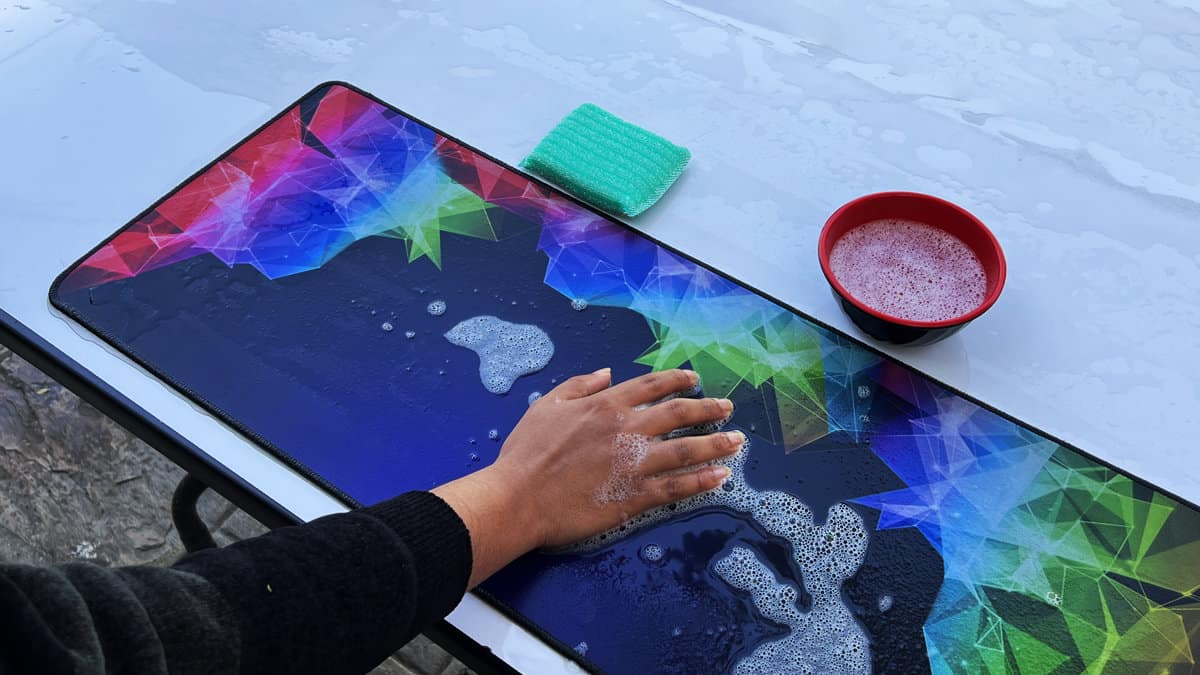
- Gently Scrub: Using a soft-bristled brush (like an old toothbrush), gently scrub the stained area in small, circular motions. Work the soap into a light lather. Do not scrub aggressively, as this can fray the fabric or damage stitched edges.
- Rinse Thoroughly: Rinse the mousepad thoroughly under lukewarm running water, ensuring all soap residue is removed. Squeeze out excess water gently, avoiding twisting or wringing.
- Spot Treatment (if needed): For persistent stains, dampen a microfiber cloth with a small amount of isopropyl alcohol (70% or higher) and gently dab the stain. Do a patch test in an inconspicuous area first. Rinse again after treatment.
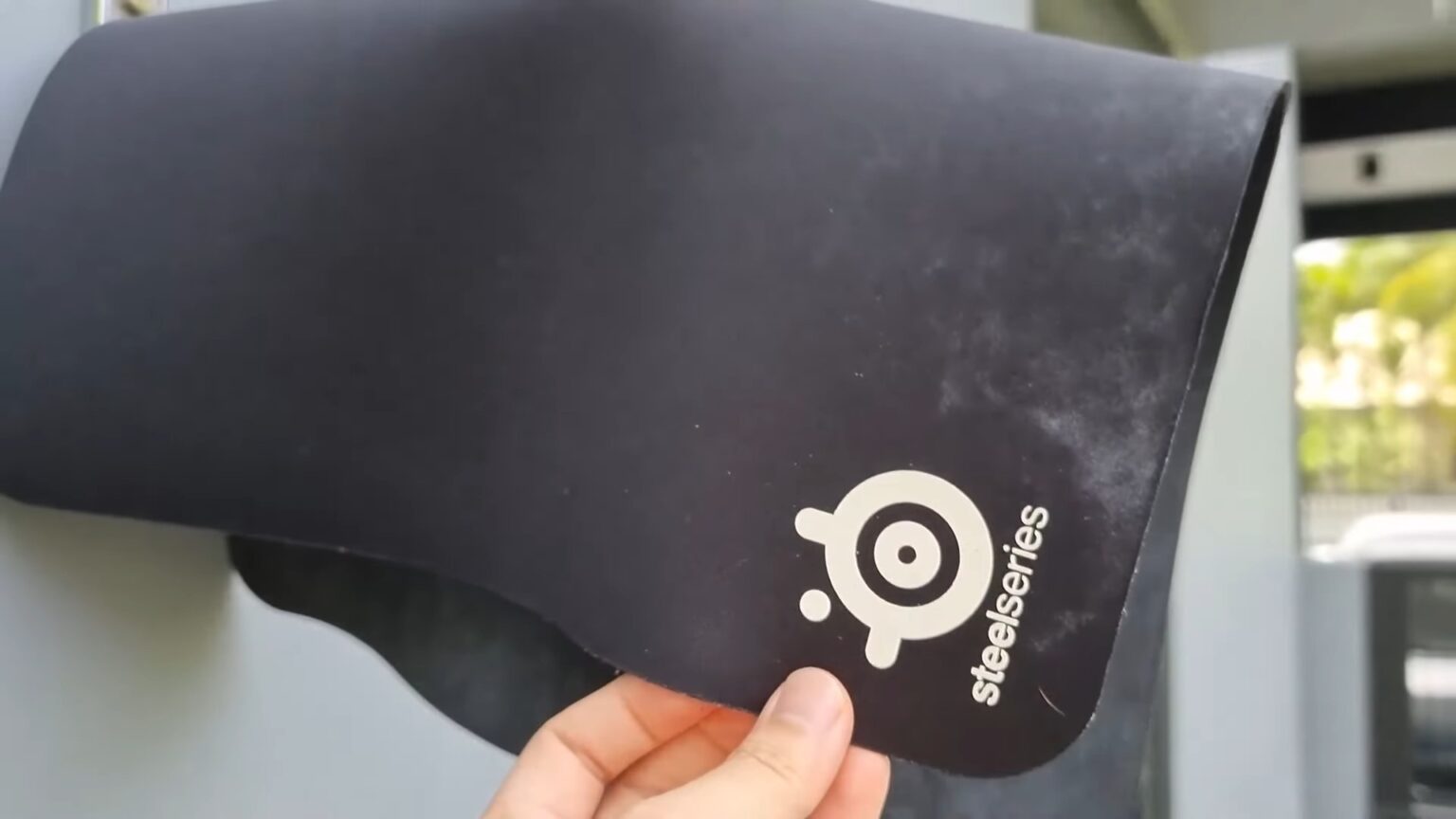
- Air Dry: Lay the mousepad flat on a clean, dry towel. Roll the towel and mousepad together to absorb more moisture. Then, lay the mousepad flat in a well-ventilated area, away from direct sunlight or heat sources, to air dry completely. This can take 12-24 hours. Never use a hairdryer or machine dryer, as heat can damage the rubber base.
How Do I Clean an Inked Hard Surface Gaming Mousepad? Step-by-Step Guide
Cleaning an inked hard surface mousepad is generally simpler due to its non-absorbent nature:
- Preparation: Disconnect your mouse. Place the mousepad on a clean, flat surface.
- Wipe Off Excess: If the ink is fresh, gently blot it with a dry paper towel to absorb as much as possible without smearing.
- Damp Cloth & Soap: Dampen a microfiber cloth with lukewarm water and a tiny drop of mild dish soap.
- Wipe Gently: Gently wipe the inked area with the damp, soapy cloth. For more stubborn stains, a light scrubbing motion can be used.
- Rinse & Wipe: Rinse your microfiber cloth with clean water and wipe down the mousepad again to remove all soap residue.
- Dry: Use a separate, clean, dry microfiber cloth to thoroughly dry the mousepad. Hard pads dry much faster than cloth pads. Ensure it's completely dry before reconnecting your mouse.
- For Permanent Ink: For permanent marker ink on hard surfaces, a small amount of isopropyl alcohol (rubbing alcohol) on a microfiber cloth can often lift the stain. Test in an inconspicuous area first. Wipe immediately with a damp cloth and then dry.
What Should I NEVER Do When Cleaning an Inked Mousepad?
Avoid these common mistakes to protect your valuable gaming gear: Never put your mousepad in a washing machine or dryer, as the agitation and heat can destroy the rubber base, fray edges, or cause delamination. Do not use harsh chemicals like bleach, ammonia-based cleaners, abrasive scrubs, or industrial solvents, which can damage the surface coating, fade graphics, or irritate your skin. Avoid wringing or twisting cloth mousepads, as this can stretch or tear the fabric. Never use a hairdryer or expose your mousepad to direct sunlight for drying, as intense heat can warp the base or crack hard surfaces. Lastly, avoid using excessive amounts of water, especially near stitched edges or RGB elements, to prevent water damage.
How Can I Prevent Ink Stains on My Gaming Mousepad in the Future?
Prevention is always better than cure, especially for busy gamers who don't have endless time for deep cleaning. Develop a habit of keeping pens and markers away from your desk setup when not in direct use. If you have kids or pets, consider a dedicated gaming zone where supplies are managed. Use a desk mat or protective cover for crafting or writing tasks. If you frequently use pens near your mousepad, opt for retractable pens to avoid accidental uncapping. For mobile gamers who might game anywhere, be mindful of where you place writing implements. A little vigilance goes a long way in keeping your setup pristine and ready for your next session, whether it's an intense raid or a relaxing cozy game.
How Often Should I Clean My Gaming Mousepad for Optimal Performance?
Even without visible ink, regular cleaning is vital. For most US gamers, a light cleaning every 1-2 weeks and a deeper clean once a month is a good general guideline. If you're a heavy gamer, eat and drink near your setup frequently, or live in a dusty environment, you might consider cleaning more often. Hard surface mousepads can often be wiped down daily. This routine maintenance helps prevent the buildup of oils, sweat, and dust, ensuring your mouse glides smoothly and maintains consistent tracking. A clean pad contributes to a clean mind, allowing you to focus on the game, not the grime.
When Is It Time to Replace an Inked or Heavily Stained Gaming Mousepad?
While many ink stains can be removed, some persistent or widespread damage might warrant a replacement. If a permanent marker has deeply saturated a cloth mousepad and multiple cleaning attempts have failed, or if the stain significantly affects mouse tracking, it might be time for an upgrade. Similarly, if your mousepad has developed bumps, tears, frayed edges, or its glide surface is severely worn down, affecting performance, a new pad will likely offer a better experience. Consider your gaming budget; sometimes the cost of extensive cleaning supplies or the time invested outweighs the cost of a fresh, high-performance mousepad. For the average gamer, balancing performance and value is key, and a fresh mousepad can feel like a significant upgrade.
Are There Any Eco-Friendly Cleaning Options for Gaming Mousepads?
Absolutely! For gamers conscious about their environmental impact, several eco-friendly options exist. Instead of harsh chemical cleaners, opt for diluted white vinegar (mix 1 part vinegar with 1 part water) for general cleaning, especially for hard surface pads (test first!). This natural disinfectant can help with light stains and odors. For cloth pads, look for natural, biodegradable dish soaps that are free of harsh dyes and fragrances. Baking soda can also be used as a paste with water for gentle scrubbing on tough spots on cloth pads, acting as a mild abrasive and deodorizer. Always remember to rinse thoroughly to avoid residue. Choosing reusable microfiber cloths over disposable wipes also reduces waste, aligning with a more sustainable gaming lifestyle while keeping your setup spotless.
Conclusion
Maintaining a clean gaming mousepad, especially when faced with ink stains, is a small but mighty step towards optimizing your gaming experience. We've covered everything from identifying different ink types and materials to step-by-step cleaning guides for both cloth and hard surface pads. Remember, gentle methods, the right tools, and thorough drying are your best friends. By taking a few minutes to care for your gear, you ensure consistent performance, extend product life, and maintain a hygienic setup, allowing you to fully immerse yourself in your favorite games without distractions. Keeping your gaming space clean reflects the dedication you put into your virtual worlds. What's your biggest gaming challenge when it comes to keeping your setup pristine? Comment below!
FAQ Section
Can I put my gaming mousepad in the washing machine?
Generally, no. We strongly advise against machine washing gaming mousepads. The harsh agitation and hot water can damage the rubber base, cause the surface fabric to fray or delaminate, and distort the pad's shape, rendering it unusable. Hand-washing with mild soap and lukewarm water is always the safer, recommended method.
Will cleaning remove all ink stains, including permanent marker?
While many ink stains, especially from ballpoint or gel pens, can be significantly reduced or removed with proper cleaning, permanent marker ink is notoriously difficult to fully eliminate from cloth mousepads. On hard surface pads, isopropyl alcohol can often lift permanent ink. For deep fabric stains, complete removal is not always guaranteed, but you can often lighten it considerably.
How long does a mousepad typically take to air dry completely?
A cloth gaming mousepad can take anywhere from 12 to 24 hours to air dry completely, depending on its thickness, material, and the humidity of your environment. It's crucial to ensure it's bone dry before using it again to prevent mildew or damage to your mouse's sensor. Hard surface pads dry almost immediately with a microfiber cloth.
Is rubbing alcohol safe to use on all types of mousepads?
Rubbing alcohol (isopropyl alcohol) can be effective for stubborn ink stains, especially on hard surface pads or for spot treating permanent marker. However, it should be used sparingly and tested on an inconspicuous area first, especially on cloth pads with printed designs. Excessive use can potentially fade colors or damage certain coatings. Always rinse the area with water after using alcohol.
What should I do if my mousepad develops an odor after cleaning?
If your mousepad develops an odor after cleaning, it's usually due to incomplete drying, which can lead to mildew. Ensure your mousepad is completely air dried in a well-ventilated area. For lingering smells, try sprinkling baking soda evenly over the dry mousepad, letting it sit for several hours (or overnight), then vacuuming it off gently. This can absorb residual odors.
Identify mousepad material before cleaning, use mild soap and water for cloth pads, gentle wipes for hard surfaces, avoid harsh chemicals or scrubbing, ensure complete air drying, regular maintenance prevents deep stains, and permanent ink may require specialized approaches.
35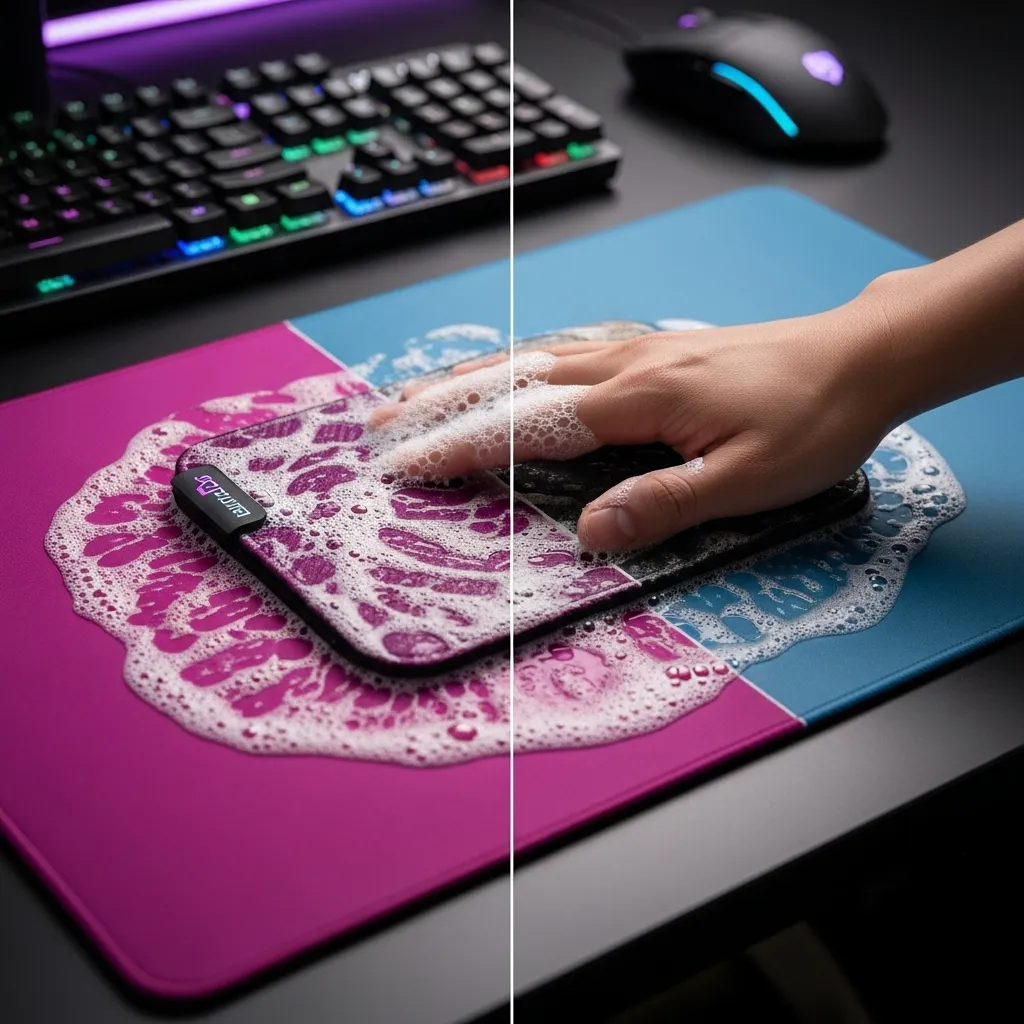

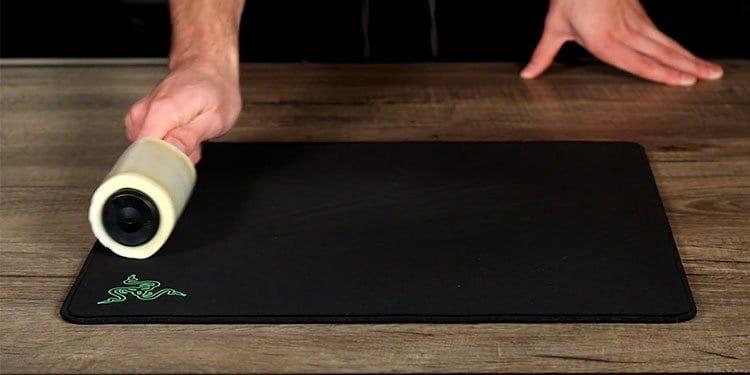
How To Clean A Cloth Mousepad For Peak Gaming Accuracy Joltfly Dynamic High Energy Shot Of A Gamers Battle Statio.webp. How To Clean Inked Gaming Playmats And Mousepads 033123 BlogHeader . How To Clean A Mousepad Tech News Today How To Clean A Mousepad 1 . How To Clean A Mousepad Simple Guide GamingScan How To Clean Mousepad . SOLVED NVIDIA Installer Cannot Continue Error In 2025 Methods To Clean A Mousepad



How To Clean A Mousepad Update 03 2026 How To Clean A Mousepad 3 . How To Clean Any Type Of Mousepad Voltcave Clean Mousepad Before And After . How To Clean Gaming Mouse Pads 4 Easy Steps . How To Clean An RGB Mousepad YouTube . How To Clean Your Gaming Mousepad Cloth Glass RGB MAMBASNAKE A2 040aab57 F5cf 416c 88f9


How To Clean A Mouse Pad Properly In 2026 WePC How To Clean Mousepad . How To Clean A Mousepad Complete Guide In 2026 Featured Image 8j7qu3o0 . Clean A Mousepad Safe Effective Guide RGBKeys 5269a0c7 19b8 4dd0 Bb82 . How To Wash Clean RGB LED Mousepad YouTube . Clustrs Gaming Glass Mouse Pads How To Clean Glass Mousepad Tips 887c16b9 1ad7 4c19 B7e0
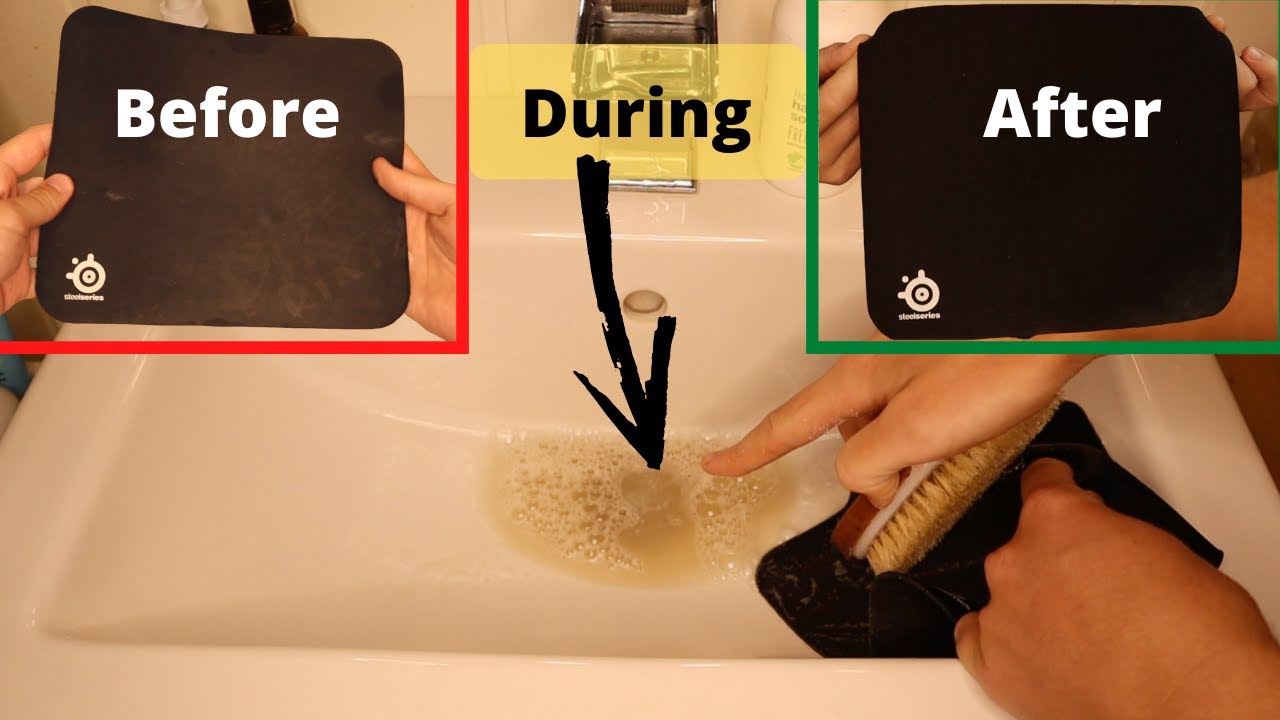
How To Clean Mousepad Company Mousepad At Tommie Chagnon Blog . How To Clean A Mousepad PC Gamer 1200 80 . How To Properly Clean And Maintain Your Mousepad Mousepad 1100x . How To Clean A Mousepad In A Few Easy Steps Archziner Com How To Clean A Mousepad Gaming Setup 768x513 . Clean Your Gaming Mouse Pad Using These Easy Steps


How To Clean Your Gaming Mousepad Fivemost How To Clean Your Gaming Mousepad 1 . How To Clean A Gaming Mouse Pad Level Up Your Game A Guide Clean A Gaming Mouse Pad Step By Step . Effortless Mousepad Cleaning Quick And Easy Methods LoveToKnow 263638 800x515r1 How Clean Mousepad . How To Clean A Mouse Pad Properly In 2026 WePC How To Clean Mouse Pad 4 . How To Clean A Mouse Pad The Right Way Safe For Cloth RGB Gaming How To Clean A Mouse Pad

How To Clean A Gaming Mouse Pad Level Up Your Game A Guide Drying Mouse Pad 1536x864 . How To Clean Leather Mousepad Step By Step Guide How To Clean A Mousepad Tidyhere Infographic .webp. How To Clean Your Mouse Pad The Ultimate Guide To A Grime Free Gaming How To Clean Your Mouse Pad 1200x675 . Gaming Mouse Cleaning Guide How To Clean Your Gaming Mouse A Step By Step Guide For Za Gamers.webp. How To Deep Clean Your Gaming Mouse Pad Ultimate Guide 2026 AC UF1000,1000 QL80

Front Back And Seam Area How To Clean A Gaming Mousepad Diipoo How To Clean A Gaming Mousepad 2 . How To Clean Your Gaming Mousepad Cloth Glass RGB MAMBASNAKE A3 283adf8b 8c7e 47f4 89ee . Front Back And Seam Area How To Clean A Gaming Mousepad Diipoo How To Clean A Gaming Mousepad 3 . How To Clean Mouse Pad At Rebecca Bowens Blog How To Clean A Razer Mouse Pad.webp. How To Clean A Gaming Mouse Pad Level Up Your Game A Guide Post Cleaning Gaming Mouse Pad